




Mini LED Display- What It Is, How It Works, and Where It Fits
By hyderali
Oct 26, 2026Related Posts

LED Window Display- The Complete Guide for Retail, Advertising, and Commercial Spaces
October 26, 2026

Mini LED Display- What It Is, How It Works, and Where It Fits
October 26, 2026
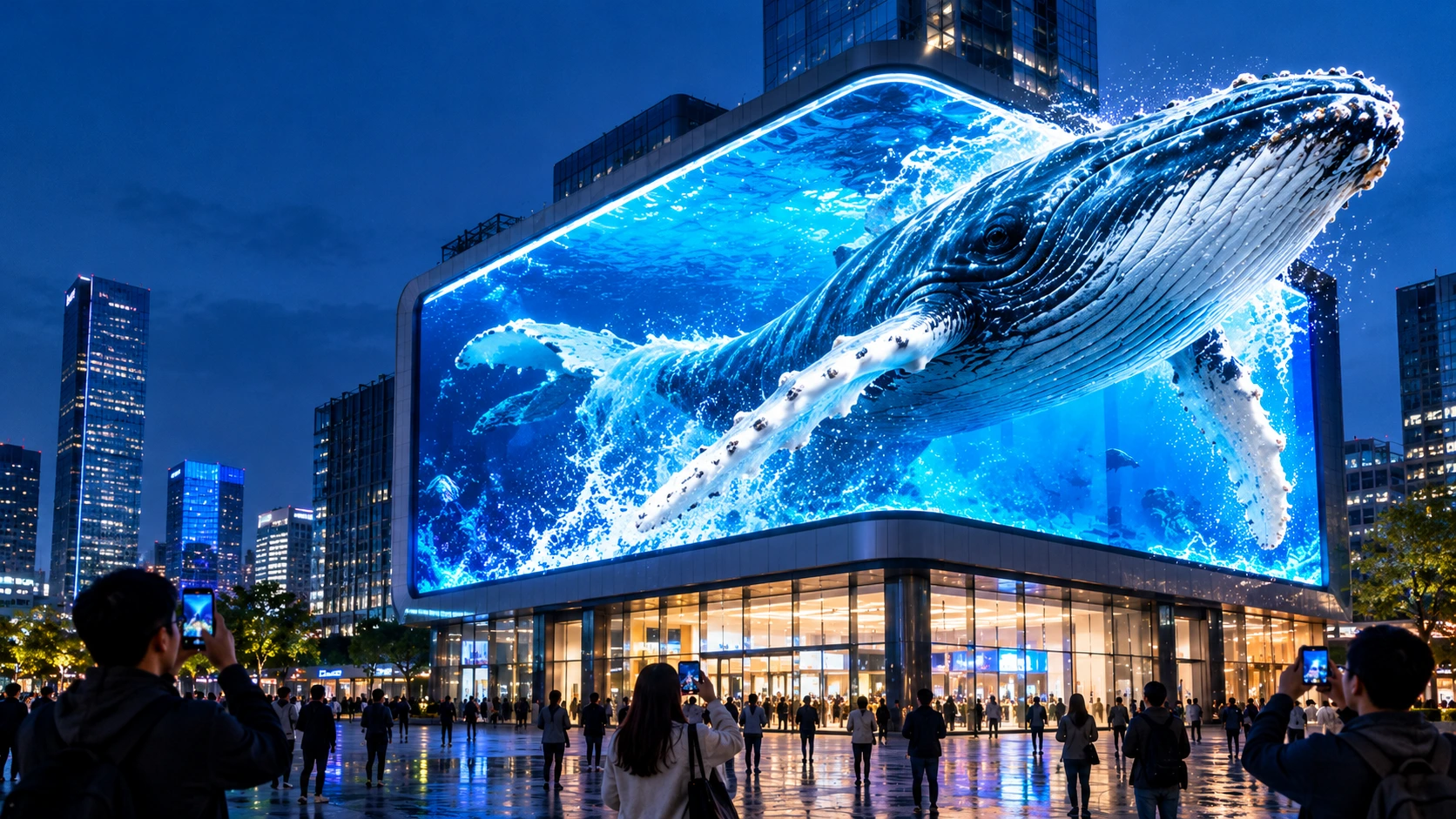
Naked Eye 3D LED Display - How It Works, Key Specs, Cost and How to Plan One (2026 Guide)
October 16, 2026

Transparent LED Displays for Storefronts
October 14, 2026
“Mini LED Display” appears on TV boxes, monitor spec sheets, laptop launches, and LED video wall quotations. The same two words describe different products, and that confuses buyers. A Mini LED monitor and a fine-pitch LED video wall share a core idea, using very small LEDs to get a better picture, but they are built differently and used differently.
This guide explains what a Mini LED display is, how the backlight version works, how it compares with OLED and Micro LED, how it relates to direct-view fine-pitch LED screens, and what to check before you buy.
Quick Answer
A Mini LED display uses LEDs roughly 50–200 micrometers in size. There are two main kinds:
- Mini LED backlit LCD: an LCD panel lit by thousands of tiny LEDs split into dimming zones. Used in TVs, monitors, laptops, and tablets.
- Direct-view Mini LED: a display where the LEDs themselves are the pixels, as in fine-pitch LED video walls for boardrooms, control rooms, studios, and retail.
If you are buying a screen for a desk or living room, you are choosing the first kind. If you are specifying a large, seamless wall, you are in the second kind’s world, and the key numbers are pixel pitch, brightness, refresh rate, and serviceability.
What Is a Mini LED?
A Mini LED is a small LED chip, commonly described as roughly 50–200 micrometers (µm) across. For comparison, a conventional LED chip is much larger, and Micro LED is smaller still. Sources draw the boundaries slightly differently, so treat the ranges as approximate rather than as a fixed standard.
Because the chips are smaller, many more of them fit into the same area. That brings three practical gains:
- Finer control of light, because more individual points can be dimmed or brightened
- Higher brightness and contrast potential
- Thinner designs, because the LED layer can sit closer to the panel
Two Kinds of Mini LED Display
| Mini LED backlit LCD | Direct-view Mini LED / fine-pitch LED | |
|---|---|---|
| What the LEDs do | Light the back of an LCD panel | Are the pixels themselves |
| Still an LCD? | Yes: backlight, liquid crystal layer, and colour filters | No, there is no LCD layer |
| Typical products | TVs, monitors, laptops, tablets, car displays | Video walls, control rooms, studios, retail and corporate displays |
| Size | Fixed panel sizes | Modular cabinets that tile to any size |
| Seams | One panel, no tiling | Cabinets joined edge to edge |
| Key specs | Dimming zones, peak brightness, HDR, panel type | Pixel pitch, brightness, refresh rate, cabinet design |
| Buying channel | Consumer electronics retail | Project-based, from LED display manufacturers |
The most common confusion is between chip size and pixel pitch. Chip size is how big each LED die is, measured in micrometers. Pixel pitch is the distance between pixel centres on a display, measured in millimetres. A P0.9 screen has a 0.9 mm pixel pitch, which is not a 900 µm chip. A screen can have very small chips and a large pitch, or the reverse.
How a Mini LED Backlit Display Works
A Mini LED backlit display is still an LCD. The layers, from back to front, are typically:
- Backlight: a dense grid of Mini LEDs
- Diffusion and optical films: spread and shape the light
- Liquid crystal layer: controls how much light passes through each pixel
- Colour filter: gives each pixel its red, green, and blue sub-pixels
- Front panel and glass
Local dimming zones
The Mini LEDs are grouped into zones that can be brightened or dimmed independently. In a dark scene with a bright object, the display dims the zones behind the dark areas and keeps the bright zones lit. This is how Mini LED improves contrast over a standard LED-lit LCD, which has far fewer zones.
Why more zones do not always mean a better picture
- Blooming or haloing. Light from a bright zone can spill into neighbouring dark areas, creating a glow around bright objects such as white text on a black background.
- Zone count is not the whole story. How quickly and accurately the dimming algorithm works matters as much as the number of zones. Independent reviewers regularly find that monitors with fewer zones can outperform ones with more.
- Mixed content can expose the limits. Desktop work with bright icons on dark backgrounds often shows more haloing than film or games.
Mini LED vs. Standard LED LCD
| Factor | Standard LED LCD | Mini LED LCD |
|---|---|---|
| Backlight | Edge-lit or a small number of LEDs | Thousands of tiny LEDs |
| Dimming zones | Few or none | Many |
| Contrast | Moderate | Substantially better |
| Peak brightness | Lower | Often higher |
| Thickness | Usually thicker for good backlighting | Can be thinner |
| Cost | Lower | Higher |
Mini LED vs. OLED
| Factor | Mini LED (backlit LCD) | OLED |
|---|---|---|
| How it lights | Backlight shining through an LCD | Each pixel emits its own light |
| Black levels | Very deep with good local dimming, but not perfect | True black, because pixels switch off |
| Haloing | Can occur around bright objects | None |
| Peak brightness | Often higher | Generally lower, especially for large bright areas |
| Burn-in risk | Low | Higher with long-running static images |
| Price | Often lower at the same size and spec | Often higher |
| Best for | Bright rooms, HDR, long static content | Dark rooms, film, close-up contrast |
Neither is universally better. A common way to choose is by environment: Mini LED tends to win in bright rooms and for static or work content, while OLED tends to win for dark-room viewing and perfect blacks.
Mini LED vs. Micro LED
| Factor | Mini LED | Micro LED |
|---|---|---|
| Chip size | Roughly 50–200 µm | Smaller still |
| Structure | Backlight for LCD, or direct-view with Mini chips | Self-emissive pixels, with no LCD or backlight |
| Contrast | Good, depends on dimming | Excellent, pixels switch off |
| Manufacturing | Easier, builds on existing LED production | Harder and costlier at scale |
| Maturity | Widely available | Emerging, premium |
| Role | Practical today | Long-term direction |
Many sources describe Mini LED as a transitional technology between conventional LED and Micro LED. It delivers much of the improvement with far simpler manufacturing, which is why it has spread so quickly.
Direct-View Mini LED and Fine-Pitch LED Displays
For commercial buyers, the relevant question is not about backlights. It is how to get a seamless, bright, close-viewing display from LEDs that act as the pixels. This is the domain of fine-pitch LED video walls, often built with chip-on-board (COB) or similar packaging.
Why small chips matter for fine pitch
To place pixels closer together, the LED chips and their packages must shrink. Smaller chips allow:
- Finer pixel pitch, so viewers can stand closer without seeing individual pixels
- Denser pixel arrays and higher resolution on the same wall
- Smoother, more uniform images with sealed or flat surfaces in COB designs
Packaging matters
Fine-pitch LED screens use several packaging approaches, including surface-mounted (SMD) lamps, glue-coated surfaces, and chip-on-board, where bare chips mount directly on the circuit board and are covered in a protective resin layer. COB adds protection against dust, moisture, and knocks, and can improve thermal paths, which suits close-viewing indoor environments. See MIC’s COB LED display range, including the MC-COB Fine Pitch COB LED Display.
Pixel pitch and viewing distance
A practical rule for direct-view screens is that the pixel pitch in millimetres roughly equals the minimum comfortable viewing distance in metres, and the best viewing distance is about two to three times that.
| Pixel pitch | Typical use | Approx. minimum viewing distance |
|---|---|---|
| P0.9–P1.2 | Control rooms, broadcast studios, executive boardrooms | About 1–1.5 m |
| P1.5–P1.8 | Boardrooms, premium retail, showrooms | About 1.5–2.5 m |
| P2–P2.5 | Lobbies, retail, digital signage | About 2–3 m |
MIC’s indoor LED displays cover an ultra-fine pitch range of P0.9–P2.5, with die-cast aluminium cabinets, seamless splicing, colour reproduction above 110% NTSC, and viewing angles above 170°, according to the product overview. For a seamless large video wall, see the MC-PRO Indoor LED Video Wall.
What to ask if a quote says “Mini LED”
In the direct-view market, “Mini LED” is sometimes used loosely as a marketing label for fine-pitch screens. If a supplier uses it, ask:
- What is the LED chip size and the packaging type (SMD, GOB, COB, or other)?
- What is the pixel pitch?
- What is the brightness range and how is it controlled?
- What is the refresh rate, and is it suitable for camera use?
- How is the cabinet serviced (front or rear), and how are modules replaced?
- What warranty and spare module policy apply?
- Can the supplier provide calibration and uniformity data?
Where Mini LED Displays Are Used
| Application | Mini LED type | Why it fits |
|---|---|---|
| TVs and home cinema | Backlit LCD | Bright HDR and strong contrast in lit rooms |
| Monitors | Backlit LCD | HDR gaming, editing, and mixed work |
| Laptops and tablets | Backlit LCD | Thin panels with high brightness |
| Automotive displays | Backlit LCD and direct-view | Brightness and reliability needs |
| Boardrooms and meeting rooms | Direct-view fine pitch | Seamless, bright, large walls |
| Control rooms and data walls | Direct-view fine pitch | Close viewing, long operating hours, no seams. See data visualization solutions |
| Retail, showrooms, and lobbies | Direct-view fine pitch | Brand impact. See commercial display solutions |
| Studios and stages | Direct-view fine pitch | Camera-friendly refresh rates. See stage display solutions |
For real installations, see MIC’s project cases, including the exhibition hall LED display and the shopping mall immersive LED display.
Strengths and Limitations of Mini LED
Strengths
- Much better contrast than standard LED LCDs
- High peak brightness, useful in bright rooms and for HDR
- Low burn-in risk compared with OLED
- Thinner designs than conventional backlit LCDs
- Easier and cheaper to manufacture than Micro LED
Limitations
- Backlit versions still show blooming around bright objects
- Black levels do not match OLED’s true black
- Higher cost than standard LED LCDs
- Performance varies widely between products with similar zone counts
- Direct-view fine-pitch walls cost more than coarser pitches, because of the density of chips
How to Choose
If you are buying a TV or monitor
- Check dimming quality, not just zone count. Look for independent reviews of haloing and dimming behaviour.
- Match brightness to the room. Bright rooms benefit most.
- Consider panel type. Panel type affects viewing angle and native contrast.
- Check HDR support and sustained brightness. Some screens cannot hold peak brightness for long.
- Consider your content. Film and games show off dimming, and desktop use may reveal haloing.
- Check refresh rate, resolution, and inputs for gaming and professional use.
If you are specifying a direct-view LED wall
- Measure real viewing distances and choose the pixel pitch to match.
- Choose the packaging (SMD, COB, or other) based on handling, protection, and service needs.
- Set brightness for the room. Indoor spaces usually need much less than outdoor screens, and excess brightness causes glare.
- Check refresh rate if the wall will be filmed or broadcast. MIC lists refresh rates of 3840–7680 Hz across its rental and commercial range.
- Plan service access. Decide front or rear maintenance at design stage.
- Confirm calibration and spares so replacement modules match.
- Review warranty terms. See MIC’s warranty page.
Common Myths
- “Mini LED is OLED.” It is not. Mini LED is a backlight technology (or a direct-view LED technology), and OLED pixels emit their own light.
- “More zones always means better.” Dimming algorithm quality matters as much as zone count.
- “Mini LED has perfect blacks.” Backlit Mini LED does not, because it still relies on a backlight.
- “Mini LED and Micro LED are the same.” Micro LED chips are smaller and the pixels are self-emissive, with no backlight.
- “A P0.9 screen has 900 µm chips.” Pixel pitch and chip size are different measurements.
- “A finer pitch is always better.” Beyond the audience’s viewing distance, it adds cost with no visible gain.
Frequently Asked Questions
What is a Mini LED display?
It is a display that uses very small LEDs, roughly 50–200 micrometers, either as a dense backlight for an LCD or, in some products, as the pixels themselves.
Is Mini LED the same as OLED?
No. Mini LED backlit screens still use an LCD panel lit from behind, while OLED pixels emit their own light.
Is Mini LED better than OLED?
It depends on the use. Mini LED tends to be brighter and has a lower burn-in risk, while OLED has true blacks and no haloing.
What is the difference between Mini LED and Micro LED?
Micro LED chips are smaller and self-emissive, with no backlight. Mini LED is easier and cheaper to make and is widely available today.
Does a Mini LED screen have blooming?
Backlit versions can show a glow around bright objects on dark backgrounds. The effect depends on the dimming design.
Does Mini LED suffer from burn-in?
The risk is low compared with OLED, because the display does not rely on organic emitters.
Are fine-pitch LED video walls Mini LED displays?
They use small LED chips as direct-view pixels, and some suppliers describe them as Mini LED. Ask for the chip size, packaging type, and pixel pitch rather than relying on the label.
What is the difference between chip size and pixel pitch?
Chip size is the size of each LED die in micrometers. Pixel pitch is the centre-to-centre distance between pixels in millimetres.
Which is better for a boardroom: a Mini LED monitor or an LED video wall?
For one desk, a monitor works. For a large, seamless wall, a fine-pitch LED video wall is usually the better route.
Final Thoughts
Mini LED is not a single product. It is an approach to using very small LEDs: as a dense backlight that sharpens contrast in TVs and monitors, or as the pixels of a direct-view wall that delivers large, seamless images for professional spaces. Understanding which one you are looking at, and separating chip size from pixel pitch, protects you from marketing noise.
Planning a fine-pitch LED wall? Explore MIC’s indoor LED displays, COB LED displays, and commercial display solutions, or contact MIC with your room size, viewing distance, and use case for a tailored recommendation. MIC supports OEM/ODM customization for commercial projects worldwide.


Contact Us
In This Article
Related Posts
LED Window Display- The Complete Guide for Retail, Advertising, and Commercial Spaces
October 26, 2026
Mini LED Display- What It Is, How It Works, and Where It Fits
October 26, 2026
Naked Eye 3D LED Display - How It Works, Key Specs, Cost and How to Plan One (2026 Guide)
October 16, 2026
Transparent LED Displays for Storefronts
October 14, 2026


