




Naked Eye 3D LED Display - How It Works, Key Specs, Cost and How to Plan One (2026 Guide)
By hyderali
Oct 16, 2026Related Posts

LED Window Display- The Complete Guide for Retail, Advertising, and Commercial Spaces
October 26, 2026

Mini LED Display- What It Is, How It Works, and Where It Fits
October 26, 2026
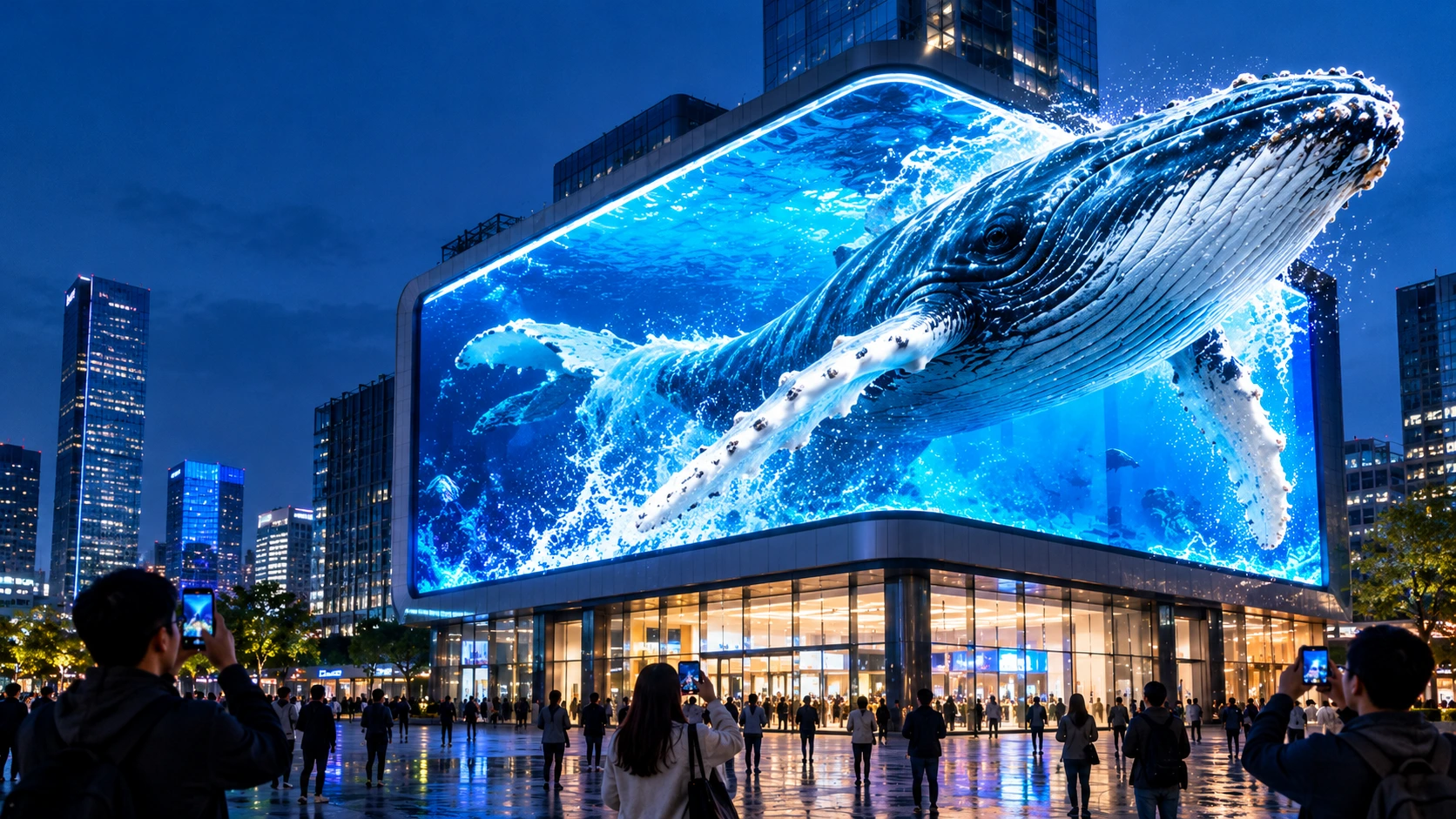
Naked Eye 3D LED Display - How It Works, Key Specs, Cost and How to Plan One (2026 Guide)
October 16, 2026

Transparent LED Displays for Storefronts
October 14, 2026
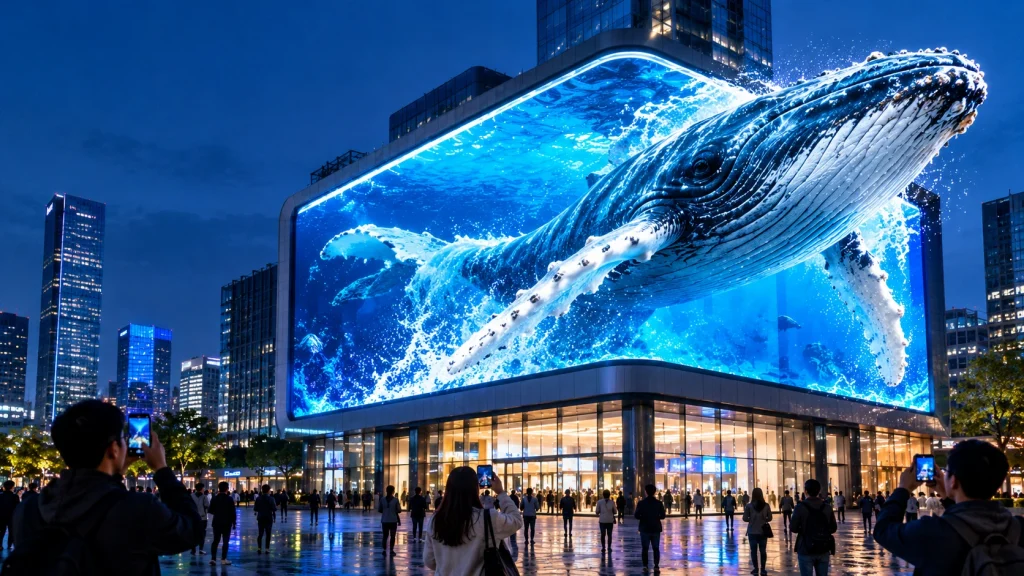
A naked eye 3D LED display is an LED video wall that makes content appear to have real depth, floating, stepping out of the frame or receding into the building, without glasses. In almost every large outdoor installation the effect does not come from a special kind of screen. It comes from three things designed together: the physical shape of the display (often an L-shaped corner or a curve), perspective-rendered content built for one exact viewpoint, and LED hardware bright, sharp and stable enough to sell the illusion in daylight and on camera.
At MIC, a Shenzhen-based LED display manufacturer, we produce indoor, outdoor, rental, COB, transparent and custom LED screens with OEM/ODM support and engineering assistance. This guide explains how the technology actually works, which specifications matter, how to plan the site and content, what drives cost, and how to avoid the mistakes that turn an expensive screen into an ordinary flat one.
Key Takeaways
- A naked eye 3D LED display usually relies on anamorphic (forced-perspective) content viewed from a planned position, not on lenses or barriers.
- Screen geometry, content and hardware must be specified together. A weak link in any of the three weakens the whole effect.
- Corner and curved screens give the illusion more spatial cues than a single flat wall.
- Choose pixel pitch from the real viewing distance, not from a brochure. Finer is not automatically better.
- Brightness has to be matched to the site. Too little loses the image in sunlight, too much washes out the shadows that create depth.
- Plan content, structure, installation, service access and testing as part of the project, not as extras.
In This Guide
- What is a naked eye 3D LED display?
- Two ways to create glasses-free 3D
- How the 3D illusion works, step by step
- Screen geometry: corner, flat, curved and flexible
- Planning the viewing position and site
- Technical specifications that matter
- Content production workflow
- Cost: what drives the budget
- Applications and where it works best
- MIC 3D LED display projects
- Common mistakes and how to avoid them
- Acceptance testing checklist
- FAQ
What Is a Naked Eye 3D LED Display?
A naked eye 3D LED display, also called a glasses-free 3D LED screen, 3D LED billboard or anamorphic LED display, is an LED screen that presents depth to unaided viewers. Passers-by do not need glasses, headsets or any equipment. They simply stand in the right zone and look.
The term covers two quite different technologies, and buyers often confuse them:
- Anamorphic 3D billboards: large outdoor and indoor LED walls playing perspective-rendered video made for a specific viewpoint. This is the format seen in viral city-corner installations.
- Autostereoscopic displays: smaller screens that use lenticular lenses or parallax barriers to send different images to each eye, sometimes with eye tracking.
This guide focuses on the first type, because it is what most advertisers, malls, hotels, developers and event venues mean when they ask for a naked eye 3D LED display.
Two Ways to Create Glasses-Free 3D
| Feature | Anamorphic LED billboard | Autostereoscopic display |
|---|---|---|
| How depth is created | Perspective, shadows, scale and a virtual frame rendered for one viewpoint | Optics (lenticular lens or parallax barrier) send different views to each eye |
| Typical size | Large: tens to thousands of square meters | Small to medium, often monitors or kiosks |
| Typical setting | Building corners, facades, malls, plazas | Retail counters, exhibits, medical and design screens |
| Special hardware | Standard high-quality LED, often in a corner or curved layout | Lens or barrier layer over the panel |
| Viewing zone | A planned area in front of the screen | Fixed or tracked viewing zones |
| Content | Custom-rendered for the exact screen geometry | Multi-view rendering for the optical layer |
| Brightness impact | Full LED brightness available | Optical layer reduces brightness |
Optical solutions lose light and narrow the viewing zone, which is why they suit small indoor screens rather than outdoor video walls. For large installations the combination of geometry and content is the practical route.
How the 3D Illusion Works, Step by Step
Human depth perception uses many cues, and anamorphic content stacks several of them so the brain accepts a flat surface as a three-dimensional scene.
- Perspective: foreground objects are drawn larger and background objects smaller, with lines converging toward a vanishing point.
- Occlusion: objects in front hide objects behind them, a strong depth signal.
- Shadow and light: consistent light direction and soft shadows give objects volume and place them in space.
- Relative motion: objects at different depths move at different speeds across the frame.
- A virtual frame: a visible box, ceiling or border acts as the reference plane. When an object crosses that boundary, it looks as if it leaves the screen.
- Connected faces: on a corner screen, one scene wraps across two panels, so each eye sees a slightly different angle of the same space.
The production logic in five steps
- Survey the screen: width, height, corner angle or curve, mounting height and seams.
- Choose the viewpoint: the position where the audience will stand or walk.
- Build a virtual camera at that viewpoint and model the real screen in a 3D scene.
- Render the animation so the perspective lines up with the physical screen edges.
- Map the output to the LED canvas and test on site.
The key point is that the effect is viewpoint dependent. From the planned zone it looks convincing. From far to the side, proportions can look stretched. That is a design constraint to plan around, not a defect.
Screen Geometry: Corner, Flat, Curved and Flexible
| Geometry | 3D strength | Best for | Considerations |
|---|---|---|---|
| L-shaped corner (about 90 degrees) | Strongest | Building corners, malls, landmark plazas | Needs a real corner, structure and content built for both faces |
| Curved or concave | Strong | Atriums, exhibition halls, immersive rooms | Content must be mapped to the curve |
| Flat single wall | Moderate | Facades or walls where no corner exists | Relies fully on forced perspective and a narrower viewing zone |
| Multi-plane or custom shape | Strong when designed well | Creative architecture, events | Needs engineering drawings and careful mapping |
Why a corner works so well
A corner gives the content a built-in stage. The two faces meet at a real edge, so the animation can place a character on the seam, a product leaving the corner or a wave crossing from one face to the other. Viewers who stand near the planned position see both faces at a natural angle, which strengthens the perspective.
Flexible and curved options
For indoor immersive spaces and curved installations, flexible modules can help form curves. See our flexible LED film and the MCR-MAX Flexible Indoor Rental LED Screen for curved and creative layouts. For fixed outdoor corners, purpose-built cabinets with a structural frame are usually the better route, and our team can advise on the right construction for the site.
Planning the Viewing Position and Site
A successful naked eye 3D LED display begins with people, not pixels. Walk the site and answer these questions before choosing any hardware.
- Where will most people stand or walk when they look up? Mark the main viewing zone on a plan.
- What is the closest and farthest viewing distance? This decides pixel pitch.
- From which directions does the audience approach? Pedestrian routes, crossings, plazas, car approaches.
- What blocks the view? Trees, signs, bridges, traffic, nearby buildings.
- What is the sun direction and ambient light? It affects brightness settings and the shadow direction in the content.
- How long can people look? A busy crossing gives seconds. A plaza with seating gives minutes. Content length and pace depend on it.
Then record the physical data your content team needs: exact screen dimensions, corner angle or curve radius, seam positions, mounting height and photographs from the intended viewpoint.
Technical Specifications That Matter
Specifications cannot rescue content built for the wrong viewpoint, but poor hardware can ruin great content. These are the parameters to check.
Pixel pitch and resolution
A common guide puts the minimum comfortable viewing distance, in meters, at roughly 1 to 3 times the pixel pitch in millimeters. For outdoor 3D walls viewed from a plaza or street, choose a pitch that gives a clean image at the closest realistic distance, then let distance do the rest.
Worked example: resolution of a corner screen
Pixel count equals the physical dimension divided by the pitch.
| Face size | Pixel pitch | Pixels (width x height) |
|---|---|---|
| 24 m x 12 m | P6 | 4,000 x 2,000 |
| 24 m x 12 m | P8 | 3,000 x 1,500 |
| 12 m x 6 m | P4 | 3,000 x 1,500 |
| 12 m x 6 m | P2.5 | 4,800 x 2,400 |
Do not rely on the label of the input video. A 4K file played on a screen with fewer native pixels is scaled down, and the extra detail is lost. Always ask for the native pixel width and height of every face.
Brightness
Brightness must suit the site. Direct sunlight needs high output so the image stays visible. At night, the same output can be uncomfortable and can wash out shadows, which are an important depth cue. Choose a screen with controllable brightness, ideally with scheduled or automatic adjustment, and test settings during the day and after dark. Our product lines list a range of 500 to 5,000 nits on rental screens, and outdoor models are specified individually, so confirm the exact figure for your model in the datasheet.
Refresh rate and frame rate
These are different things. The LED refresh rate (in Hz) describes how fast the driver updates the display, and a high rate helps avoid scan lines and flicker when people film with phones. The video frame rate (frames per second) is how many images the content plays per second. A 3D billboard needs both a high refresh rate and smooth, correctly mapped playback. Our product range lists refresh rates from 3,840 to 7,680 Hz, and you should run a phone camera test before sign-off.
Grayscale, contrast and color
Depth lives in gradients: soft shadows, highlights on a product, smooth transitions in the sky. High grayscale depth, good contrast and calibrated color uniformity across modules and across the corner seam keep those gradients clean. Banding or color mismatch at the seam breaks the illusion at the exact place where it matters most.
Viewing angle
Panel viewing angle describes how widely the LED image stays visible. It is not the same as the 3D viewing zone. A screen can be bright from the side while the anamorphic perspective looks distorted. Plan both.
Weather protection and service
Outdoor screens need a suitable IP rating, corrosion resistance and a plan for drainage and ventilation. Service access matters on corners and building structures, where reaching the rear may be hard. Our outdoor LED display range includes the MC-PRO Outdoor Fixed LED Display with IP65 protection and front and rear dual maintenance, and the MC-S Outdoor Advertising LED Display.
Video processing and synchronization
The controller must support the full canvas, the frame rate and synchronized outputs. A timing mismatch between the two faces of a corner is visible immediately. Ask for the processing system, pixel capacity and output mapping plan in the proposal.
Content Production Workflow
Content is part of the system specification. It is not an asset to add after the cabinets are ordered. A strong brief states the main viewing zone, the intended length of the sequence, the screen geometry, resolution, format and the key message.
- Screen survey and drawings: dimensions of every face and seam, corner angle, photos from the viewpoint.
- Concept and storyboard: decide what appears to leave the screen and when.
- 3D modeling and animation: model the real screen, set the virtual camera at the viewpoint, place objects and light.
- Test render: a low-resolution proof checked from the viewpoint and from side positions.
- Final render and mapping: native resolution output split to the processor outputs.
- On-site calibration: brightness, color, timing and seam check from the real viewing zone.
- Update plan: a refresh schedule so the display stays fresh.
Design rules that keep the illusion convincing
- Keep the main message legible before and after the 3D moment.
- Avoid fine lines and tiny text that disappear at distance.
- Match the lighting direction to the real sun position at the site.
- Use a clear visual frame so the brain has a reference plane.
- Leave breathing room: constant motion tires the eye and reduces impact.
Deliverables to agree in writing: source project files, final video files in the specified resolution, a mapping file, the approved viewpoint coordinates, the number of revisions and who owns the creative rights.
Cost: What Drives the Budget
A realistic budget separates the hardware from everything around it. Quoted prices per square meter for a screen alone do not represent the project cost, and cost varies widely by region, structure and specification, so we do not publish a single price here. Use this framework instead.
| Cost block | What it covers | What pushes it up |
|---|---|---|
| LED display package | Cabinets, power supplies, receiving cards, spares, calibration | Finer pitch, larger area, higher brightness, special shapes |
| Control and processing | Controllers, media players, cabling | Large canvas, many outputs, redundancy |
| Structure and installation | Steel frame, access equipment, electrical work, transport, permits | Height, building condition, corner geometry, remote location |
| Content | Survey, 3D animation, rendering, mapping, revisions | Length, realism, number of sequences, interactivity |
| Operation | Power, cooling, media updates, staff time | Hours of operation, brightness, content refresh rate |
| Service | Spare modules, cleaning, inspections, warranty | Harsh climate, difficult access |
Budgeting advice: do not put the whole budget into hardware and leave nothing for content. A premium screen playing weak content wastes the investment. Define the content scope and responsibility in the same proposal as the hardware.
Review our warranty terms and ask every supplier to list inclusions and exclusions clearly.
Applications and Where It Works Best
| Application | Why 3D works | Typical geometry | Explore at MIC |
|---|---|---|---|
| Outdoor advertising and city corners | Stops traffic, invites filming and sharing | L-shaped or large flat | Advertising display solutions |
| Shopping malls and retail plazas | Creates a destination and a brand moment | Corner, atrium wall, curve | Commercial display solutions |
| Exhibition halls and showrooms | Immersive product and brand storytelling | Curved or multi-face | Indoor LED display |
| Events, launches and stages | Wraps the audience in a visual world | Curved, custom shapes | Stage display solutions |
| Control rooms and visualization | Depth for models and layered data | Flat or curved fine pitch | Data visualization solutions |
| Architectural and creative installs | Turns a building into a medium | Corner, transparent or custom | Transparent screens |
For indoor, close-range projects where viewers stand near the screen, fine pitch is important. See our COB LED display range and the MC-PRO Indoor LED Video Wall. Our indoor HD displays offer ultra-fine pixel pitch from P0.9 to P2.5, color reproduction above 110% NTSC and a viewing angle above 170 degrees.
MIC 3D LED Display Projects
See how large-format 3D screens look in real installations from our project cases:
- Outdoor 3D LED display project: a 1,296 m² outdoor 3D display screen, completed in 2026.
- Shopping mall 3D LED display project: a 1,249 m² immersive 3D screen, completed in 2025.
- Shopping mall immersive LED display project: a 582 m² immersive display, completed in 2025.
- Exhibition hall LED display project: a 2,734 m² indoor display, completed in 2026.
Watch product and installation footage on our videos page and browse the gallery.
Common Mistakes and How to Avoid Them
| Mistake | Why it happens | Better approach |
|---|---|---|
| Buying by screen size alone | Bigger feels more impressive | Map the viewing zone first, then size and pitch |
| Confusing panel viewing angle with the 3D zone | Specs list a wide angle | Ask for renders from center and edge positions |
| Treating content as an afterthought | Budget is spent on hardware | Specify content scope and responsibility in the same proposal |
| Assuming refresh rate guarantees clean camera footage | Only one number is checked | Run a phone camera test with the final settings |
| Ignoring sun direction and brightness | Content built in a studio | Match light direction and test day and night |
| Leaving ownership undefined | No contract detail | Agree source files, revisions and rights in writing |
| Playing the same loop for months | One-time production | Plan refresh cycles and a content calendar |
| Forgetting service access | Corner structures are tight | Confirm front and rear maintenance before ordering |
Acceptance Testing Checklist
| Test | How to check | Pass criterion to agree in advance |
|---|---|---|
| Viewing zone | Observe from the main point and two side positions | Depth illusion and key message remain clear in the agreed audience zone |
| Screen mapping | Play grid and edge-alignment files across every face | No crop, stretch or timing break at the seam |
| Image quality | Inspect gray ramps, skin tones and product colors | Brightness and color match between cabinets |
| Brightness schedule | Check day, dusk and night settings | Visible in sun, comfortable and shadow-rich at night |
| Camera capture | Record with typical phone settings | No unacceptable flicker, banding or scan lines |
| Playback reliability | Reboot and change content | Correct load, synchronized outputs, clear handover guide |
| Mechanical and electrical | Specialist inspection | Structure, sealing and power meet site requirements |
Frequently Asked Questions About Naked Eye 3D LED Displays
What is a naked eye 3D LED display?
It is an LED screen that shows content with apparent depth to viewers without glasses. Most large installations use perspective-rendered content, often on an L-shaped corner or curved screen, viewed from a planned position.
How does a naked eye 3D LED screen work?
The content is rendered from a virtual camera placed at the intended viewpoint and aligned with the real screen geometry. Perspective, shadows, occlusion and a virtual frame persuade the brain to see depth, even though the light comes from a flat or angled surface.
Do you need special glasses to see a 3D LED display?
No. The effect is designed for the unaided eye, which is why it works for public advertising and events.
Does it need an L-shaped screen?
No, but a corner or curve gives the strongest effect. A flat screen can show forced-perspective content, though the viewing zone is narrower and the illusion is usually weaker.
Can I play ordinary 2D video on a 3D LED display?
Yes, the hardware is a normal LED screen, so it can play standard content between 3D sequences. The 3D effect only appears with content made for that screen.
What pixel pitch is best for a 3D LED display?
It depends on the closest realistic viewing distance. Use roughly 1 to 3 times the pitch in millimeters as the minimum distance in meters, then check the native resolution of each face. Our team can recommend a pitch from your site plan.
How bright should an outdoor 3D LED screen be?
Bright enough to stay vivid in the site's strongest daylight, with controls to reduce output at night. Excess brightness can wash out the shadows that create depth, so test day and night settings.
Is refresh rate the same as frame rate?
No. Refresh rate is how fast the LED driver updates the display. Frame rate is how many video frames play each second. Both affect how smooth the screen looks to the eye and to a phone camera.
How much does a naked eye 3D LED display cost?
It depends on size, pixel pitch, brightness, structure, installation and content. Treat the screen, structure, content and operation as separate budget blocks and ask for a written scope. Contact us with your site details for a quote.
Can a naked eye 3D LED display be installed indoors?
Yes. Malls, exhibition halls and showrooms use flat, curved and corner layouts indoors, usually with finer pixel pitch and lower brightness than outdoor screens.
Who creates the 3D content?
Specialist 3D animation studios, internal creative teams or agencies. The content must follow your screen drawings and viewpoint. Define responsibility, revisions and creative rights in the project agreement.
Can MIC supply a custom 3D LED display?
Yes. We support OEM/ODM projects with custom sizes, shapes and configurations, plus engineering support. Send your site photos, screen dimensions and viewing positions through our contact page.
More questions? Visit our FAQ page.
Start Your 3D LED Display Project With MIC
Share your location, screen dimensions or corner angle, main viewing positions and operating hours. Our engineers will recommend the right configuration, pixel pitch and service plan, and explain what your project brief should include.
- Contact page: send an inquiry
- Email: Lawrence@mic-led.com or Leo@mic-led.com
- WhatsApp: +86 135 4334 3078 or +86 134 1731 4286
- Product datasheets: download center
- Browse all LED display products or read our LED display news.
Share on Social:


Contact Us
In This Article
Related Posts
LED Window Display- The Complete Guide for Retail, Advertising, and Commercial Spaces
October 26, 2026
Mini LED Display- What It Is, How It Works, and Where It Fits
October 26, 2026
Naked Eye 3D LED Display - How It Works, Key Specs, Cost and How to Plan One (2026 Guide)
October 16, 2026
Transparent LED Displays for Storefronts
October 14, 2026


