




Rental LED Cabinet Sizes: 500x500 vs 500x1000 Compared
By miashuvo2077
Oct 09, 2026Related Posts

LED Window Display- The Complete Guide for Retail, Advertising, and Commercial Spaces
October 26, 2026

Mini LED Display- What It Is, How It Works, and Where It Fits
October 26, 2026

Naked Eye 3D LED Display - How It Works, Key Specs, Cost and How to Plan One (2026 Guide)
October 16, 2026

Transparent LED Displays for Storefronts
October 14, 2026
Rental LED cabinet sizes of 500x500 mm and 500x1000 mm cover screen surface at different granularity: one 500x1000 mm cabinet matches two 500x500 mm cabinets in nominal face area, so the real choice is cabinet count, individual handling weight, layout increments, curve capability, mixing compatibility and transport — not screen size. Neither format is universally faster or better.
Key takeaways
- Two 500x500 mm cabinets cover the same nominal face area as one 500x1000 mm cabinet, so every comparison belongs on an equal-area basis.
- Cabinet weight is a property of the model, not the size class: Mirun lists roughly 7 kg for its small cabinet and 12.5 kg for its large one.
- 500x500 mm gives finer increments for irregular walls; 500x1000 mm can reduce cabinet count on straight runs that divide cleanly.
- Mixing is documented for some named series — Leeman states its LM500C4 and LM1000C4 install together — but must be confirmed series by series.
- Fewer cabinets do not automatically mean easier transport; packed dimensions and loaded case weights decide.
What do 500x500 and 500x1000 mm describe?
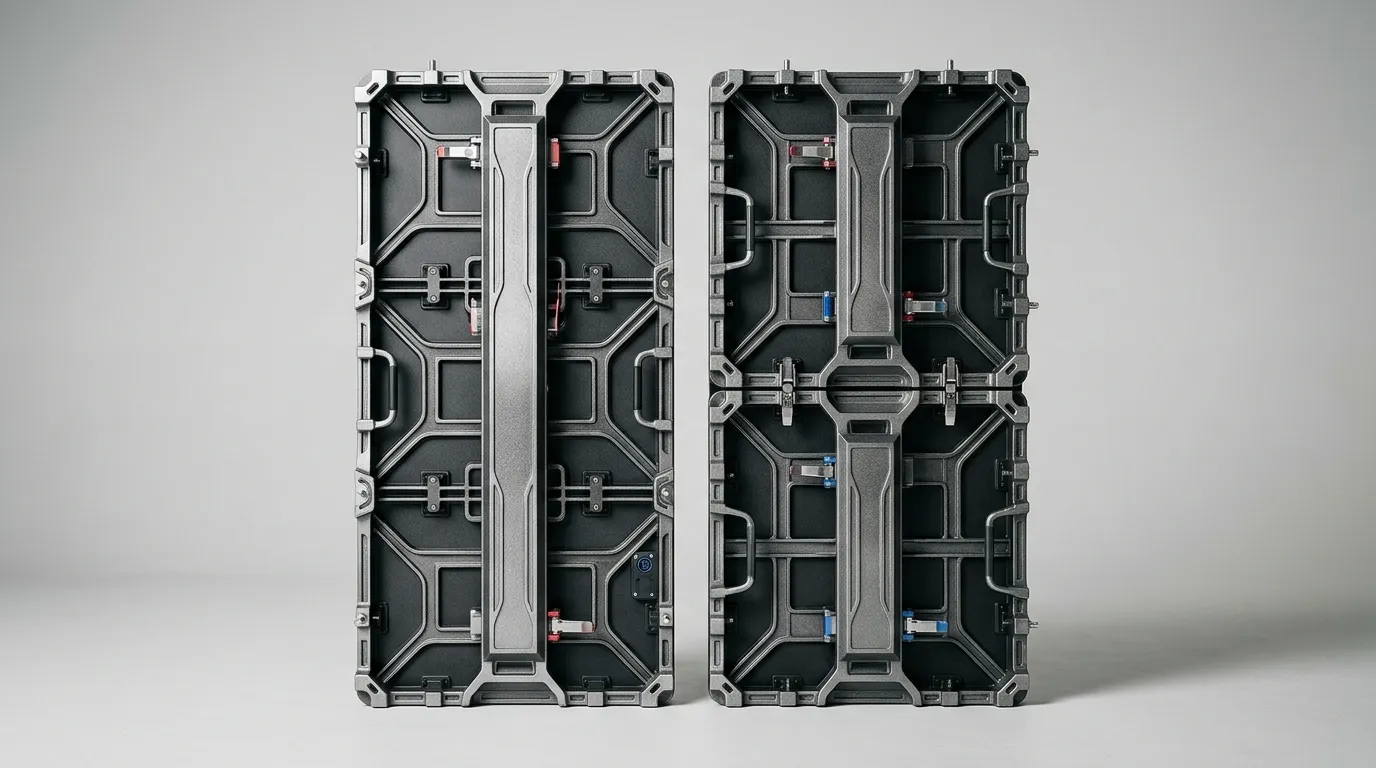
A 500x500 mm rental cabinet has a nominal face area of 0.25 m², and a 500x1000 mm cabinet has 0.5 m². Two 500x500 mm cabinets therefore equal one 500x1000 mm cabinet in nominal face area.
Rental LED cabinet size is the external dimension of the cabinet chassis — the rigid frame that carries the LED modules, the power and signal connections, and the locking hardware used to join cabinets into a wall. Mirun's comparison of the two formats treats 0.25 m² and 0.5 m² as the basis for counting cabinets.
Two conditions limit that maths before you reuse it. "500x1000 mm" on its own does not say which side is vertical, and suppliers sometimes quote cabinet exterior dimensions while buyers think in visible display face. Confirm which dimension is quoted, and confirm orientation, before you count anything.
[DIAGRAM: one 500x1000 mm cabinet beside two 500x500 mm cabinets covering the same 0.5 m² face, with dimensions marked in millimetres]
500x500 vs 500x1000 at a glance
The two formats differ most in how many cabinets a wall needs, how much weight one person handles at a time, how fine the layout grid is, and how the wall curves, mixes and travels — not in the screen area they can build.
| Attribute | 500x500 mm | 500x1000 mm | Verify with supplier |
|---|---|---|---|
| Nominal face area | 0.25 m² | 0.5 m² | Whether the figure is cabinet exterior or display face |
| Cabinets per 1 m² | 4 | 2 | Orientation and whether the wall divides cleanly |
| Individual handling | Smaller, lighter unit | Larger, heavier unit | Actual cabinet weight for the exact model |
| Layout increments | Finer steps in both directions | Larger steps; suits walls that divide cleanly | Whether your wall dimensions fit the grid |
| Curve and arc options | Depends on the series | Depends on the series | Stated arc range and curve-lock hardware |
| Mixed builds | Depends on the series | Depends on the series | Written compatibility confirmation |
| Flight cases | More cabinets per case | Fewer, bulkier cabinets | Case drawings and packed weights |
| Spares | Finer spare granularity | Fewer units to track | Spare cabinet and module policy |
Cabinet count for the same wall area (and how to work it out)
Divide the target wall area by the cabinet face area: 0.25 m² for a 500x500 mm cabinet and 0.5 m² for a 500x1000 mm cabinet. On a straight build that divides cleanly, the larger format uses roughly half as many cabinets — but only when the wall dimensions actually fit the grid.
Worked example for a 6 m x 3 m wall (18 m²):
- Convert the target wall to square metres. A 6 m x 3 m wall is 18 m².
- Confirm the quoted cabinet dimensions and orientation with the supplier.
- Divide: 18 ÷ 0.25 = 72 cabinets at 500x500 mm, against 18 ÷ 0.5 = 36 cabinets at 500x1000 mm.
- Check the grid: 6 m and 3 m both divide by 0.5 m, so this wall suits the larger format without edge fill.
- If either dimension does not divide cleanly, expect a mixed build, and check the compatibility requirements in the mixing section below.
[DIAGRAM: the same 6 m x 3 m wall gridded twice, showing the nominal 72-cabinet and 36-cabinet layouts and where the larger grid leaves edge fill]
Weight — per cabinet versus per square metre
Cabinet weight is a property of the model, not the size class. Retrieved sources list smaller cabinets around 6.5–7 kg and larger cabinets around 12–13 kg, but every figure belongs to a named product series, so a format-wide weight rule cannot be derived from them.
| Source | Named cabinet or series | Stated cabinet weight | Scope |
|---|---|---|---|
| Mirun comparison | H/K small cabinet; large cabinet | ≈7 kg; ≈12.5 kg | Product-specific figures for those models |
| Leeman | LM500C4 outdoor variants; indoor curved variants | 7 kg; 6.5 kg | Applies to the named variants only |
| LED Screen Price guide (EagerLED models) | EA1000H9 indoor / outdoor; EA500H7 | 12 kg / 13 kg; 7 kg | Named EagerLED models, not a format rule |
The decision rule is kilograms per square metre, computed for the models you are actually quoting. Using Mirun's product-specific figures for those two models, two 7 kg small cabinets weigh 14 kg against a single 12.5 kg large cabinet covering the same area — so a heavier cabinet can still produce a lighter wall. That result holds for those named models, and the same calculation has to be repeated for any other series you consider.
[DIAGRAM: model-specific cabinet weights plotted as kg per cabinet and kg per square metre, with each source labelled]
Build speed, handling and layout increments
A larger cabinet can cut the number of units on a straight run, but build speed depends on lock and locating-pin design, crew workflow, wall geometry, rigging method and service access — not on cabinet dimensions alone. No retrieved source establishes a controlled, format-wide build-time difference, so treat any "this size halves build time" claim as unverified.
MIC Display's rental led display page describes lightweight cabinets and quick-lock structures as features of rental displays. Those are general product-page statements about rental construction, not a measured comparison of one cabinet size against another.
Layout increments — which format fits the wall?
A 500x500 mm cabinet steps in 0.5 m increments in both directions, which gives finer control on small stages, low walls and irregular or non-rectangular shapes. A 500x1000 mm cabinet suits walls whose width and height divide cleanly in the larger grid. When a wall fits the larger grid exactly, the smaller format adds cabinets you do not need; when it does not, the smaller format can absorb the remainder.
What actually decides build speed
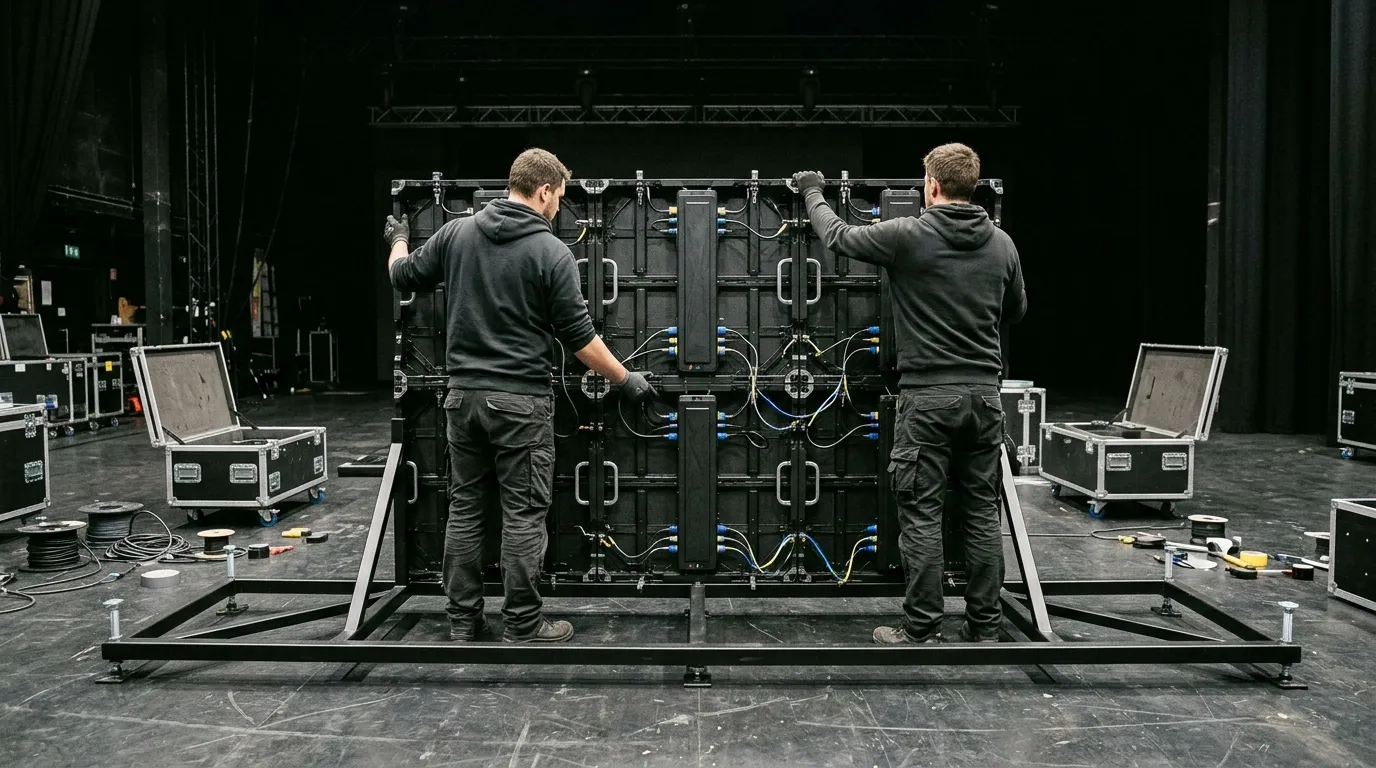
Lock and alignment hardware, crew size and experience, rigging sequence, front or rear service access, and cable routing all move build time more than cabinet width does. Ask for the locking hardware type and the service-access side for the exact series before assuming either format is faster.
Curves, mixing and compatibility
Curve support and mixed-size builds are properties of a specific cabinet series, not of a size class. Leeman states that its LM500C4 and LM1000C4 can be installed together up and down, left and right, and LED Screen Factory states that its 500x500 and 500x1000 formats can be combined for irregular screen shapes. Both are supplier statements about named products, and neither establishes that every rental cabinet mixes with every other.
Curve and arc options — what to ask
Ask for the stated curve or arc capability and the specific curve-lock hardware for the exact series, because arc performance cannot be inferred from cabinet size. Module arrangements differ between products: Leeman lists 250x250 mm modules for its LM500C4 cabinet, while the EagerLED-specific guide describes the EA1000H9 as using eight 250x250 mm modules. MIC Display's rental range includes a flexible indoor rental led screen for projects that need a curved or angled surface.
When mixed-cabinet builds make sense
A controlled mixed inventory helps a rental fleet that serves both large straight walls and small or irregular stages, or walls that do not divide cleanly in a single grid. It makes sense only when the two series are documented as compatible, because mixing cabinet sizes in one wall affects seams, module alignment and spare planning.
Compatibility checklist before mixing
Get written confirmation of:
- Lock and locating-pin positions on both sizes
- Cabinet orientation when the two sizes are installed together
- Module size and module grid alignment across the joint
- Seam behaviour at the boundary between sizes
- Power and signal connector compatibility
- Receiving-card configuration for the combined wall
- Spare cabinet and module policy for a mixed fleet
Transport, flight cases and spares
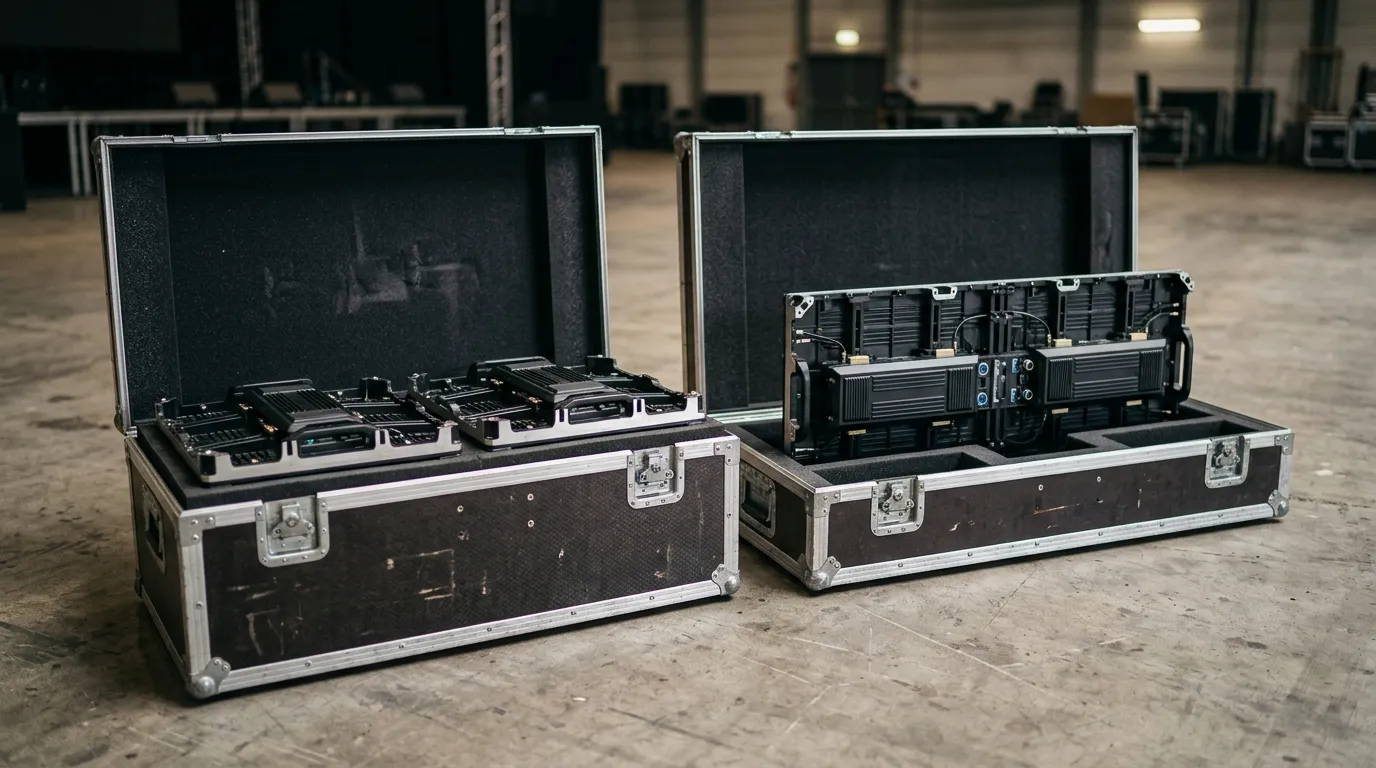
Transport depends on packed dimensions and loaded case weights, not on cabinet count alone. A 500x1000 mm cabinet halves the unit count for the same wall area, but its flight case may be heavier or bulkier and hold fewer cabinets, so fewer units can still mean more handling weight per case.
Before committing fleet budget, request case drawings, packed dimensions, loaded case weights and the cabinets-per-case figure for both formats, for the exact models you are comparing. A single case weight figure taken from a brochure will not tell you what a loaded truck or a venue lift has to handle.
Spare strategy differs as well. Smaller cabinets give finer spare granularity, so one damaged unit costs less wall area; larger cabinets mean fewer units to track and fewer spare points to manage.
Which format suits your fleet?
Choose the format that matches the walls you build most often, not the one with the better headline number.
- Straight, repeatable walls that divide cleanly in a 0.5 m grid: 500x1000 mm reduces cabinet count and connector count per wall.
- Varied, small or irregular layouts: 500x500 mm gives finer increments in both directions and absorbs awkward wall sizes more easily.
- Fleets serving both: a documented, compatible mix of the two sizes covers more jobs than either size alone.
- Rental houses that also supply stage and touring work often compare these formats alongside dedicated stage cabinets such as MIC Display's indoor stage rental led display and outdoor stage rental led display.
Pre-order checklist: what to confirm before buying or mixing
Confirm these nine items in writing before ordering either format or a mixed inventory:
- Cabinet exterior dimensions and visible display face dimensions
- Cabinet orientation as it will be installed
- Actual cabinet weight for the exact model
- Weight per square metre for the models you are comparing
- Curve and arc capability, plus the curve-lock hardware
- Lock and locating-pin compatibility between the two sizes
- Module size and module grid alignment
- Power, signal and receiving-card configuration
- Flight case drawings, packed dimensions and loaded weights
If you are comparing both formats for a specific project, send MIC Display your wall dimensions, indoor or outdoor use, cabinet format and pixel pitch requirement through contact us to receive a model-specific data sheet and drawing.


Contact Us
Related Posts
LED Window Display- The Complete Guide for Retail, Advertising, and Commercial Spaces
October 26, 2026
Mini LED Display- What It Is, How It Works, and Where It Fits
October 26, 2026
Naked Eye 3D LED Display - How It Works, Key Specs, Cost and How to Plan One (2026 Guide)
October 16, 2026
Transparent LED Displays for Storefronts
October 14, 2026


