




How to Choose an Indoor LED Display?
By miashuvo2077
Oct 06, 2026Related Posts

LED Window Display- The Complete Guide for Retail, Advertising, and Commercial Spaces
October 26, 2026

Mini LED Display- What It Is, How It Works, and Where It Fits
October 26, 2026
Naked Eye 3D LED Display - How It Works, Key Specs, Cost and How to Plan One (2026 Guide)
October 16, 2026

Transparent LED Displays for Storefronts
October 14, 2026
To choose an indoor LED display, work in one order: define the room and how the screen will be used, match pixel pitch to the closest viewing distance and the detail in your content, set screen size and resolution from those dimensions, choose brightness for the room's lighting, then pick fixed or rental format and confirm mounting and service access.
Key takeaways
- Viewing distance and the level of content detail decide pixel pitch and resolution together; screen size alone does not, according to PSCo.
- Native resolution is calculated as screen width ÷ pixel pitch and screen height ÷ pixel pitch. UNIT LED's worked example — a 4.8 m × 2.7 m display at P1.875 — resolves to 2560 × 1440.
- Christie lists seven installation considerations: space, structure, pixel pitch, viewing distance, power and connectivity, brightness and environment, and cooling, ventilation and maintenance. Its 1.25 mm pitch / 3.75 m viewing-distance figure is described by Christie as a guideline, not a hard rule.
- Fixed and rental indoor screens differ by use pattern: Linsn describes fixed screens as permanently mounted and rental screens as built for repeated setup and breakdown.
- Service access, wall structure, power and ventilation belong in the specification stage, not after the cabinet is ordered.
What counts as an indoor LED display, and when is LED the right choice?
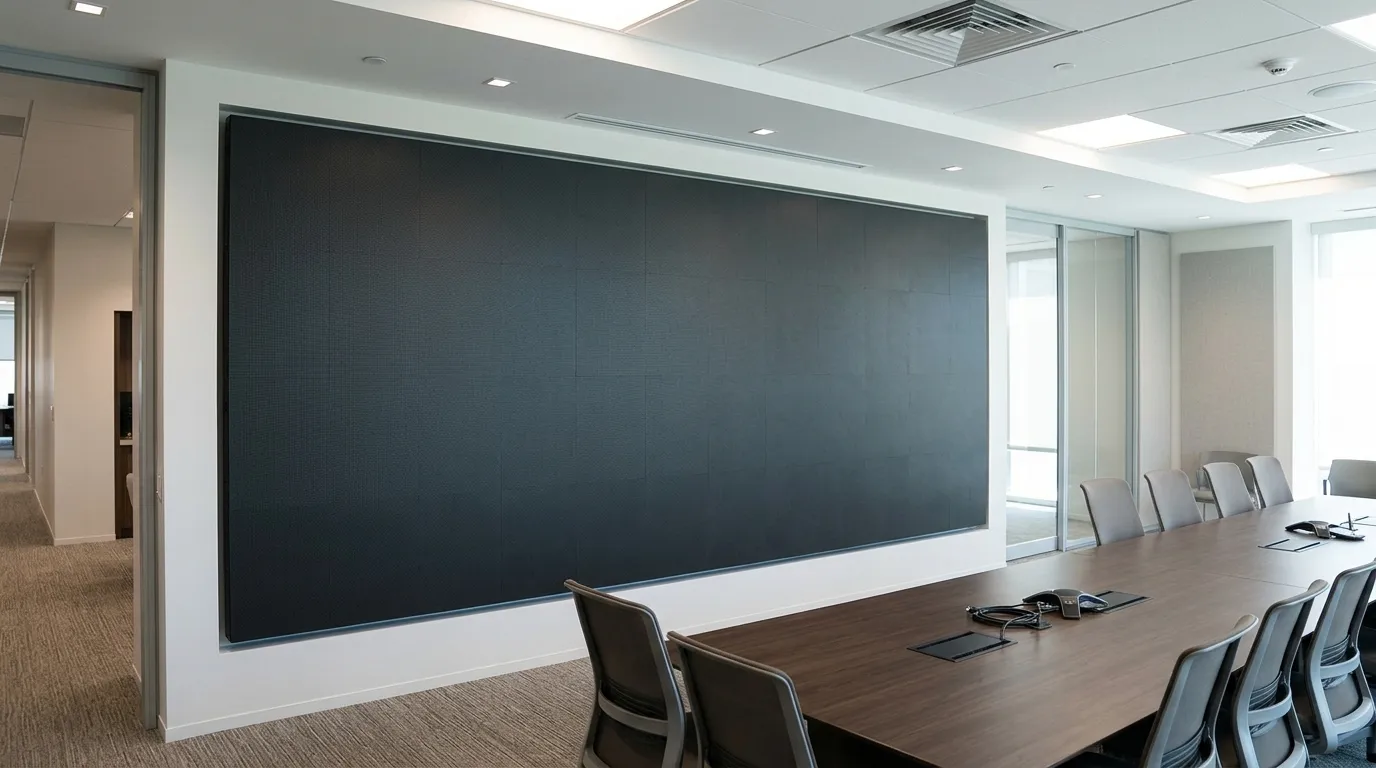
An indoor LED display is a modular, self-emissive screen specified for indoor closest-viewing distances, indoor ambient light and permanent or temporary mounting rather than weather exposure. An indoor LED display is therefore chosen on three variables — how close the nearest viewer stands, how much detail the content carries, and how the screen is mounted and serviced — instead of on weather sealing or the high-ambient-light brightness that outdoor screens are built around.
LED is normally the option buyers reach for when the image has to be large, bright and viewable from a distance in a room where a projected image would wash out. That is different from a liquid-crystal display (LCD) video wall or a projector, which are worth comparing only while the display technology itself is still undecided; once an LED screen is the chosen route, pitch, size and mounting decide the specification. Outdoor selection logic should not be copied into an indoor room for the same reason: the constraints are different, so the answers are different.
Start with the room and the job, not the screen
The same indoor display question has different answers in a meeting room, a control room, a retail or lobby space and a stage or event venue, because audience distance, content type, session length and how often the room is reconfigured all change the specification. UNIT LED publishes an application table recommending configurations by venue, including conference rooms, control rooms, retail, broadcast studios and auditoriums; treat those as that provider's recommendations rather than an industry standard. Before any specification is quoted, answer four questions: which room is it, where are the closest and farthest viewers, what content will run, and whether the screen is reconfigured between events.
[TABLE: Room type × deciding factor — columns: Room or application | Factor that dominates there | What to confirm about service access | Source note. Rows: meeting or conference room; control room; retail, mall or lobby; stage and event or exhibition venue. Mark the pitch and brightness cells as attributed provider recommendations, not standards.]
Match pixel pitch to viewing distance and content detail
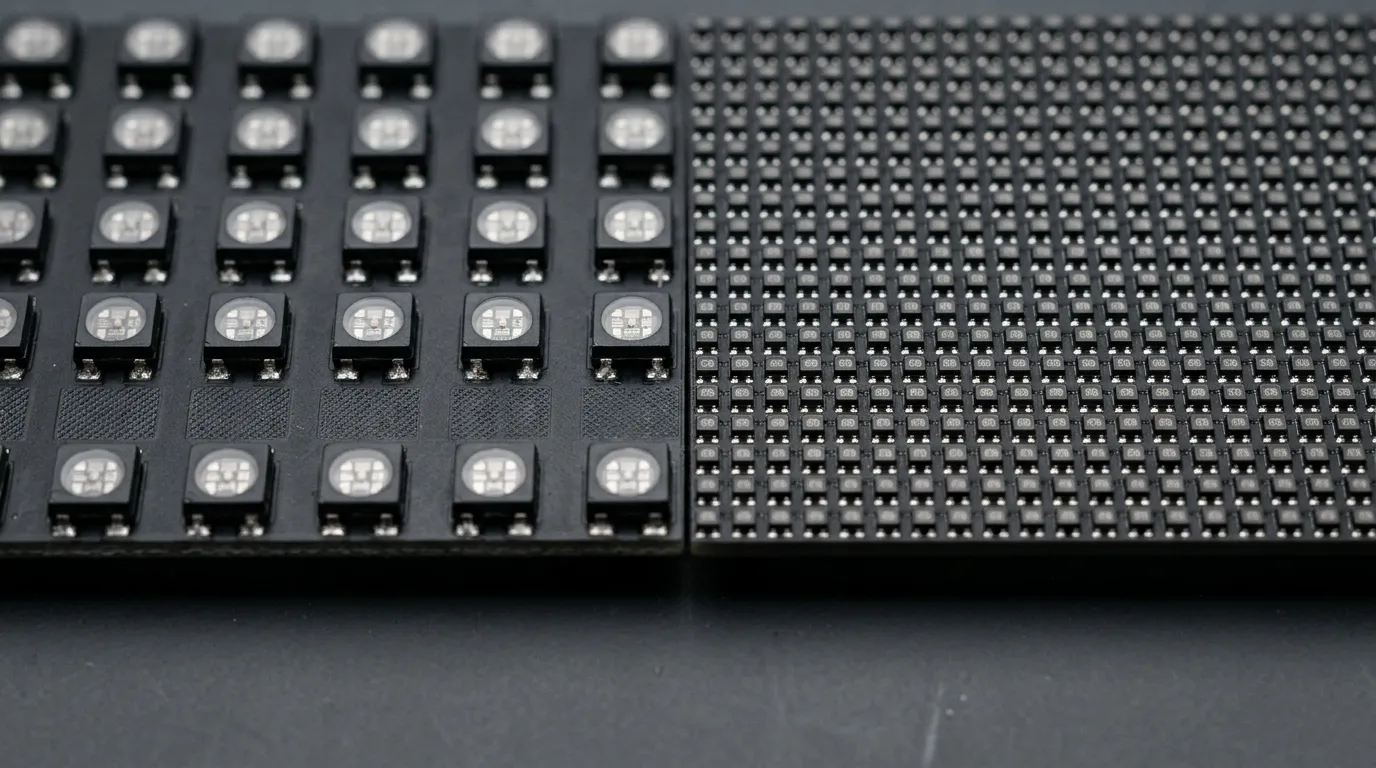
Pixel pitch is the distance between the centres of adjacent LED pixels, measured in millimetres; a smaller pitch means more pixels in the same screen area. Choose it from the closest viewer and the finest detail in your content, not from the screen size: the closer the nearest seat, or the finer the detail, the smaller the pitch has to be, and a pitch that is too coarse for that distance lets viewers see the pixel structure of the image. According to PSCo, viewing distance and content detail determine the resolution and pitch requirement rather than screen size alone; PSCo's article is dated 22 February 2022.
Christie's guide gives 1.25 mm pitch a suggested optimal viewing distance of 3.75 m, and Christie explicitly describes its distance calculation as a guideline, not a hard rule. Use published figures as a starting estimate only. The workable rule is to take the closest realistic viewer position — not the average seat — and then pick the largest pitch that keeps the content legible and free of visible pixel structure at that distance, confirming the choice on a sample before the order is placed.
[TABLE: Stated viewing-distance figures, exactly as sourced — columns: Pixel pitch | Stated suggested optimal viewing distance | Source and caveat. Row 1: 1.25 mm | 3.75 m | Christie — described by the source as a guideline, not a hard rule. Add no other rows unless a retrieved source states the value; do not interpolate.]
If you want the pitch mechanics in full before fixing a number, the LED pixel pitch guide goes deeper than this decision stage needs.
[DIAGRAM: Plan or section view showing the closest viewer position, screen width and height, and how those dimensions set the pitch requirement. Label the distance figure as a guideline example, not a rule.]
Set screen size and resolution from the space and the audience
Screen size comes from the wall or staging area and from the audience's viewing geometry, and native resolution then follows from size and pitch — so width and height should be settled before a pitch is fixed. According to UNIT LED, native resolution is calculated as screen width divided by pixel pitch and screen height divided by pixel pitch; UNIT LED's example for a 4.8 m × 2.7 m display at P1.875 is 2560 × 1440.
Settle the maximum and minimum usable width and height in metres from the actual wall, the structure behind it and the sightlines in the room, then run the calculation to see which pitch produces the resolution your content needs. Check that the chosen size still clears the closest viewer distance you set in the previous step, because enlarging the screen without changing the pitch moves the audience's relationship to the pixels.
Choose brightness for the room's light and viewing comfort
Brightness should be set against the room's actual ambient light and how long people look at the screen; an indoor screen has to hold up against windows, spotlights or studio lighting without becoming uncomfortable to watch at close range. Christie lists brightness and environment among its seven installation considerations, alongside power and connectivity and cooling, ventilation and maintenance.
Record three conditions before choosing: where windows, skylights and directional fixtures fall on the screen surface, how close the nearest viewer stands, and whether the screen will be filmed. Those conditions — not a default figure — set the target. No verified candela-per-square-metre (nit) figure for indoor use was confirmed for this page, so no numeric indoor brightness range is quoted here; ask the supplier to justify a proposed brightness against your own lighting conditions. If the screen will be filmed or broadcast, refresh rate becomes an additional selection factor, and it is best confirmed with the supplier against the camera being used.
Choose the display format: fixed, rental, fine-pitch COB or transparent
Fixed and rental formats are separated by how the screen is used, not by image quality. According to Linsn, fixed screens are permanently mounted while rental screens are designed for repeated setup and breakdown, which changes cabinet construction, handling and transport. Linsn's five-step selection section places viewing distance, lighting, maintenance access, cabinet format and control system inside the same decision, which is why the format choice belongs after pitch, size and brightness rather than before them.
Fine-pitch and Chip-on-Board (COB) options are driven mainly by short viewing distances and fine content detail, while transparent screens are chosen where the wall or glazing behind the screen must stay visible. MIC Display's indoor product page lists fixed-display pitch options P1.25, P1.53, P1.667, P1.86, P2, P2.5, P3.076, P4 and P5, and describes front-service configurations with flexible cabinet dimensions and mounting options; these are MIC Display product-page specifications rather than an industry-wide range. If you are comparing fine-pitch technologies, COB LED display describes that option, and an indoor fixed LED display is the usual starting point for a permanent wall installation.
[TABLE: Format comparison — columns: Format | Best suited use | Mounting and service implication | Main trade-off to accept. Rows: indoor fixed installation; indoor rental; fine-pitch COB; transparent. Use qualitative descriptions only, with no numeric claims.]
Plan mounting, structure and service access before you specify
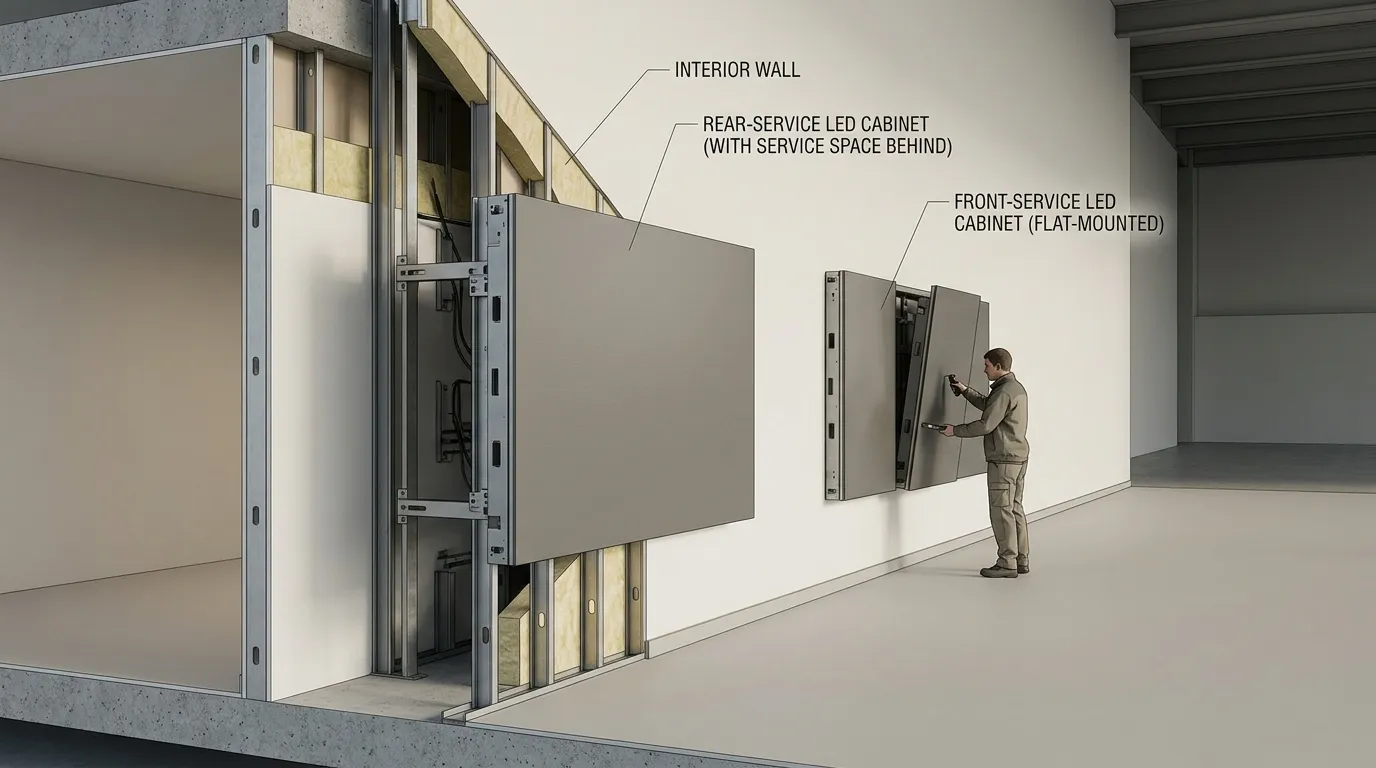
Decide early whether modules can be reached from the front or only from behind, because that single answer determines clearance, cabinet type and how the screen will be maintained. Then confirm that the wall or structure can carry the screen and that power, signal routing and ventilation are available at the position. Christie's seven installation considerations include space, structure, power and connectivity, and cooling, ventilation and maintenance, and Linsn's selection section includes maintenance access and cabinet format. MIC Display's indoor page describes front-service configurations and flexible cabinet dimensions and mounting options, which is the kind of detail that has to be settled with the supplier at specification stage.
Checklist to complete before locking pitch and size:
- Service direction: is there rear clearance, or must all service be from the front?
- Service clearance: how much working space does the chosen option actually need?
- Structure and load: what can the wall or mounting structure take?
- Power and signal: where do supply and data routing enter, and is that reachable for service?
- Ventilation and cable management: how does heat leave the screen area, and where do cables run?
[DIAGRAM: Front-service versus rear-service clearance at a wall, showing why cabinet type and required clearance change with the mounting method.]
A practical selection order (and the mistakes to avoid)
Work in this order — room and use, closest viewer and content detail, pixel pitch, size and native resolution, brightness, fixed or rental format, then mounting and service access — and if one answer changes, revise the specification in the same order rather than patching a single number. That sequence follows the same factors Christie and Linsn place at the centre of display selection.
- Define the room and how the screen will be used.
- Fix the closest and farthest viewer positions and the level of content detail.
- Choose pixel pitch from that distance and detail.
- Set screen width and height, then calculate the resulting native resolution.
- Set brightness for the lighting conditions and viewing comfort.
- Choose fixed, rental, fine-pitch COB or transparent format.
- Confirm mounting, structure, power, ventilation and service access.
Common mistakes follow directly from doing these steps out of order: choosing pitch by habit before the closest viewer is known; fixing screen size before structure and clearance are checked; treating a published viewing-distance figure as a hard rule; copying outdoor brightness logic into an indoor room; and leaving service access until after the cabinet is ordered. If you want to check the specification against your own room, MIC Display has been an LED display factory since 2011, exports to more than 100 countries and regions, and its design team customizes screen structure, size and configuration to each project's installation environment, with a 5–8 year warranty and remote technical support. Sending your room dimensions, closest viewing distance and content type gives that check something concrete to work with.
[DIAGRAM: One decision path — room and use → closest viewer and content detail → pixel pitch → screen size and native resolution → brightness → fixed, rental, fine-pitch COB or transparent → mounting and service access.]
Frequently asked questions
What pixel pitch do I need for an indoor LED display?
Choose pitch from the closest viewer and the finest content detail, as PSCo frames the requirement. Christie gives 1.25 mm pitch a suggested optimal viewing distance of 3.75 m, while describing that figure as a guideline rather than a hard rule. Pick the largest pitch that stays sharp at your nearest seat, then confirm it on a sample.
How bright should an indoor LED display be?
Brightness depends on the room, not on a single number. Record where windows, skylights and directional fixtures fall on the screen, how close the nearest viewer stands, and whether the screen will be filmed, since Christie treats brightness and environment as an installation consideration. No verified indoor nit range was confirmed for this page, so ask the supplier to justify a proposed brightness against those conditions.
Do I need front or rear service access for an indoor LED screen?
It depends on the clearance at the mounting position. If the screen sits flat against a wall with no rear gap, service has to come from the front. Linsn includes maintenance access and cabinet format in display selection, and MIC Display's indoor page describes front-service configurations, so confirm the service direction with the supplier before the cabinet is specified.
Is fine-pitch COB worth it for an indoor installation?
That depends on viewing distance and content detail rather than on a general rule. Chip-on-Board (COB) is one fine-pitch option alongside Surface-Mounted Device (SMD) types. Fine-pitch COB sits within MIC Display's stated range, and the indoor product page lists pitches from P1.25 upward, so match the option to your closest viewer distance before deciding.
Share on Social:


Contact Us
In This Article
Related Posts
LED Window Display- The Complete Guide for Retail, Advertising, and Commercial Spaces
October 26, 2026
Mini LED Display- What It Is, How It Works, and Where It Fits
October 26, 2026
Naked Eye 3D LED Display - How It Works, Key Specs, Cost and How to Plan One (2026 Guide)
October 16, 2026
Transparent LED Displays for Storefronts
October 14, 2026


