




Indoor LED Video Wall for Conference Rooms: Sizing and Specs
By miashuvo2077
Oct 06, 2026Related Posts

LED Window Display- The Complete Guide for Retail, Advertising, and Commercial Spaces
October 26, 2026

Mini LED Display- What It Is, How It Works, and Where It Fits
October 26, 2026
Naked Eye 3D LED Display - How It Works, Key Specs, Cost and How to Plan One (2026 Guide)
October 16, 2026

Transparent LED Displays for Storefronts
October 14, 2026
An indoor LED video wall for conference rooms is sized from the room first: measure the wall, the nearest and farthest seats, and the primary content, then choose a pixel pitch your closest viewer can see comfortably. Wall width and pitch together set native resolution — so size, pitch and resolution should be one decision, not three.
Key Takeaways
- Room inputs come before screen dimensions: wall width and height, nearest and farthest seat distance, seating layout, primary content, lighting and camera position.
- Pixel pitch is driven by the nearest viewer. A published rule of thumb of pitch (mm) × 1.5–2.5 gives a starting minimum viewing distance in metres; it is a starting point, not a standard.
- Native resolution is an output. Physical wall width divided by pitch gives the pixel count, so a wider wall at the same pitch carries more pixels.
- Christie lists its Lumia Chip-on-Board options from 0.7 mm to 1.5 mm, which is the range where close-viewing and premium-room conversations usually land.
- Meeting-system integration, service access and power are specification items to settle before the screen size is frozen.
Sizing a Conference-Room LED Video Wall: Start With the Room
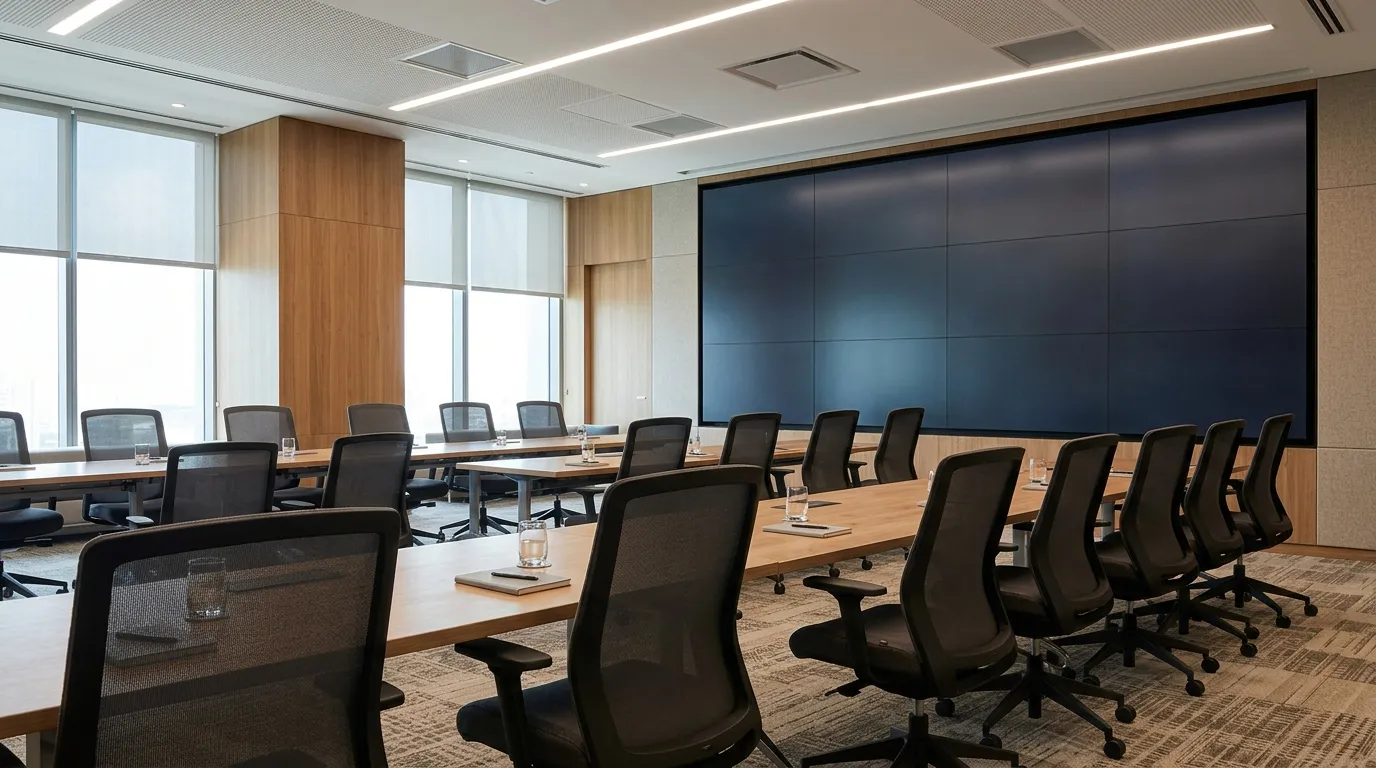
Screen size follows the room. Measure the wall, the nearest and farthest viewing positions, the seating layout and the primary content first; those inputs set the usable width, the minimum readable image height and how much of the wall the display should occupy.
The Measurements to Collect
- Wall width and height, including fixed obstacles such as doors, glazing, whiteboards and columns.
- Distance to the nearest seat.
- Distance to the farthest seat.
- Seating layout and typical occupancy.
- Primary content: data and spreadsheets, presentations, video, or a live camera feed.
- Room lighting and window orientation.
- Camera position and presenter sightline.
- Mounting surface, available power and cable routes.
Two published heuristics help turn those numbers into a first estimate. Sharing LED's conference-room guide describes a 4/6/8 screen-height viewing-distance rule, assigning different multiples to detailed work, general presentations and video, and gives example room recommendations from a 6–8-person, 3–4 m room up to a 30+-person, 12 m+ room. Treat both as that guide's examples rather than a standard: the multiples shift with content type, and achievable dimensions depend on the cabinet sizes available for the chosen pitch.
Finished sizes are often quoted as standard configurations rather than bespoke ones. According to American LED Wall, its conference-room systems are offered at 108, 110, 135, 162 and 165 inches, with 4K and 21:9 options available. That is one supplier's range, but it shows why a room brief should state a target size and an acceptable range rather than a single inch figure.
If you are comparing display categories before committing to a conference-room system, the wider indoor LED display range is the parent topic; this guide stays on the meeting-room case.
| Room input | Why it changes the design | What to record |
|---|---|---|
| Wall width and height | Sets the maximum usable screen area | mm |
| Nearest seat distance | Governs the pitch ceiling | m |
| Farthest seat distance | Sets the minimum readable image height | m |
| Seating layout | Determines sightlines and off-axis viewing | Plan or elevation |
| Primary content | Sets the detail requirement (data versus video) | Short description |
| Lighting | Affects brightness and contrast needs | Description |
| Camera position | Constrains wall placement and height | m and a sketch |
| Mounting surface, power, cable routes | Affects installation and service access | Description |
[DIAGRAM: Room cross-section showing the wall, nearest seat, farthest seat and camera sightline, annotated with the eight measurement labels.]
How to Choose Pixel Pitch for Conference-Room Viewing Distance
Choose pitch from the nearest viewer, not the farthest. As a starting point, pixel pitch in millimetres multiplied by 1.5–2.5 gives a minimum viewing distance in metres, so the closest seat should sit at or beyond that distance for the content being shown.
Why the Viewing-Distance Formula Is a Starting Point
Sharing LED states the formula as pitch (mm) × 1.5 to 2.5 = distance (m). The multiplier varies by source and by content — a data-heavy agenda tolerates less distance than a video call — so the formula narrows a shortlist rather than settling it. Confirm the final pitch against the actual room, seating and display configuration, and check it again once the finished wall dimensions are known.
Pitch ranges in the market are wide. Planar describes an LED video-wall portfolio with pixel pitches from 0.6 mm to 20 mm, and Christie describes its XP Series as offering pixel pitches from 0.9 mm to 3.8 mm. Christie also lists Lumia COB options from 0.7 mm to 1.5 mm. MIC Display's indoor display page lists MC-S pitch options of P1.25, P1.53, P1.667, P1.86, P2, P2.5, P3.076, P4 and P5.
| Pitch (mm) | Distance at pitch × 1.5 | Distance at pitch × 2.5 | Conference-room note |
|---|---|---|---|
| 0.9 | 1.4 m | 2.3 m | Closest viewing distances |
| 1.25 | 1.9 m | 3.1 m | Typical boardroom front seats |
| 1.5 | 2.3 m | 3.8 m | Small rooms with short throw to the first row |
| 1.86 | 2.8 m | 4.7 m | Mid-size meeting rooms |
| 2.5 | 3.8 m | 6.3 m | Larger rooms where the first row sits well back |
| 3.076 | 4.6 m | 7.7 m | Rooms sized for distance viewing |
Distances are arithmetic: Sharing LED's stated multiplier applied to pitch values listed by Christie and MIC Display. They are orientation only and must be confirmed for each project.
For the underlying concept, see the LED pixel pitch guide on how pitch relates to viewing distance and image detail.
Size Plus Pitch Equals Native Resolution
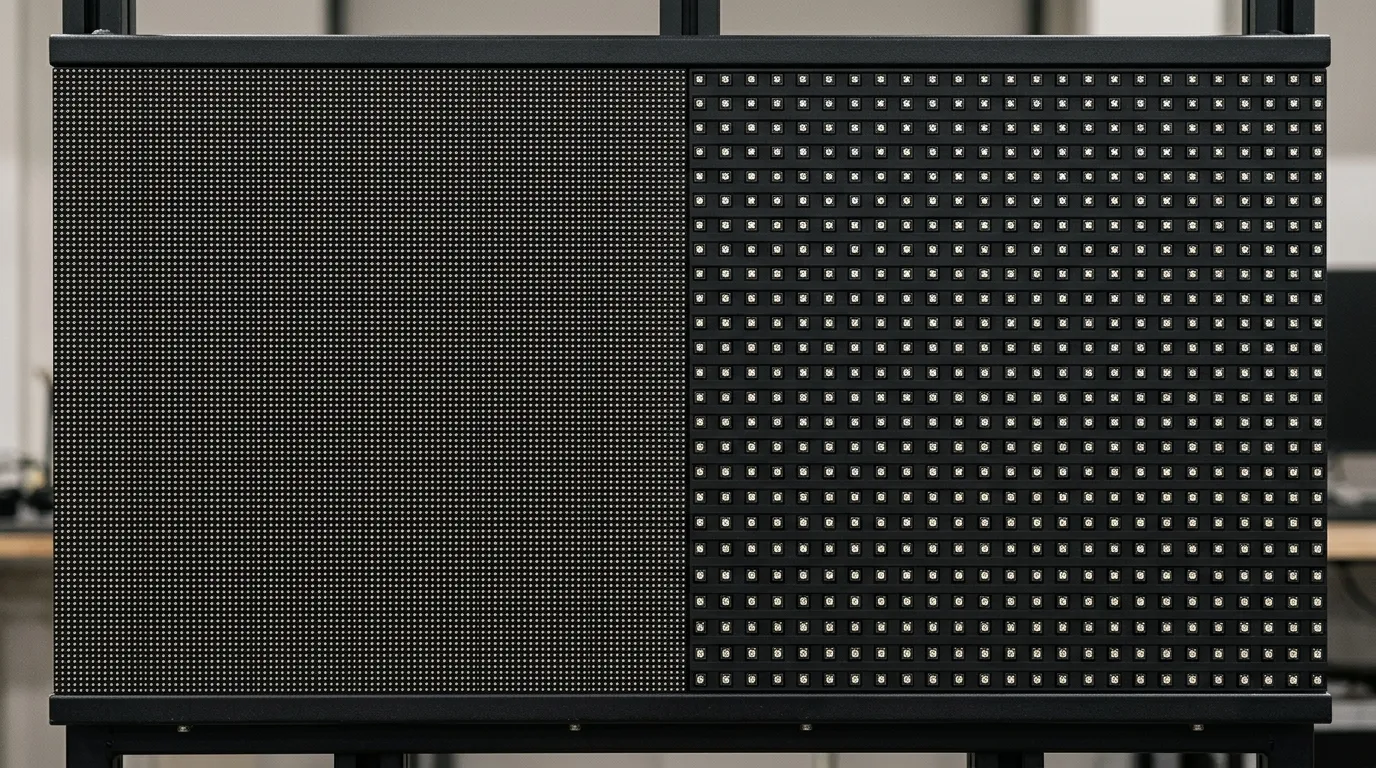
Native resolution is a result, not an input. Divide the wall's physical width by the pixel pitch to get the horizontal pixel count: a wider wall at the same pitch carries more pixels, while a wider wall at a coarser pitch can carry fewer.
MIC Display's indoor display page lists MC-PRO module sizes of 500 × 250 mm, 750 × 250 mm, 1000 × 250 mm and 1000 × 500 mm. That matters because finished dimensions arrive in cabinet increments rather than arbitrary sizes, so the target width must be achievable with whole modules.
| Wall width | Pitch | Approximate horizontal pixels | What the buyer should notice |
|---|---|---|---|
| 4,000 mm | 1.25 mm | 3,200 px | Fine pitch holds detail at a moderate width |
| 4,000 mm | 2.5 mm | 1,600 px | Same wall, half the pixels |
| 6,000 mm | 1.86 mm | ≈3,226 px | A wider wall recovers pixel count |
| 6,000 mm | 2.5 mm | 2,400 px | Still below the 4,000 mm fine-pitch example |
Figures are illustrations calculated by dividing wall width by pitch, using pitch values listed by Christie and MIC Display; finished dimensions are constrained by available cabinet sizes.
To work backwards, required pitch ≈ wall width in mm ÷ target horizontal pixels. A 4,000 mm wall aiming at 3,840 horizontal pixels therefore needs a pitch of about 1.04 mm. The same arithmetic on a 6,000 mm wall aiming at 3,840 pixels gives about 1.56 mm.
When COB Fine Pitch Makes Sense in a Premium Conference Room
Chip-on-Board (COB) is an LED packaging approach in which the LED chips are mounted directly on the board and covered with a protective layer. COB fine pitch matters when the closest seat sits very near the wall or the room needs higher pixel density within a fixed width. It is a pitch-and-application decision, not an automatic upgrade.
The pitch overlap explains why. Christie lists Lumia COB options from 0.7 mm to 1.5 mm, while its XP Series is listed at 0.9–3.8 mm, so fine pitch and COB are overlapping but not identical choices. Planar's portfolio spans 0.6–20 mm, which shows how far the field extends beyond meeting rooms. MIC Display's supplied range covers small-pitch P0.9375–P1.86, and its indoor display page lists MC-S options from P1.25 to P5.
A practical rule: if the nearest viewer calculates out to a distance that only a sub-1.5 mm pitch can serve, COB becomes a candidate worth pricing. Confirm the exact pitch, cabinet and configuration for the room rather than assuming the densest option is the right one — a generous nearest-seat distance often makes a coarser pitch entirely adequate.
COB LED display technology is the umbrella topic; the conference-room question is whether the closest seat actually requires it. Where that answer is yes, fine pitch COB LED display options are where boardroom and executive meeting-room projects usually land.
Conference-Room LED Wall Specification Checklist
Before ordering, confirm the specification in writing. The list below converts the room measurements into the items a supplier or integrator needs to quote a system that fits.
- Pixel pitch and the nearest viewing distance it supports.
- Module or cabinet size and how it constrains finished dimensions.
- Finished wall width, height and aspect ratio.
- Native pixel resolution and the target input format.
- Brightness appropriate to the room's lighting.
- Viewing angle for the widest seats.
- Mounting method and a wall structure assessment.
- Service access: front or rear.
- Signal inputs, video processor and scaling behaviour.
- Room control and conferencing system compatibility.
- Power and cable routes.
- Warranty terms and support scope for the applicable model.
| Specification | Why it matters in a conference room | Confirm before ordering |
|---|---|---|
| Pitch and viewing distance | Determines whether the closest seat can read detail | Confirm the pitch suits the nearest seat |
| Cabinet module and finished dimensions | Cabinets come in fixed sizes, so not every width is achievable | Confirm the target width is buildable |
| Native resolution and input format | Sources and wall may not match pixel for pixel | Confirm how the processor scales |
| Brightness and viewing angle | Room lighting and side seats change perceived image quality | Confirm against room conditions |
| Mounting and service access | Rear service needs clearance a flush wall may not have | Verify with the supplier and installer |
| Inputs, processing and room control | Integration failures usually surface here | Verify with the supplier |
These specifications describe the physical indoor LED video wall you are buying, so ask for them as written values rather than verbal assurances. American LED Wall's listing of 4K and 21:9 options at its preconfigured sizes shows that format targets are commonly part of that conversation.
Integrating the Wall With Meeting Systems and Room AV
Integration is a confirmation list, not an assumption. Settle the source devices, conferencing platform, camera and microphone positions, video processor, room control system and signal paths — and check what resolution each source will actually send to the wall.
- Identify every source: laptop, room PC, wireless presentation, video-conference codec, document camera and media player.
- Match content resolution to the wall's native resolution where the source allows it, and establish whether the processor scales when it does not.
- Place the camera so presenters and on-screen content are both framed; camera sightline constrains wall position and height.
- Confirm cabling distances and content formats, including how the system behaves when a laptop connects at an unexpected resolution.
| System element | Question to settle | Who confirms it |
|---|---|---|
| Sources | What resolution does each device output? | IT or AV integrator |
| Conferencing platform | Which codec and platform are in use? | AV integrator |
| Camera and microphones | Where do they sit relative to the wall? | AV consultant |
| Processor and scaling | Does it scale, and to which output format? | Integrator or supplier |
| Room control | Which system drives power and input switching? | AV integrator |
| Cabling and distance | What runs are needed, and at what length? | Installer |
No compatibility with a named conferencing platform should be assumed from a product page; require confirmation for the specific hardware and software versions in the room.
Mounting, Service Access, Power and Cabling
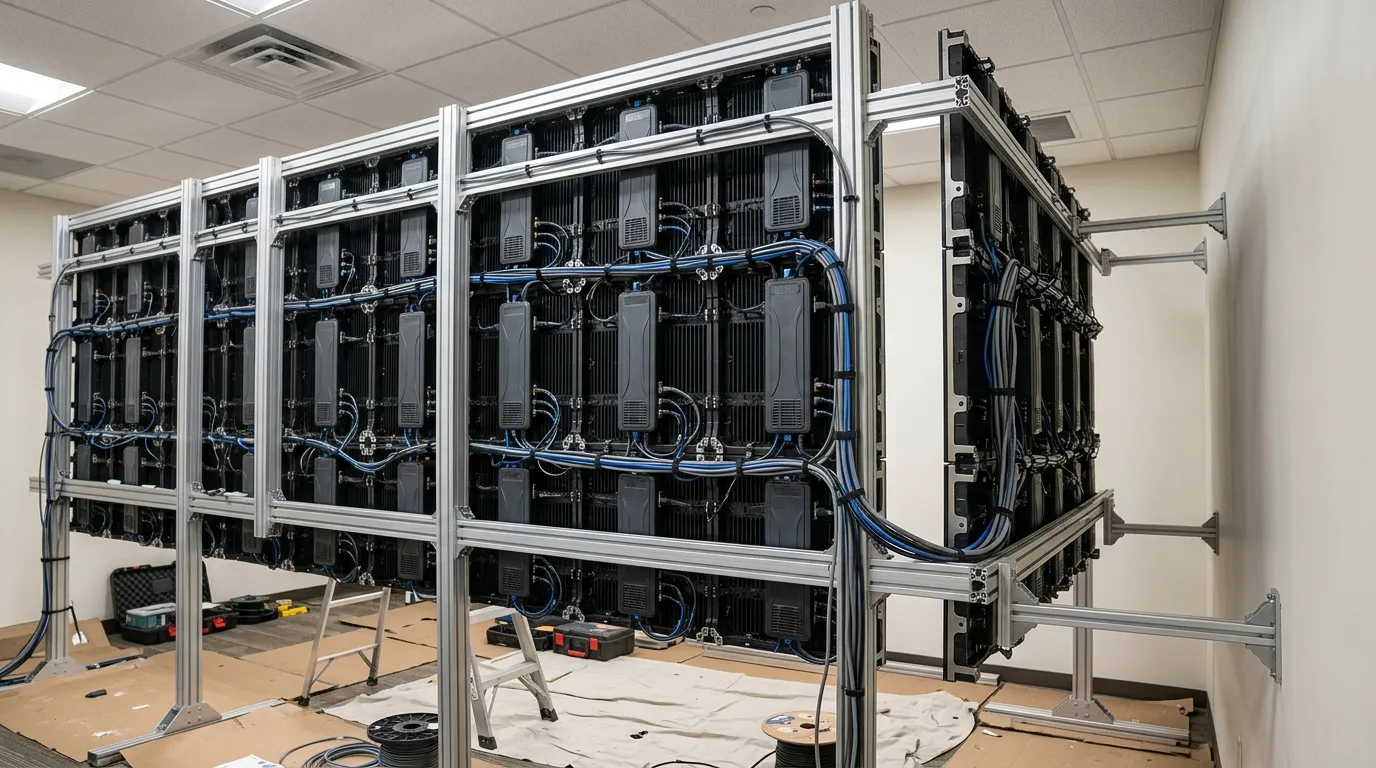
Plan how the wall is fixed, serviced and powered before the size is final. Cabinet dimensions set the achievable finished size, and front or rear service access decides how much clearance the wall needs behind it.
MIC Display's indoor display page lists MC-PRO module sizes of 500 × 250 mm, 750 × 250 mm, 1000 × 250 mm and 1000 × 500 mm, so the finished wall grows in module increments. Smart LED's product page lists a different configuration — a 2.6 mm pitch, 500 × 500 mm cabinet and 800-nit brightness — which illustrates how much cabinet geometry varies between products.
Rear-service cabinets need walkable or reachable clearance behind the wall, which many flush conference-room walls cannot provide; front-service access avoids that requirement but changes the mounting structure. Power, data and control cabling must reach the cabinets with enough slack for service, and wall structure and load should be assessed by a qualified structural professional rather than assumed.
Indoor fixed LED display cabinets and their service methods are the relevant category for a permanently installed conference-room wall.
Common Sizing and Specification Mistakes
The recurring failures in conference-room LED projects are predictable, and each has a simple correction.
- Sizing from the back row only. Size the image so the farthest viewer can read it, but check pitch from the nearest seat.
- Skipping the room measurement. Collect the values in the sizing section before requesting any quote.
- Treating pitch as the whole answer. Resolve size, pitch and native resolution together, because they are linked.
- Assuming a bigger wall is a higher-resolution wall. Verify the pixel count, since a wider wall at a coarser pitch can hold fewer pixels.
- Treating COB as a default upgrade. Apply the sub-1.5 mm decision rule before paying for density the room does not need.
- Leaving integration and service access to installation week. Add both to the written specification before the size is frozen.
Frequently Asked Questions
How much does an indoor LED video wall for a conference room cost?
Cost is driven by pitch, finished size, cabinet type, processing and installation scope, so a single figure would be misleading. No verified price was available for the products discussed here. Send the room measurements and the specification checklist to a supplier and ask for a project-specific quotation instead.
How long does a conference-room LED video wall last?
Lifespan depends on the product and how it is used, and no verified figure applies across the category. MIC Display's displays carry a 5–8 year warranty, with remote technical support and after-sales service. Confirm the warranty terms that apply to the specific model and installation you are buying.
Can an LED video wall replace the conference-room TV?
It can serve the same role, but it is not a straight swap. An LED video wall is built from modules, so mounting, service access, power and native resolution all need planning, and meeting-system integration has to be confirmed. Work through the sizing and specification sections before comparing it with a television.
If you are planning a specific room, send the measurements from the sizing section — wall dimensions, nearest and farthest seat distance, seating layout and primary content. MIC Display's design team customizes screen structure, size and configuration to each project's installation environment, and its displays carry a 5–8 year warranty with remote technical support and after-sales service.
Share on Social:


Contact Us
In This Article
Related Posts
LED Window Display- The Complete Guide for Retail, Advertising, and Commercial Spaces
October 26, 2026
Mini LED Display- What It Is, How It Works, and Where It Fits
October 26, 2026
Naked Eye 3D LED Display - How It Works, Key Specs, Cost and How to Plan One (2026 Guide)
October 16, 2026
Transparent LED Displays for Storefronts
October 14, 2026


