




Outdoor LED Display Guide: Brightness, Waterproofing & LED Pixel Pitch Guide
By hyderali
Oct 02, 2026Related Posts

LED Window Display- The Complete Guide for Retail, Advertising, and Commercial Spaces
October 26, 2026

Mini LED Display- What It Is, How It Works, and Where It Fits
October 26, 2026
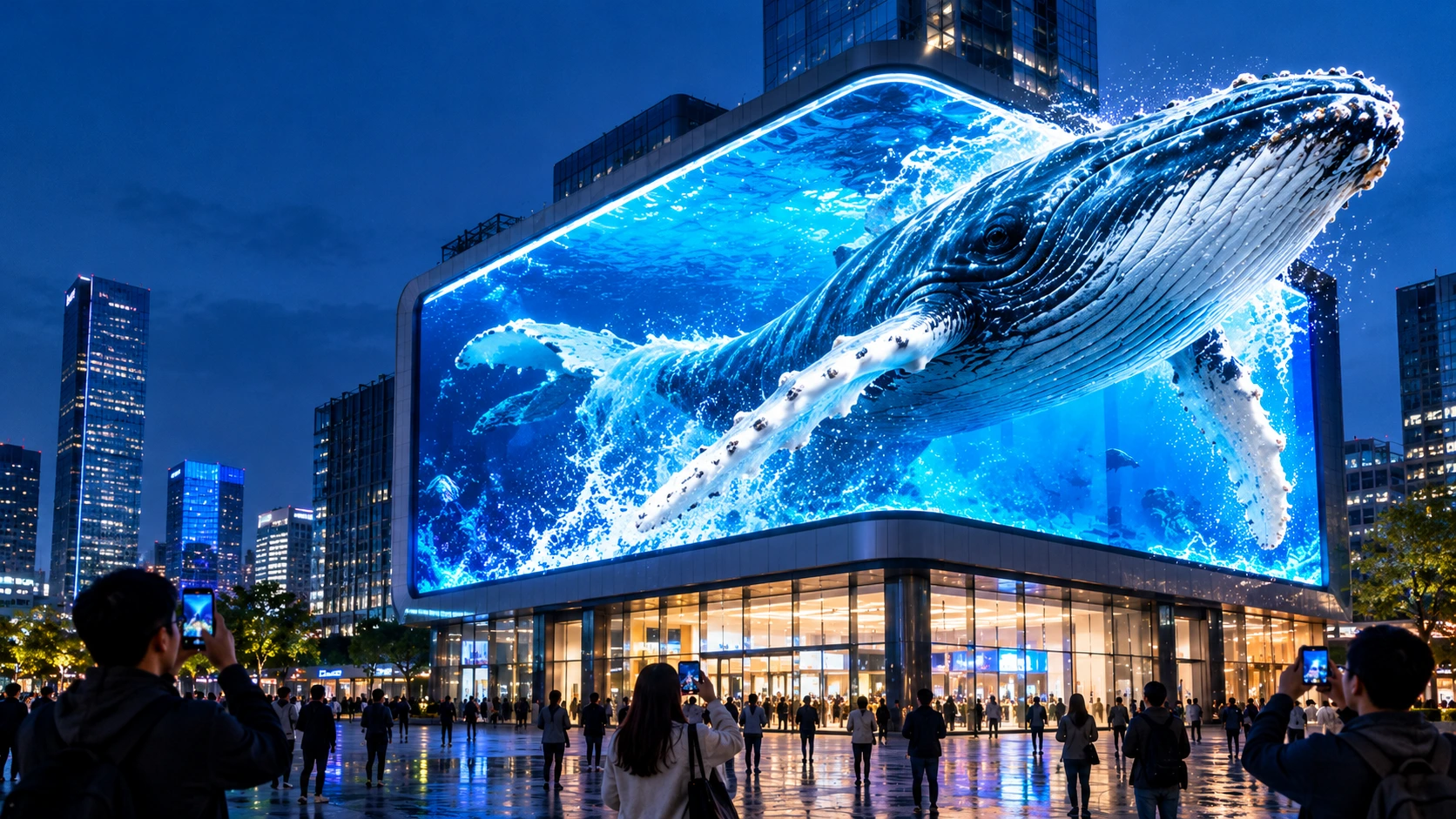
Naked Eye 3D LED Display - How It Works, Key Specs, Cost and How to Plan One (2026 Guide)
October 16, 2026

Transparent LED Displays for Storefronts
October 14, 2026
Two outdoor LED screens can share the same size and price, and one will still look sharp for a decade while the other washes out by noon or corrodes within two years. The difference usually comes down to three specifications, brightness, waterproofing, and LED pixel pitch guide, and how well they match the site.
This guide explains all three in practical terms, then covers the other factors that decide whether an outdoor installation succeeds: heat, service access, refresh rate, power, structure, and compliance.
Quick Answer: The Specs That Matter Most
| Factor | Practical guideline |
| Brightness | About 3,000–4,500 nits in shade, 5,000–8,000 in direct sun, and 8,000–10,000+ in desert or equatorial sites |
| Pixel pitch | Roughly the pitch in millimeters equals the minimum viewing distance in meters. P4–P6 suits urban streets and P8–P10 suits highways |
| Waterproofing | IP65 is the minimum. Consider IP66/IP67 for coastal, monsoon, or dusty sites |
| Refresh rate | 3,840 Hz or higher if the screen will be filmed or photographed |
| Service access | Front-serviceable cabinets if the screen is mounted flush to a wall |
| Spares | A batch-matched reserve of about 2–5% of modules |
What Makes Outdoor Displays Different
An indoor panel used outside will fail, even under an awning. Outdoor screens face four stresses that indoor screens never meet:
- Sunlight: ambient light can reach 100,000 lux, which overwhelms a display built for 800–1,200 nits.
- Water and particles: rain, humidity, dust, and salt spray get into cabinets that aren't properly sealed.
- Heat: direct sun heats cabinet surfaces well above ambient temperature, and the LEDs, driver ICs, and power supplies must all survive it.
- UV and temperature swings: UV degrades plastics and coatings, and repeated expansion and contraction stresses seals and mounting.
That is why outdoor cabinets use larger LED packages, sealed connectors, UV-stable materials, and higher-grade power supplies. Each of the three specifications below is a response to one of these stresses.
Part 1: Brightness
How Much Do You Need?
Brightness is measured in nits (cd/m²). The right level depends on how much light hits the screen and from which direction.
| Environment | Minimum | Recommended |
| Shaded outdoor, north-facing | 3,000 nits | 4,000–5,000 nits |
| Partly sunny or indirect light | 4,000–4,500 nits | 5,000–6,000 nits |
| Full sun, east or west facing | 5,500–6,000 nits | 6,000–8,000 nits |
| Full sun, south-facing | 6,000–7,500 nits | 8,000–10,000 nits |
| Desert or equatorial | 7,000–10,000 nits | 10,000+ nits |
Sources vary slightly at the edges of each row, so treat these as planning ranges rather than exact thresholds. Sun angle, screen orientation, and nearby reflective surfaces all matter.
Spec for Headroom, Not the Peak
Maximum brightness is a peak rating, not a comfortable operating level. Running at 100% continuously raises heat, increases power draw sharply, and speeds up LED degradation. LEDs also lose output gradually over their lifetime.
A sound approach is to choose a panel whose 70% brightness level still meets your requirement. If you need 5,000 nits in daylight, look at panels rated around 7,000 nits.
Brightness Isn't Everything
Nits alone don't guarantee readability. Visibility also depends on:
- Contrast: a dark, high-contrast LED face lets a screen stay readable at lower brightness.
- Glare and reflection: the surface finish and mask design affect how much ambient light bounces back.
- Viewing angle: the screen may be bright straight on and dim from the side.
- Content design: washed-out pastels disappear in daylight, while bold, high-contrast content survives.
Use Automatic Brightness Control
Ambient light sensors adjust output through the day, running higher at noon and much lower at night. This saves electricity, extends LED life, and avoids glare that annoys neighbors or breaches local rules. Treat it as standard on any outdoor screen.
Part 2: Pixel Pitch
What It Means
Pixel pitch is the center-to-center distance between adjacent LED pixels, in millimeters. A P4 screen has 4 mm between pixels. Smaller pitch means higher pixel density and finer detail at close range. Larger pitch means fewer, brighter, more rugged pixels at lower cost.
Choosing by Viewing Distance
Viewing distance is the deciding factor. Two rules of thumb work together:
- Minimum viewing distance in meters is roughly the pixel pitch in millimeters (P6 needs about 6 m).
- Comfortable viewing distance is about 2–3 times that, where the image looks seamless.
| Pixel pitch | Typical outdoor use | Approx. minimum distance |
| P2.5–P3 | Premium storefronts, close pedestrian zones | 2.5–4 m |
| P4–P5 | Street-level advertising, retail facades, campus entrances | 4–6 m |
| P6–P8 | Roadside displays, stadium perimeters, plazas | 6–10 m |
| P8–P10 | Building facades, highway billboards | 10–20 m |
| P10–P16+ | Large-format highway and rooftop signs | 15 m+ |
Rental and event screens sit a little finer (P2.9–P4.8) because audiences stand closer and cameras capture them.
Cost Grows Faster Than the Benefit
Halving the pitch roughly quadruples the number of pixels per square meter, and cost rises accordingly. Past a certain distance the eye can't resolve the difference. A P10 billboard viewed from 80 meters looks sharp, and P3.9 on the same project would add major cost with no visible gain.
Buy the pitch your audience can actually see, not the smallest number on the price list.
Pitch Sets Resolution and Size Together
Screen width equals pixel pitch multiplied by horizontal pixel count. A full-HD width (1,920 pixels) at P6 is about 11.5 meters wide, and at P4 it's about 7.7 meters. If your site can't fit the width, you need a smaller pitch or lower target resolution. Work out size, content resolution, and pitch together rather than one at a time.
Filmed Screens Change the Priority
If cameras will capture the screen, refresh rate matters more than pitch. A P4 screen at 3,840 Hz typically looks better on camera than a P2.5 screen at 1,920 Hz, because camera shutters expose flicker that human eyes don't notice.
Part 3: Waterproofing and IP Ratings
Reading the Code
The IP rating (IEC 60529) has two digits: the first covers dust and solids, the second covers water.
| Rating | Water protection | Suitability |
| IP54 | Splash-proof | Semi-outdoor and covered areas only |
| IP65 | Water jets from any direction | Minimum for outdoor use |
| IP66 | Powerful water jets | Driving rain, storm-exposed sites |
| IP67 | Temporary submersion | Coastal, tropical monsoon, dust-heavy sites |
| IP68 | Continuous submersion | Flood-prone or ground-level installs |
Match the Rating to the Environment
- Standard urban, temperate: IP65 is typically enough.
- Coastal or high humidity: IP66–IP67. Salt spray corrodes connectors and circuit boards, and installations that under-spec here often show corrosion and dead pixels within one to two years.
- Monsoon or typhoon zones: IP66–IP67, because wind-driven rain gets past standard gaskets.
- Desert or dusty sites: IP66–IP67, with protective coating, since fine sand works past weaker seals over time.
- Flood risk or ground level: IP68 where water contact is realistic.
Retrofitting a corroded coastal screen typically costs several times more than the price difference between IP65 and IP67 would have been. Waterproofing is the cheapest place to buy insurance.
Ask What the Rating Actually Covers
An IP rating on a datasheet can hide gaps. Ask:
- Does it apply to the complete cabinet, or only the module face?
- Is the rating stated for the front and rear separately?
- Are cable entries, connectors, and power boxes sealed to the same standard?
- Does the certificate match the exact model you're buying?
A front-only rating on a screen with an exposed rear is a common source of field failures.
The Technologies Behind It
Good waterproofing comes from several layers working together: sealed cabinet enclosures, gaskets and sealants at joints, waterproof connectors and cables, protective coatings on circuit boards, and, for some designs, encapsulation such as GOB (glue-on-board) or COB (chip-on-board) over the LEDs. No single layer is enough on its own.
Part 4: The Factors That Decide Whether the Screen Survives
Thermal Management
Heat is the quiet killer of outdoor screens. High brightness in direct sun stresses every component, and a screen that can't shed heat will throttle its own brightness or fail early. Look for:
- Aluminum cabinets or heat-dissipating designs with good thermal conductivity
- Redundant cooling where fans are used, or a credible passive design where they aren't
- Temperature monitoring with remote alerts
- Clean air intakes, since blocked filters cause overheating
In hot regions such as the Middle East, cabinet ventilation and heat resistance often matter more than ultra-fine pixel pitch.
Cabinet Design and Service Access
| Cabinet type | Strength | Watch out for |
| Die-cast aluminum | Light, rigid, excellent heat dissipation | Higher cost |
| Steel or iron | Very durable, budget-friendly for large fixed screens | Heavy |
| Sheet aluminum | Good balance for standard fixed installs | Moderate rigidity |
| Carbon fiber | Very light for rental use | Highest cost |
Service access is decided at design stage. If the screen is mounted flush against a wall, choose front-serviceable cabinets so modules and power units can be swapped without scaffolding. If there's a maintenance corridor behind the screen, rear service can work well. Avoid finding out after installation which one you needed.
Refresh Rate
For screens that people will film or photograph, look for at least 3,840 Hz. Lower rates can show scan lines on smartphone cameras and flicker on professional ones. Rates like 7,680 Hz mainly benefit film, broadcast, and virtual production. For standard outdoor advertising they can cost brightness, so 3,840 Hz is usually the sensible balance.
Power and Total Cost of Ownership
Purchase price is only part of what an outdoor screen costs. Over a 10-year life, one manufacturer's estimate puts hardware at roughly 35–40% of total cost, with electricity, structure, maintenance, and control systems making up the rest. Treat these figures as illustrative, since real numbers vary by region, electricity rates, and installation.
Points worth noting:
- Power consumption at full brightness can be several times average consumption, so ask for power data per square meter at both levels.
- Energy-saving designs such as common cathode circuits are claimed by manufacturers to save around 30% on power. Request test data rather than relying on the claim.
- Cheaper screens with weaker power supplies, lower IP ratings, or poor cooling often cost more by year three.
Structure and Wind Load
An outdoor screen acts like a sail. Foundations and steel frames must account for the screen's weight (roughly 25–50 kg per square meter depending on cabinet), wind load, and seismic load where relevant. Have a qualified structural engineer sign off rather than relying on the LED supplier alone. Plan cable routes before steel fabrication, and allow for thermal expansion in long steel members.
Electrical Protection
Outdoor screens need dedicated circuits, earth leakage protection, and surge protection, because exposed structures are vulnerable to lightning and grid spikes. For mission-critical sites, consider backup power and redundant signal paths.
Compliance and Permits
Rules vary widely by country and municipality. Common areas to check before you order:
- Planning permission for illuminated signs above certain sizes
- Operating-hour limits and mandatory night-time switch-off in some jurisdictions
- Maximum luminance limits depending on zone (urban, rural, protected areas)
- Heritage or protected-zone restrictions
- Electromagnetic compatibility (EMC) where the screen is near roads, airports, hospitals, or industrial equipment
Permits can take months and are often the longest item in a project timeline. A typical outdoor project runs three to six months from first contact to operation, depending on permitting.
How to Specify an Outdoor LED Display: Step by Step
- Define the site. Location, orientation, sun exposure, climate, and coastal or dust conditions.
- Measure viewing distance. Find the closest and furthest audience positions, then choose the pitch.
- Set brightness. Match it to sun exposure, with headroom at the 70% level.
- Choose the IP rating. Base it on the harshest realistic conditions, not the average day.
- Pick the cabinet and service method. Decide front or rear access, and check weight limits.
- Confirm camera needs. If filming is likely, specify the refresh rate.
- Plan power, cooling, and structure. Get an engineer to confirm loads and electrical protection.
- Check permits and local rules. Do this before finalizing size and brightness.
- Model total cost. Include power, maintenance, spares, and content management.
Designing Content for Outdoor Screens
Even a perfect screen fails with the wrong content. Outdoor viewers pass quickly and light conditions change constantly.
- Use high contrast and avoid pale pastels that disappear in daylight.
- Keep messages short. Viewers may only have two to three seconds.
- Use large type. Headline text should be a meaningful share of screen height, roughly 10% or more.
- Keep backgrounds simple, because complex imagery loses impact at distance.
- Use motion selectively. Moving content tends to capture more attention than static content.
Maintenance: What to Plan For
| Frequency | Task |
| Monthly | Visual inspection, surface cleaning, check for failed modules |
| Quarterly | Fan and filter cleaning, connector checks, firmware and software updates |
| Every 6 months | Brightness and color calibration, thermal imaging to catch overheating early |
| Annually | Full inspection, power supply testing, structural check |
Clean with a soft cloth, never harsh chemicals. Budget for occasional module and power supply replacement, and keep a batch-matched spare stock of about 2–5% of modules so future repairs don't create visible color differences. Remote monitoring with automatic fault alerts reduces downtime significantly.
Common Mistakes to Avoid
- Under-specifying brightness, then discovering the screen washes out at noon.
- Accepting IP65 in a coastal environment where IP66 or IP67 was needed.
- Choosing pitch by marketing appeal instead of real viewing distance.
- Ignoring rear access on a wall-mounted screen.
- Comparing quotes by price per square meter without checking components, testing, and warranty.
- Skipping the structural engineer, or leaving wind load to the supplier.
- Treating the datasheet as proof. Ask for the certificates, test reports, and component lists behind it.
- Forgetting permit lead times until the hardware is already ordered.
What to Ask a Supplier Before You Buy
- Which LED chips, driver ICs, and power supplies are used, and who makes them?
- Is there a documented aging (burn-in) test on the assembled display, and a final QC report?
- Which IP rating applies to which part of the cabinet, and is there a certificate?
- What certifications apply to the specific model and destination market?
- What spare parts ship with the order, and are they from the same production batch?
- What is the warranty, and what is the real support response path?
- Can you see current production, not just a showroom?
Frequently Asked Questions
How bright should an outdoor LED display be?
At least 5,000 nits for direct sunlight, with 6,000–8,000 recommended for south-facing or tropical sites. Shaded locations can work at 3,000–4,500. Choose a panel whose 70% level still meets your needs.
What IP rating do I need?
IP65 is the minimum outdoors. Choose IP66 or IP67 for coastal, monsoon, or dusty environments, and IP68 only where flooding or submersion is a real risk.
What pixel pitch is best for an outdoor billboard?
For highway billboards, P8–P10 or coarser. For urban street-level screens viewed from 5–15 meters, P4–P6. As a rule of thumb, the minimum viewing distance in meters is about the pitch in millimeters.
How long does an outdoor LED display last?
Quality panels are often rated at 50,000–100,000 hours, usually measured as the point where brightness falls to half. Real life depends on operating brightness, temperature, sealing, and maintenance. Power supplies commonly need replacing well before the LEDs do.
Can I use an indoor display under a roof or awning?
No. Indoor panels lack the brightness, weather sealing, and thermal tolerance for outdoor conditions, even when covered. Semi-outdoor areas may suit specially protected panels, but not standard indoor ones.
Front service or rear service?
Choose front service when the screen is flush-mounted or rear access is impractical. Rear service can work when there's a proper maintenance corridor behind the screen.
Does a higher refresh rate always mean better?
No. 3,840 Hz is enough for most outdoor advertising and camera use. Much higher rates mainly help film and virtual production, and can reduce brightness.
The Bottom Line
A successful outdoor LED display is an engineered system rather than a resolution contest. Start with the site, then match viewing distance to pixel pitch, sunlight to brightness, and environment to IP rating. Confirm heat handling, service access, structure, and permits before you sign, and judge suppliers on documented evidence rather than headline specs. Get those decisions right and the screen will keep performing long after the installation photos are forgotten.
Share on Social:


Contact Us
In This Article
Related Posts
LED Window Display- The Complete Guide for Retail, Advertising, and Commercial Spaces
October 26, 2026
Mini LED Display- What It Is, How It Works, and Where It Fits
October 26, 2026
Naked Eye 3D LED Display - How It Works, Key Specs, Cost and How to Plan One (2026 Guide)
October 16, 2026
Transparent LED Displays for Storefronts
October 14, 2026


