




Outdoor LED Display Installation Guide: Steps and Checks
By miashuvo2077
Oct 03, 2026Related Posts

LED Window Display- The Complete Guide for Retail, Advertising, and Commercial Spaces
October 26, 2026

Mini LED Display- What It Is, How It Works, and Where It Fits
October 26, 2026
Naked Eye 3D LED Display - How It Works, Key Specs, Cost and How to Plan One (2026 Guide)
October 16, 2026

Transparent LED Displays for Storefronts
October 14, 2026
An outdoor LED display installation follows six stages: site survey, structure and mounting, cabinet alignment, power and signal cabling, sealing and weatherproofing, then commissioning and handover. Each stage ends in a check that must pass before the next begins. This guide explains what to verify at every step, which decisions need a qualified structural or electrical professional, and where to stop rather than guess.
[DIAGRAM: the six installation stages left to right, with three gates marked — before mounting, before energizing, and handover]
Key takeaways
- Installation runs as six stages with three hard gates: before mounting, before energizing, and at handover.
- Published guides describe five mounting approaches — cabinets on a steel structure, direct wall installation, brackets, hanging bars, and LED modules assembled onto a steel structure.
- Every published figure quoted here, such as 600–900 mm rear maintenance channels or 40 × 40 mm tubing, is that source's example and not a universal requirement.
- A display's protection rating describes the product, not the finished installation; seals, cable entries and drainage are inspected separately.
- MIC Display customises screen structure, size and configuration to each project's installation environment and provides remote technical support with a 5–8 year warranty.
What should a site survey check before an outdoor LED display is installed?
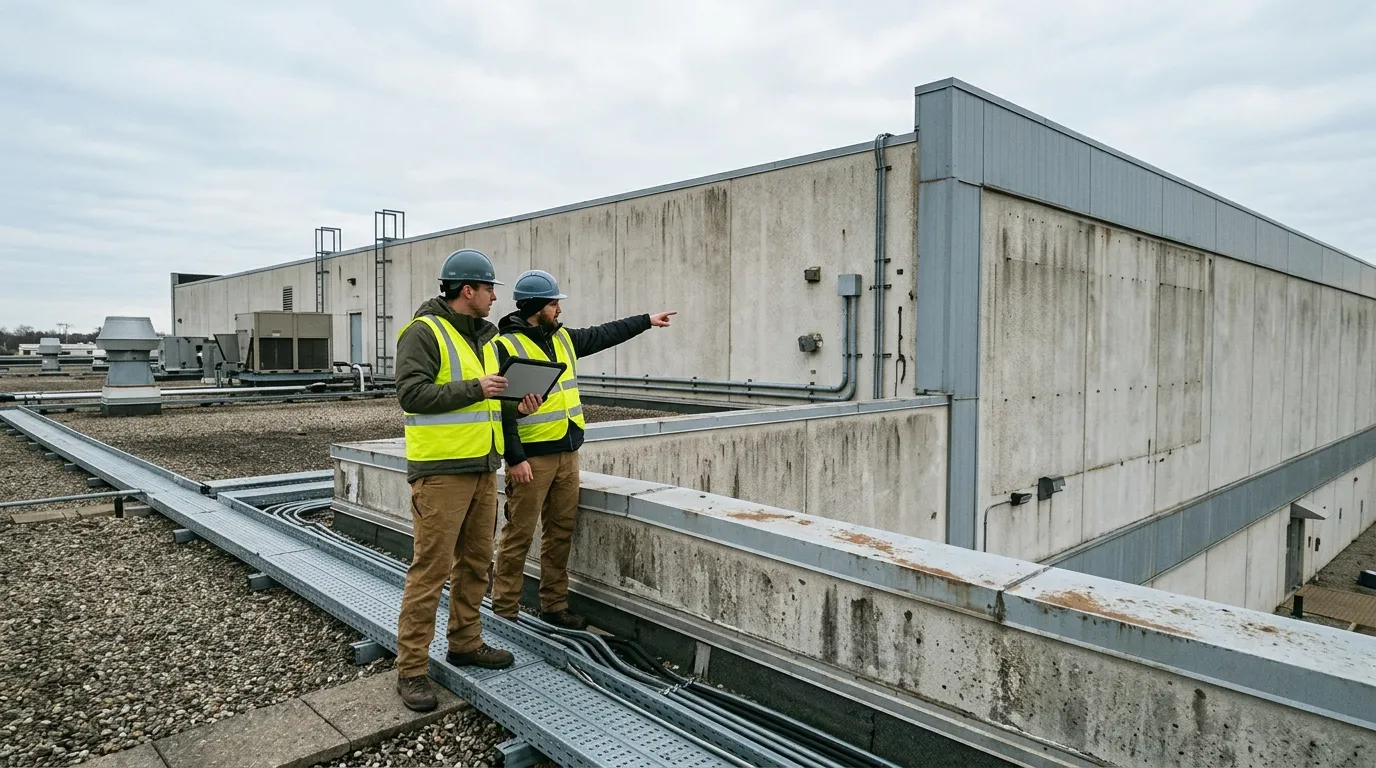
A site survey should record weather exposure, ambient light, obstructions, and power and network access, because those findings decide the mounting method, the cabinet access arrangement and the cable route before any steel is cut. According to Colorlit LED's installation guide, a survey should consider rain and storms, temperature, wind, ambient light, obstructions, power access and network connectivity.
The survey is the only stage where changing the plan is still cheap. Once the frame is fabricated or the wall is drilled, a missed drainage path or an unreachable rear cabinet becomes a rebuild rather than an adjustment.
Table A: Site survey checklist
| Item to check | Why it changes the plan | Confirm with |
|---|---|---|
| Rain, storms and drainage exposure | Decides cabinet joint detail, cable-entry routing and whether a drainage path is needed | Project owner and installer |
| Wind and temperature range | Feeds the structural load case and the conditions the screen must operate in | Structural engineer |
| Ambient light at the mounting position | Affects how the screen reads from the intended viewing area | Project owner and display supplier |
| Obstructions | Determines whether the screen needs a higher or offset mounting position | Project owner |
| Power access | Sets where the supply point, isolation and protection can sit | Licensed electrician |
| Network or signal accessibility | Determines the cable route from the controller to the cabinets | Installer and network owner |
How screen size, cabinet layout and mounting method shape the plan
Screen size, cabinet count, service access and mounting method are decided together, because the method fixes the frame depth, the clearance behind the screen and the way cables reach each cabinet. According to Colorlit LED's installation guide, five installation approaches are used: cabinets on a steel structure, direct wall installation, brackets, hanging bars, and LED modules assembled directly onto a steel structure.
For fixed outdoor projects, MIC Display's design team customises screen structure, size and configuration to the installation environment, so the frame and access arrangement are set per project rather than taken from a standard drawing. The outdoor led display range shows how those cabinet and mounting options are grouped.
Which checks need a qualified structural, electrical or local-code review?
Load paths, building attachment, electrical supply and protection, and any permit or signage approval should be confirmed by the responsible qualified professional before work starts. No article, published guide or supplier document replaces that sign-off.
This is the single point in the installation where the installer should stop and route a decision to someone else: the project's structural engineer for attachment and load, a licensed electrician for supply and protection, and the local authority for permits or signage approval. Every later stage in this guide assumes those confirmations are already in hand.
How do you plan the mounting structure and service access?
Plan the structure so that load transfers through a reviewed frame or wall attachment, and so that every cabinet can still be reached for service after the screen is closed. Service access is the decision most often deferred and most expensive to fix later.
Published frame figures vary by system and must not be copied across projects. Colorlit LED's installation guide gives 4 × 4 cm or 4 × 8 cm rectangular tubing as examples in its frame discussion, and LEDFUL's structure-frame guide describes 40 × 40 mm square tube and M10 screws. Both are that source's examples for its own described system, not MIC Display specifications and not project requirements.
Cabinet construction also affects what access is needed. MIC Display's outdoor range includes an aluminum outdoor led display option described with front-and-rear maintenance and an outdoor iron box led display option described with rear-only maintenance. Verify the actual model's documentation before applying either arrangement to a project.
Table B: Service access options
| Cabinet or service arrangement | Access needed after closing | Source figure (example only) | Where it suits |
|---|---|---|---|
| Front-and-rear service | Both the front face and the rear of the screen must be reachable | Verify with the supplier | Sites where the rear face can be reached from inside or from behind |
| Rear-only service | A permanently available rear service area | Verify with the supplier | Sites where rear access is part of the building or structure design |
| Rear maintenance channel | A clear channel behind the screen | Colorlit LED describes a 600–900 mm rear channel in its rear-service method (example only) | Rear-service installations whose project design allows that depth |
[DIAGRAM: annotated side view of a mounted cabinet showing frame attachment, cabinet joint, cable entry and service clearance, with a note that all dimensions are project-specific]
Developers and owners planning a long-life commercial screen will also want to confirm the fixed-installation specification itself, which is where an outdoor fixed led display reference helps the installation team match the structure to the delivered cabinet.
Installing the cabinets: positioning, alignment and securing
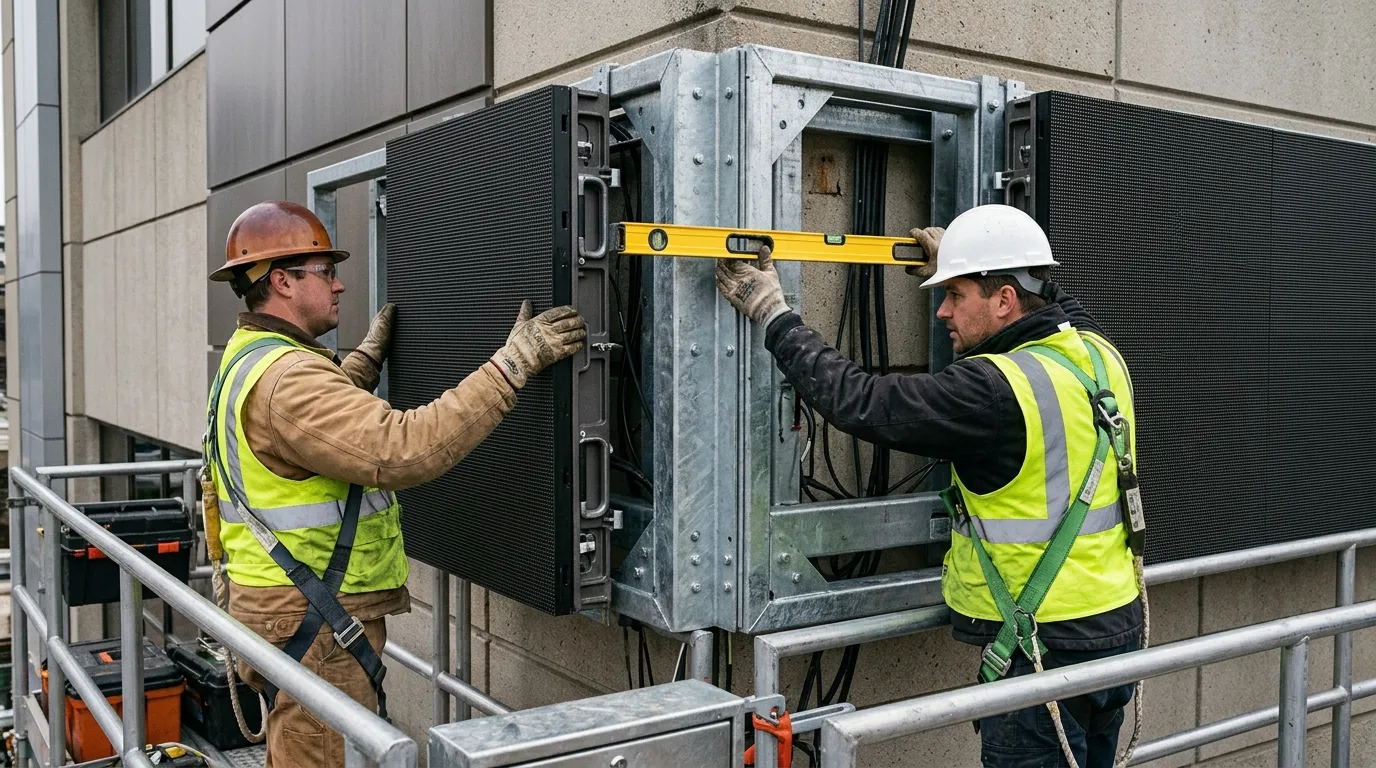
Set a datum first, position and level each cabinet before final tightening, keep the seams tight as the array grows, and handle cabinets with lifting and fall protection already in place. Sequence matters more than speed, because a cabinet secured early is a cabinet that has to be released again.
LEDFUL's structure-frame guide advises checking that cabinets are level and tightly aligned, handling them carefully, and taking safety measures during installation. Those three checks are the ones to repeat at every row, not only at the first.
- Establish the datum line and the position of the first cabinet.
- Set the cabinet level and check alignment against the datum before any final tightening.
- Check the seam with the neighbouring cabinet before the next cabinet is hung.
- Secure cabinets to the reviewed drawings, following the structural, electrical and local-code review step described above.
- Route and identify cables as each row closes, before the next row blocks access.
- Protect the face of installed cabinets while the remaining work continues.
Power and signal cabling: what to plan and verify
There is no universal power and signal layout for an outdoor LED display. Cable sizing, protection, routing and connector positions follow the project's electrical design and the specific model's documentation, and every connection should be verified before the screen is energized.
Plan cable routes before the first cabinet is hung so nothing is trapped behind the frame. Cable identification, separation of power and signal runs, strain relief and service loops are checked against the model's manual and the project drawings. Because connector layouts differ between models, confirm the layout and the input and output positions against the documentation supplied with the screen; MIC Display's download section is one place to retrieve that model-level material.
Sealing and weatherproofing checks

A product's protection rating describes the product, not the finished installation. Gaskets, cable entries, drainage paths and cabinet-to-cabinet joints must be inspected after assembly, and a damaged seal should be replaced rather than filled.
Treat every cable entry and every joint as a potential water path. Verify each one against the model's stated protection rating and the project's drainage design, and never treat a rating alone as evidence that a finished screen is sealed. Roof and wall drainage, standing water behind the frame, and entry points drilled after the fact are the details that decide whether the installation survives its first storm season.
[PHOTO: cable entry with gasket and drainage path, showing a correctly seated seal beside a damaged one]
Before you energize: the pre-commissioning checks
Before switching on, confirm the installation is dry and complete, all connections are seated and identified, fasteners are final-tightened, earthing and supply protection match the reviewed design, and debris or tools are cleared from the cabinets.
This gate exists because a wet, loose or mis-wired screen that is energized can turn a fixable assembly problem into damaged electronics. Work through it in order, and do not treat any single item as optional.
- Work area clear and cabinets free of tools, packaging and debris.
- Seals and cable entries inspected and recorded, per the sealing checks above.
- All connections seated and labelled against the project drawings.
- Fasteners verified against the reviewed structure drawings.
- Earthing and supply protection confirmed by the licensed electrician.
- No water, condensation or moisture present inside cabinets.
- Service access confirmed unobstructed.
- Configuration files, manuals and controller settings to hand.
- Cabinet faces and modules undamaged during installation.
Commissioning and handover: what to test and record
Commissioning confirms the whole screen operates as specified — configuration, test patterns, uniform output and stable signal — and handover means those results are written down together with the as-built access and sealing notes.
Colorlit LED's installation guide sets out a nine-step outdoor cabinet-on-steel-structure procedure that runs from site survey through to follow-up inspection, which shows that a published procedure does not stop at mounting. Use the handover record below so the checks are traceable after the installation crew leaves.
Table C: Handover record
| Item | What a pass looks like | Recorded by |
|---|---|---|
| Configuration and image verification | Screen displays the intended content with correct input and mapping | Commissioning technician |
| Module and pixel uniformity | No visibly dead or mismatched modules across the array | Commissioning technician |
| Signal stability | Picture remains stable over a monitored run period | Commissioning technician |
| Seal and cable-entry inspection | Every entry and joint inspected, damaged seals replaced | Installing crew |
| Energizing test result | Supply, protection and function confirmed against the reviewed design | Licensed electrician |
| Maintenance access | Every serviceable cabinet reachable by the planned route | Project owner and installer |
| Documentation handover | Manuals, settings and as-built notes passed to the owner | Project manager |
Common outdoor installation errors and where to catch them
Most outdoor installation failures trace back to three habits: treating a published example figure as a specification, closing cabinets before cabling and sealing are checked, and energizing before the pre-commissioning gate.
Table D: Error, cause and catch point
| Error | Why it happens | Where to catch it |
|---|---|---|
| Example tubing, screw or clearance figures copied across projects | Published guides describe one system's arrangement, not a universal standard | Site survey and mounting structure planning |
| Cables trapped or unlabelled behind closed cabinets | Routing is left until the frame is complete | Cabinet installation sequence and cabling planning |
| Damaged or unseated seals left in place | Sealing is assumed from the product rating | Sealing and weatherproofing checks |
| Energizing before checks are complete | Schedule pressure at the end of the build | Pre-commissioning checklist |
| Reaching cabinets for maintenance after handover | Service access was never confirmed against the delivered cabinet type | Service access planning |
Where MIC Display's technical support fits in the installation
MIC Display can be contacted during planning for model-specific configuration information and resource material, and its remote technical support covers questions that arise during installation and after commissioning.
MIC Display is an LED display factory in China established in 2011, and its design team customises screen structure, size and configuration to each project's installation environment. Displays carry a 5–8 year warranty with remote technical support and after-sales service. Published manuals, setup guides, technical documents, operation instructions and maintenance resources are collected in the MIC Display support section, which is the practical starting point when a configuration step in the model's documentation is unclear. Where a project needs site-specific structural calculations, electrical design, permits or on-site works, those remain with the project's own qualified professionals and contractors.
Frequently asked questions
How is an outdoor LED display configured after installation?
Configuration depends on the controller and the specific model, so setup follows the documented procedure supplied with that screen. Where a step is unclear, the installer contacts the supplier's technical support rather than guessing at settings. No single configuration sequence applies across models, so confirm the procedure against your own screen's documentation before changing parameters.
Do you need a permit before installing an outdoor LED display?
Permit requirements vary by location, screen type and mounting position. Signage or building approval may apply, and the decision belongs to the local authority together with the project owner. Confirm the requirement before fabrication, because a permit condition can change the mounting position, the screen size or the structure itself.
Can one mounting method be used for every outdoor LED screen?
No. According to Colorlit LED's installation guide, five approaches are used: cabinets on a steel structure, direct wall installation, brackets, hanging bars, and LED modules assembled directly onto a steel structure. The method follows the site, the supporting structure and the required service access, and MIC Display customises screen structure and size to the installation environment.
Share on Social:


Contact Us
Related Posts
LED Window Display- The Complete Guide for Retail, Advertising, and Commercial Spaces
October 26, 2026
Mini LED Display- What It Is, How It Works, and Where It Fits
October 26, 2026
Naked Eye 3D LED Display - How It Works, Key Specs, Cost and How to Plan One (2026 Guide)
October 16, 2026
Transparent LED Displays for Storefronts
October 14, 2026


