




Where to Buy Rental LED Screens for Stage Events?
By miashuvo2077
Oct 08, 2026Related Posts

LED Window Display- The Complete Guide for Retail, Advertising, and Commercial Spaces
October 26, 2026

Mini LED Display- What It Is, How It Works, and Where It Fits
October 26, 2026
Naked Eye 3D LED Display - How It Works, Key Specs, Cost and How to Plan One (2026 Guide)
October 16, 2026

Transparent LED Displays for Storefronts
October 14, 2026
Stage rental LED screens are bought from rental-series manufacturers when event or rental companies are building reusable inventory; for a one-off event, hiring a local AV rental provider is usually the faster and cheaper route. Before any order, confirm cabinet compatibility, curved options, spare parts and technical support.
Key Takeaways
- Event and rental companies that reuse screens across shows buy from rental-series manufacturers; organizers needing one screen for one event normally hire a local provider instead.
- "Rental LED" describes a product platform built for temporary use and repeated assembly, not only a hire transaction.
- Cabinet and module dimensions differ between suppliers — MIC Display lists 250 × 250 mm modules on its MCR-PRO stage models, while LEDLightsWorld lists 500 × 500 mm aluminum cabinets on its Tour ranges — so compatibility must be confirmed per model.
- Published rental day rates, such as Rent For Event's listed P3.9 mm package at $3,900 per day, are that supplier's own examples and not purchase prices or market averages.
- Spares, processing, transport, installation and support sit outside the screen price and belong in the written quotation.
Buy or Rent Stage Rental LED Screens? The First Decision
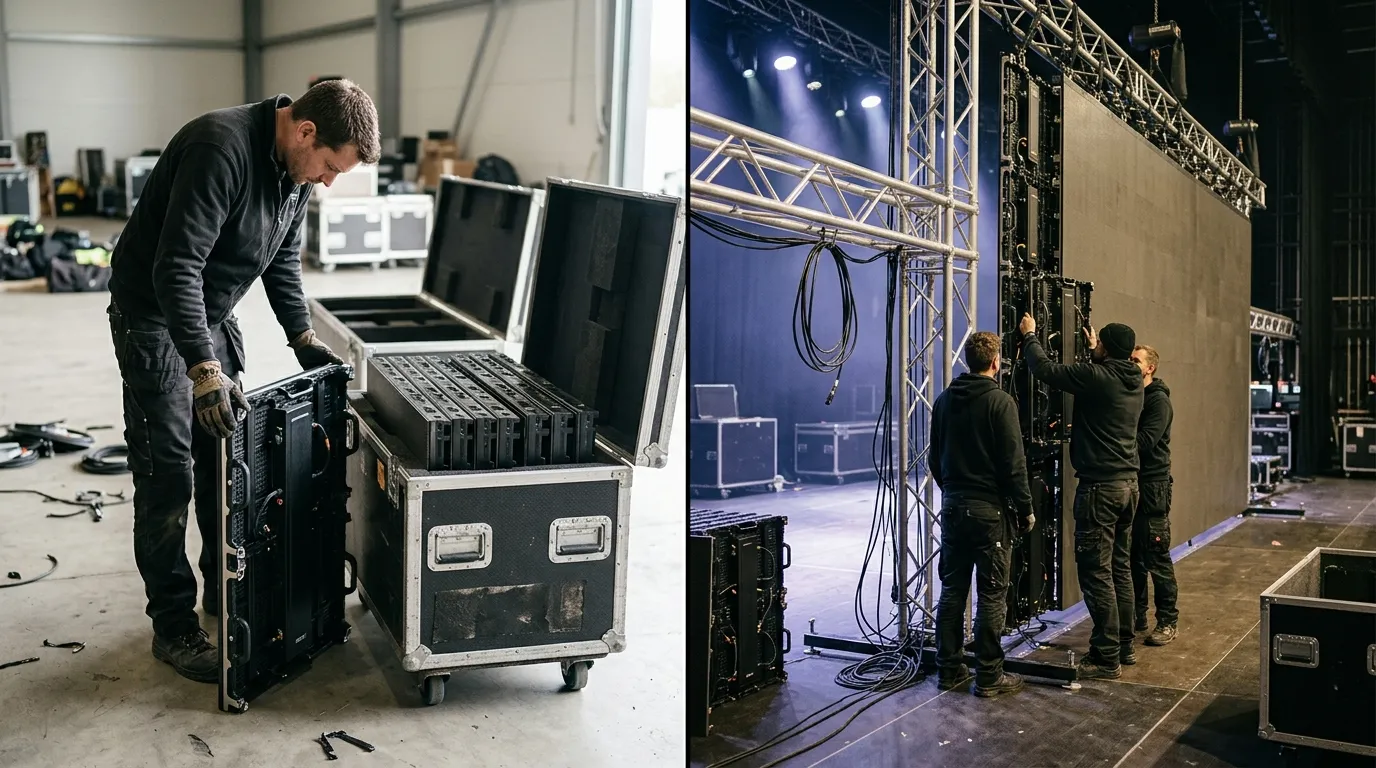
If the screens will be reused across multiple events, buy rental-series cabinets from a manufacturer or its authorised channel. If you need one screen for one event only, renting locally is normally simpler.
The deciding factors are reuse and infrastructure, not budget alone. Recurring use, somewhere to store flight cases, and a crew that can assemble and service the cabinets all push the decision toward buying. A single show, no storage, and no technical staff push it toward local hire, where transport, installation and operators are usually bundled into one contract.
| Situation | Better route | Reason | What to confirm first |
|---|---|---|---|
| Building rental inventory for recurring shows | Buy from a rental-series manufacturer | Cabinets are reused and the inventory becomes a business asset | Cabinet platform, spares supply, support route |
| One event, no storage, no crew | Hire a local AV rental provider | Transport, installation and operators are part of the hire | What the day rate includes and what it excludes |
| Repeat events but no warehouse | Compare hire against buy-plus-storage | Storage and crew cost can outweigh the purchase saving | Storage cost, crew availability, transport terms |
| Screens plus occasional overflow demand | Buy a core kit, hire the remainder | Owned cabinets cover the base load | Compatibility between owned and hired cabinets |
Rental rates are not a proxy for purchase price. Rent For Event, a rental provider, lists example packages priced per day, including an 11.5′ × 6.6′ P3.9 mm screen at $3,900 per day and an 11.5′ × 6.6′ P2.6 mm screen at $4,200 per day. Those figures cover a delivered rental service, so they should not be read as the cost of owning the same screen.
[DIAGRAM: Decision flow — one-off event leads to local AV rental; recurring events or inventory build leads to buying rental-series cabinets from a manufacturer.]
Where Event and Rental Companies Buy Stage Rental LED Screens
Buy from a rental-series LED display manufacturer or its authorised channel, and send a written brief covering venue, screen dimensions, viewing distance, indoor or outdoor environment, and your existing cabinet platform.
Unilight LED's guide, dated April 30, 2026, groups event screens into indoor, outdoor, transparent, mobile and curved or creative categories, which reflects the range a buyer is comparing across suppliers. The purchase route matters because the party that holds the specification is the party you will go back to for modules, receiving cards and technical answers.
Manufacturer, Distributor or Reseller: What Actually Changes
A manufacturer controls the product specification and the spare-parts supply for the models it produces. A distributor or reseller may hold regional stock and offer faster local delivery, but the specification answers still come from the factory. Ask which party will confirm the model number, the cabinet dimensions and the support commitment in writing, and make sure the answer names a real entity rather than a general sales address.
MIC Display is an LED display factory in China established in 2011 that designs, produces and sells indoor, outdoor and rental displays, among other product families, and exports to more than 100 countries — so the rental route starts with its rental LED display range if you are sourcing from a factory rather than resale stock.
What to Include in a Quote Request
Chipshow's specification guide for live events recommends building the brief around venue and schedule, audience sightlines, screen locations, environment, content canvas, rigging and power considerations, and site access constraints. Add your existing inventory, and the request becomes comparable across suppliers:
- Venue type, dates and schedule, including load-in and load-out windows.
- Screen dimensions and aspect ratio for each position.
- Nearest realistic viewing distance and the content type to be shown.
- Indoor or outdoor environment, including direct sunlight and weather exposure.
- Rigging, mounting or ground-support method, and any power limitations on site.
- Site access constraints — doors, lifts, ramps and truck access.
- Existing cabinet inventory: brand, model, cabinet dimensions and connection type.
- Required spares, processing, transport and on-site technical support.
Indoor or Outdoor? Match the Stage Rental Screen to the Venue
Outdoor stage screens need higher brightness and weather protection; indoor stage screens prioritise finer pitch, colour consistency and lighter cabinets.
MIC Display's rental page compares indoor and outdoor rental displays across application, viewing environment, display focus, cabinet design and installation. The same page lists outdoor MCR-PRO models at brightness of at least 5,000 nits with IP65 protection, and indoor MCR-PRO models at brightness of at least 600 nits with IP40. Those are page-listed specifications for those specific models, not universal requirements for every stage screen.
| Factor | Indoor stage rental | Outdoor stage rental |
|---|---|---|
| Listed brightness (MIC Display MCR-PRO) | At least 600 nits | At least 5,000 nits |
| Listed protection (MIC Display MCR-PRO) | IP40 | IP65 |
| Listed pitch options (MIC Display MCR-PRO) | P1.953, P2.604, P2.976, P3.91 | P2.604, P2.976, P3.91, P4.81 |
| Listed module size (MIC Display MCR-PRO) | 250 × 250 mm | 250 × 250 mm |
| Viewing environment | Controlled lighting, shorter viewing distances | Daylight, weather exposure, longer viewing distances |
| Cabinet priority | Lighter weight and fine detail | Sealing, brightness and structural strength |
The indoor stage rental LED display and outdoor stage rental LED display pages show how those two paths are configured for event use. If the same cabinets must serve both, that requirement has to be stated in the brief rather than assumed, because a model rated for one environment is not automatically suitable for the other — see the stage display applications for how the two environments are treated separately.
Confirm Cabinet, Module and Connection Compatibility Before You Buy
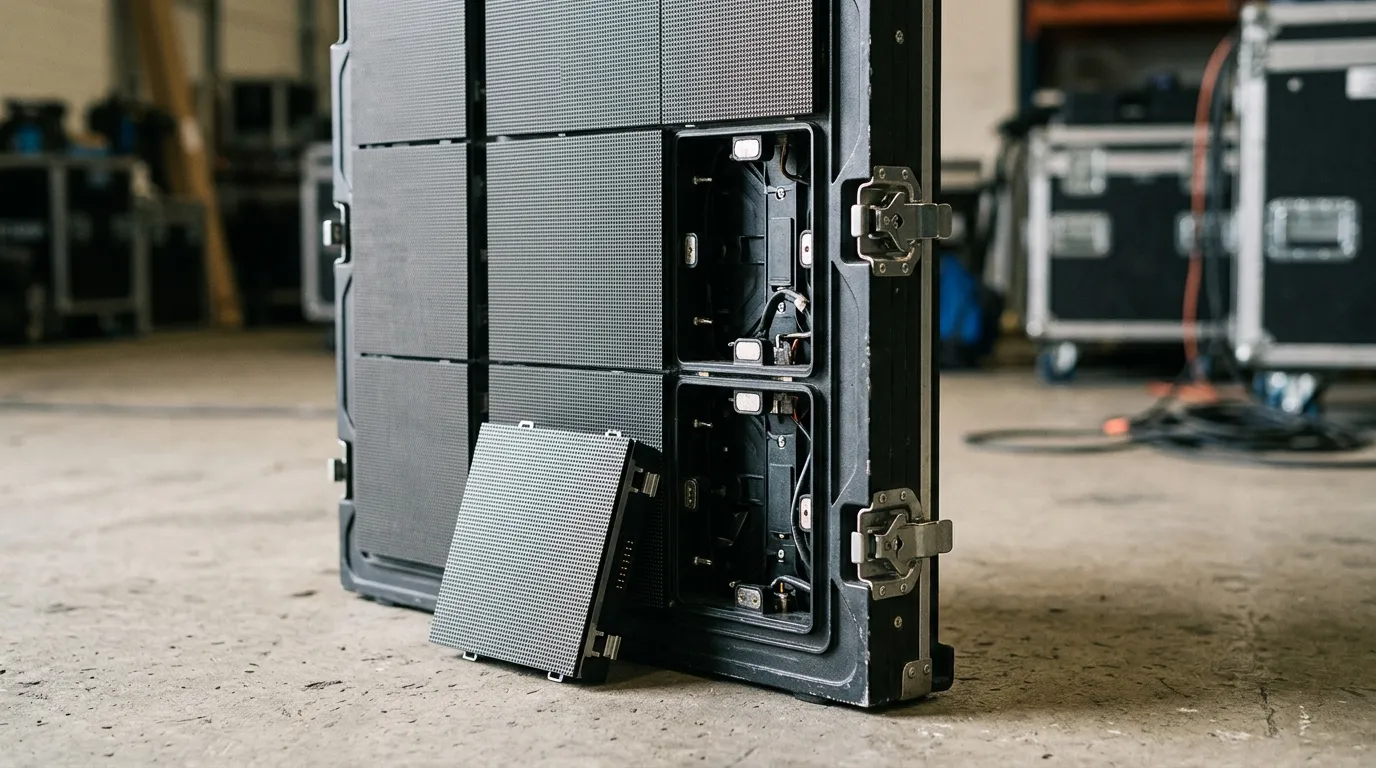
Ask the supplier in writing to confirm cabinet dimensions, the connection and locking system, control and processing requirements, and whether the new cabinets can be used alongside your existing inventory.
This is where buyers most often lose money. MIC Display lists 250 × 250 mm modules on its MCR-PRO stage models, while LEDLightsWorld lists 500 × 500 mm aluminum cabinets on its Tour Indoor and Tour Outdoor ranges. Different platforms use different dimensions, so two "P3.9 rental panels" from two suppliers are not interchangeable by default.
Confirm each of the following per model:
- Cabinet width, height and depth, and total cabinet weight.
- Connection and locking system between adjacent cabinets.
- Module fixing method and how a module is replaced on site.
- Receiving card and control-system requirements.
- Power and data connector types.
- Whether new and existing cabinets may be mixed in one wall, and under what conditions.
Curved, Corner and Creative Stage Configurations
Ask whether the cabinet family includes dedicated curved or corner cabinets and what curvature the range supports. If it does not, plan the layout and mounting approach differently rather than forcing flat cabinets into a curve.
Curvature is a hardware property, not a software setting. Before ordering, the quotation should state the minimum radius the model supports, whether the cabinets are flat, curved or corner type, and any mounting hardware the curve requires. Unilight LED's 2026 event guide includes curved and creative screens as a distinct event-screen category, which is a useful reminder that this is a separate product decision rather than an option added later.
Spares, Replacement Parts and Technical Support
Ask what spare modules, cabinets and replacement parts are supplied or available, and confirm the technical support and after-sales route before placing the order.
Chipshow's guide lists spares, processing and support as separate scope items from the panel rate, which is exactly how a purchase order should read. A screen that arrives without a spare module can lose a whole show to a single failed panel. MIC Display's displays carry a 5–8 year warranty with remote technical support and after-sales service, so the warranty term and the support channel should be written into the order rather than agreed verbally; the support page sets out how that route works. For the spare-parts and support line items themselves, use the quotation checklist below rather than a separate list here.
Match Pixel Pitch and Screen Configuration to the Event
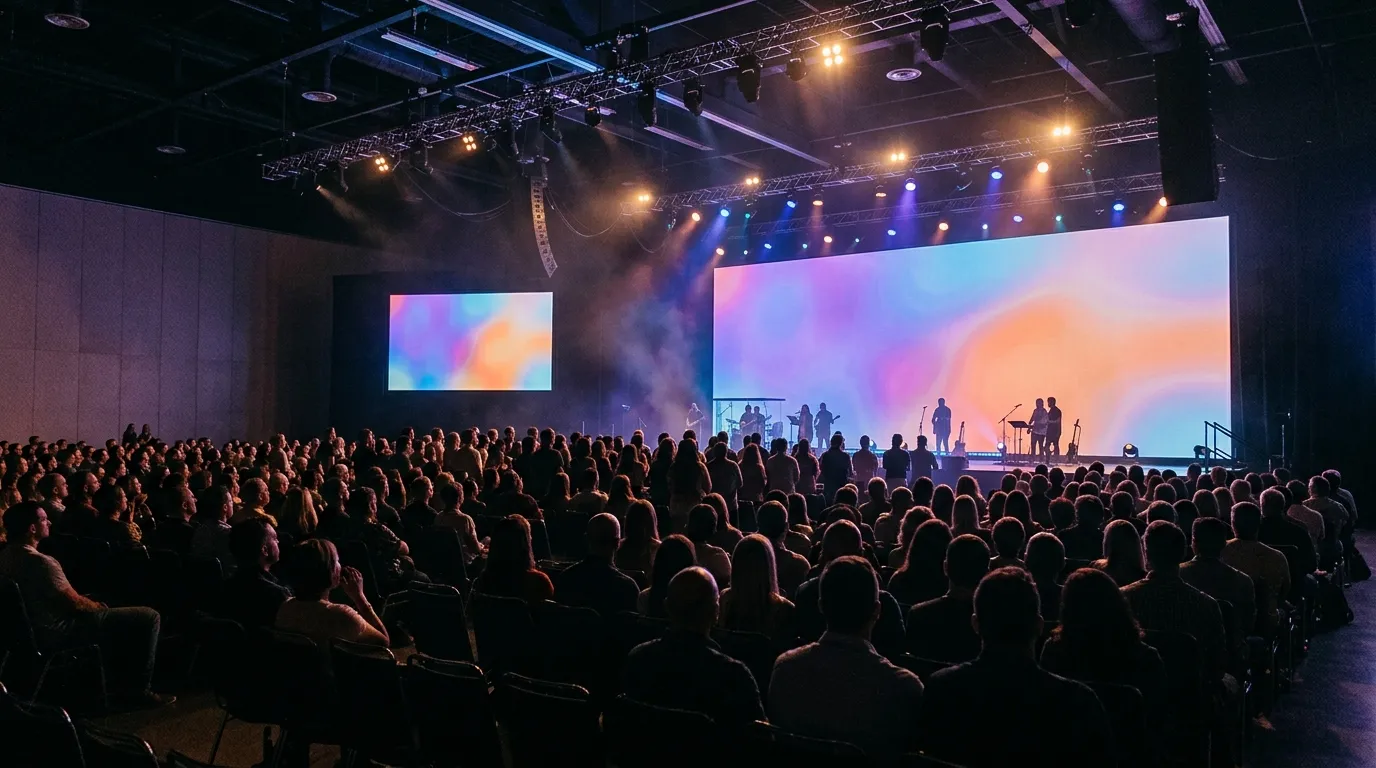
Choose pixel pitch from the nearest realistic viewing distance and the content type. Closer audiences and text-heavy or fine-detail content need a finer pitch; large venues with distant sightlines can use a coarser pitch.
Pixel pitch is the distance between adjacent pixels, measured in millimetres, and it is the main driver of how close an audience can stand before the image looks coarse. MIC Display's rental page shows that one rental family can span several pitches: indoor MCR-PRO models are listed at P1.953, P2.604, P2.976 and P3.91, and outdoor MCR-PRO models at P2.604, P2.976, P3.91 and P4.81. Unilight LED's 2026 event guide also includes sizing and comparison tables, which reflects how much the correct choice depends on the specific venue rather than a single recommended value.
What a Full Supplier Quotation Should Specify
A useful quotation separates the screens from the project scope and states what is included, what is excluded and what is optional.
Chipshow's scope list — cabinets, spares, processing, support, transport, installation, technicians, overtime and exclusions — is a practical basis for the line items to request. Without those lines, two quotes for the same screen are not comparable, because one may include flight cases, processing and commissioning while the other covers the panels alone.
| Quote line item | Why it matters | Ask the supplier to state |
|---|---|---|
| Cabinets and modules | The core product and the basis of compatibility | Model number, pitch, cabinet dimensions |
| Spare modules and cabinets | Protects a live show against a single failure | Quantity supplied and how replacements are ordered |
| Control and processing | Determines signal handling and content mapping | What is included and what is optional |
| Flight cases and transport | A significant share of delivered cost | Case type, quantity and shipping terms |
| Installation and rigging | Site-dependent and often excluded | What is included, and what site conditions are assumed |
| Technicians and show operation | Determines who is responsible during the event | Days, hours and overtime terms |
| Warranty and support term | Defines the after-sales route | Warranty length and how to raise a technical issue |
| Exclusions | Prevents surprise charges | Everything explicitly not included |
Verify Supplier and Product Claims in Writing
Before ordering, ask the supplier to confirm model numbers, specifications, warranty terms and support commitments in writing, on the quotation or the datasheet for the exact model.
Treat any unconfirmed pitch, brightness, protection rating, module dimension or support term as unverified until it appears against that model. This applies to both directions: do not assume two suppliers' cabinets match, and do not assume a specification quoted in a chat message will be the specification delivered. A structured supplier screening process helps here, and the how to choose an led display manufacturer a buyers checklist walks through the questions worth asking before a deposit is paid.
FAQ
How much do stage rental LED screens cost to buy?
Purchase cost depends on pixel pitch, cabinet type, curved or custom options, spares, processing, support and order quantity, so no single figure is reliable. Published day rates from rental providers, such as Rent For Event's listed P3.9 mm package at $3,900 per day, reflect a delivered rental service rather than the purchase price of the equipment.
What size LED screen do I need for a stage event?
Size follows the venue, audience sightlines, the number and position of screen locations, and the content aspect ratio. Chipshow's live-event specification guide uses those inputs to build the brief, and the final dimensions should be confirmed with the supplier against the actual venue rather than chosen from a generic size chart.
Can I buy rental LED screens for just one event?
Yes, but compare the full delivered cost against a local hire quote before deciding. Rental providers bundle transport, installation and crew into the contract, while a purchase leaves storage, assembly, commissioning and any technical support during the show to you or your subcontractors.
Will new rental cabinets work with my existing LED stock?
Only if cabinet dimensions, connection type and control requirements match. MIC Display lists 250 × 250 mm modules on its MCR-PRO stage models and LEDLightsWorld lists 500 × 500 mm aluminum cabinets on its Tour ranges, so confirm the specific model's dimensions and locking system in writing before ordering.
Send MIC Display your event brief and existing cabinet details, and ask for a written quotation that covers the screens, the spare parts and the support scope.
Share on Social:


Contact Us
In This Article
Related Posts
LED Window Display- The Complete Guide for Retail, Advertising, and Commercial Spaces
October 26, 2026
Mini LED Display- What It Is, How It Works, and Where It Fits
October 26, 2026
Naked Eye 3D LED Display - How It Works, Key Specs, Cost and How to Plan One (2026 Guide)
October 16, 2026
Transparent LED Displays for Storefronts
October 14, 2026


