




How to Choose a COB LED Display?
By miashuvo2077
Sep 17, 2026Related Posts

LED Window Display- The Complete Guide for Retail, Advertising, and Commercial Spaces
October 26, 2026

Mini LED Display- What It Is, How It Works, and Where It Fits
October 26, 2026
Naked Eye 3D LED Display - How It Works, Key Specs, Cost and How to Plan One (2026 Guide)
October 16, 2026

Transparent LED Displays for Storefronts
October 14, 2026
To choose a COB LED display, match pixel pitch to the nearest and farthest viewing positions and the smallest on-screen detail, then verify chip mounting (flip-chip or face-up), contrast and colour consistency at real operating brightness, cabinet depth, and how modules are serviced. For control rooms and boardrooms, run those five checks in order and confirm each claim on the exact model quoted.
Key Takeaways
- Screen pixel pitch with a calculation — effective image width in millimetres divided by target horizontal pixels — rather than picking a number from a viewing-distance chart.
- Published viewing-distance bands are heuristics: DOIT VISION's guide suggests under 1.5 m suits roughly P0.6–P1.0, 1.5–3 m often suits P1.2–P1.5, and beyond 3 m a coarser indoor pitch may suffice.
- Flip-chip and face-up describe chip mounting inside a COB module; published selection guides do not establish a universal performance winner between them.
- Cabinet depth and service access are pass/fail installation checks, not afterthoughts.
- Control rooms and boardrooms need different selection orders because their content and seating geometry differ.
What Is a COB LED Display in Selection Terms?
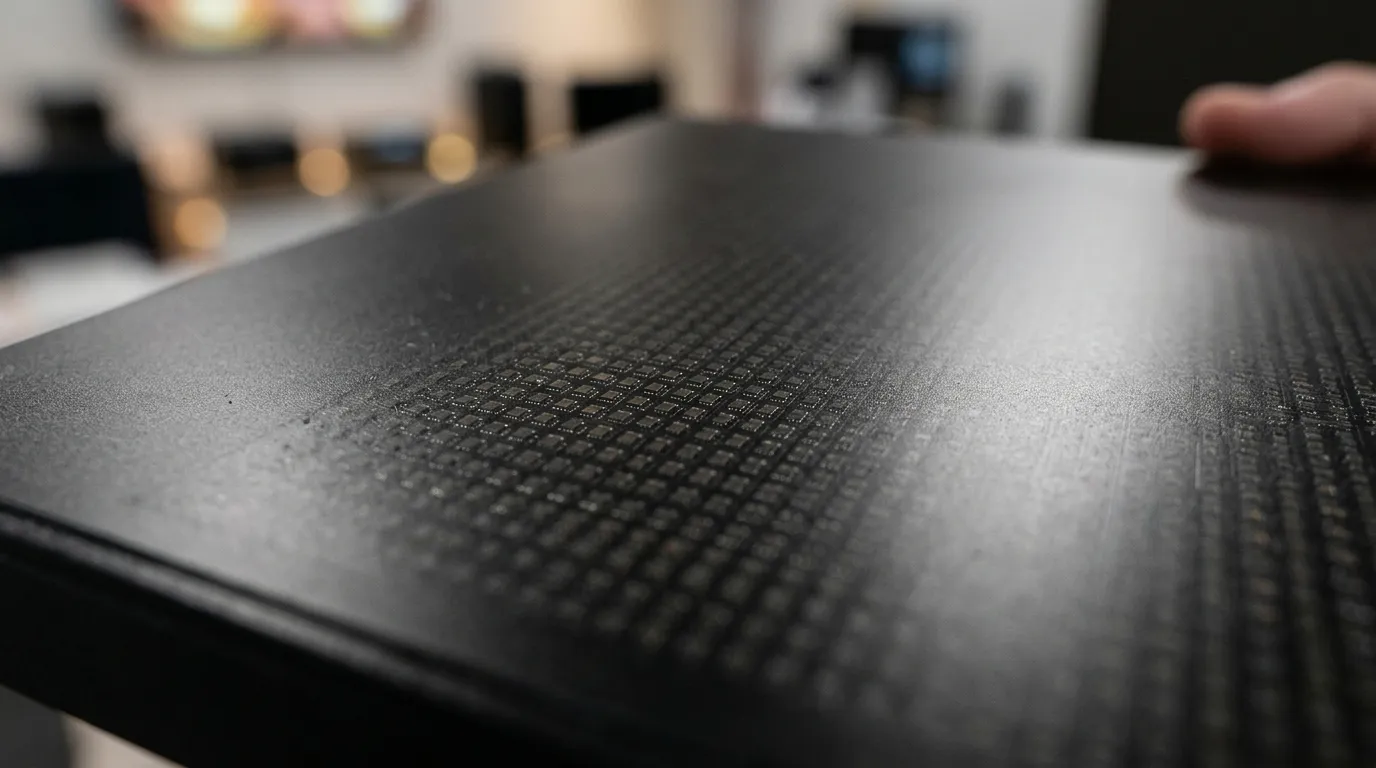
A COB LED display is an LED panel in which the LED chips are mounted directly on the circuit board and encapsulated, instead of individual packaged lamps being placed on the surface. For buying purposes, "COB" answers how the panel is built; it does not on its own tell you the pixel pitch, brightness, colour consistency or service method.
That distinction matters, because COB is often used as if it were a complete specification. Ask the supplier to state, for the exact model quoted, the chip mounting orientation, the encapsulation material, and the driver and receiving-card architecture. A quote that says only "COB" leaves the details that decide whether the wall works undefined. MIC Display's cob led display range shows how those details are typically listed for a product family.
[DIAGRAM: cutaway comparison of COB, SMD and GOB module construction, labelling chip mounting and encapsulation]
Deciding Factor 1 — Pixel Pitch and Viewing Distance
Pixel pitch is the distance between the centres of two adjacent pixels, and it should be chosen from the closest viewer and the smallest detail the content must show, not from a marketing chart. Screen it with a calculation: effective image width in millimetres divided by the target horizontal pixel count, then repeat the same division vertically for height.
According to PTC LED's project guide, a 3,600 × 2,025 mm image targeting 3,840 × 2,160 pixels corresponds to 0.9375 mm pitch. That is the outcome of the calculation for that example, not a recommendation for every wall of that size.
Published viewing-distance bands are starting points and nothing more. DOIT VISION's guide suggests that under 1.5 m suits roughly P0.6–P1.0, 1.5–3 m often suits P1.2–P1.5, and beyond 3 m a coarser indoor pitch may suffice. Those are that guide's heuristics; your own calculation and content test decide the final pitch. For more background on the relationship, see the led pixel pitch guide.
| Decision input | What to check | How it changes the choice |
|---|---|---|
| Nearest viewer | Closest seat or standing position | Sets the finest pitch the wall can justify |
| Farthest viewer | Back row or rear desk | Sets the coarsest pitch that stays legible |
| Smallest content element | Cell text, annotation, small numbers | Usually the real limit, ahead of seat distance |
| Native content resolution | Source pixels you will actually display | Scaling hides a pitch that is too fine |
| Room lighting and reflections | Light aimed at the wall | Can make a finer pitch pointless |
| Wall width and height | Finished opening, not rough opening | Determines the buildable pixel count |
| Off-axis seating | Worst viewing angle in the room | Affects colour and brightness uniformity |
How Room Size, Screen Dimensions and Cabinet Geometry Change the Choice
Once a pitch is screened, the room decides whether that pitch can actually be built: the finished wall must divide into module and cabinet dimensions, and the resulting pixel count is what the control system has to drive. In PTC LED's worked example, 150 × 168.75 mm modules sit four across and two high in a 600 × 337.5 mm cabinet, and six cabinets across by six high produce a 3.6 × 2.025 m wall. That is an example arrangement, not a standard cabinet size.
A four-step build check:
- Set the target pixel count from the content you will run.
- Screen pixel pitch with the width divided by target-pixels calculation.
- Lay modules into cabinets and cabinets onto the wall, allowing for the frame and any structural gaps.
- Confirm total screen size and pixel count, then match the control system to it.
Record four dimensions while doing this: the wall opening, the module size, the cabinet size and the total screen size. MIC Display's fine pitch cob led display range covers small-pitch COB from P0.9375 to P1.86, the band most indoor control-room and boardroom builds fall into.
[DIAGRAM: dimensioned worked example of a wall divided into modules and cabinets, with cabinet depth and service clearance marked]
Deciding Factor 2 — Flip-Chip vs Face-Up COB: What to Verify
Flip-chip and face-up describe how the LED chip is mounted and contacted inside a COB module; they are design descriptions, not quality grades. Published COB selection guides do not establish that either mounting type is universally better on brightness, contrast, heat or reliability, so treat the term as a claim to verify on the exact model.
| Claim you may hear | Question to ask | Evidence to request |
|---|---|---|
| "Flip-chip runs cooler" | Which mounting does the quoted model use? | Stated thermal basis, not a comparative adjective |
| "Face-up is brighter" | At what brightness setting and drive current? | Brightness figure with its measurement conditions |
| "Better encapsulation" | Which material, and how is it applied? | Material name and the model it applies to |
| "Better driver design" | Which driver and receiving architecture? | Model-level component list |
| "Easy to service" | Can one module be replaced independently? | Spare-part policy for the module on the quote |
Deciding Factor 3 — Contrast, Colour Consistency and Low-Brightness Image Quality
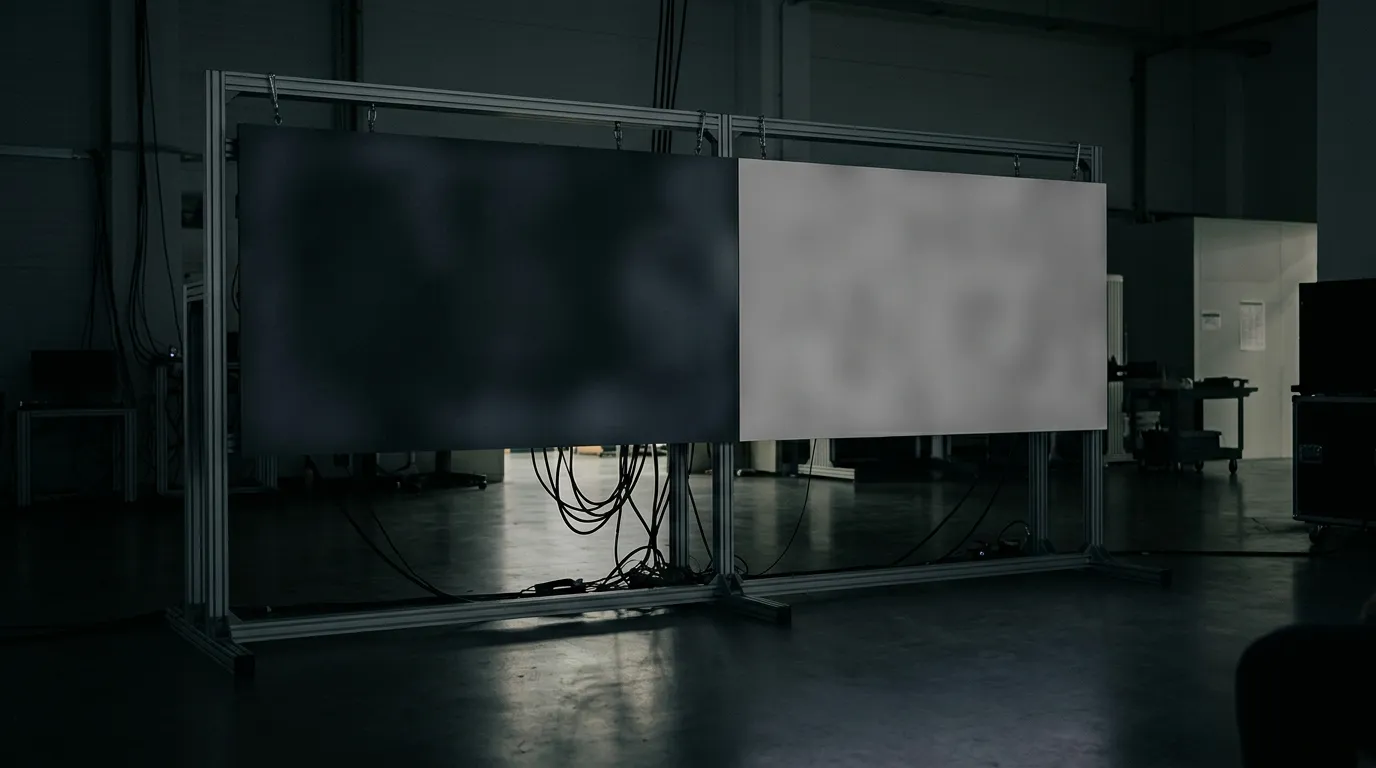
Judge contrast, colour consistency and low-brightness performance by comparing candidates side by side on identical content, at the brightness the room will actually run. Dark scenes, neutral grey fields and fine white text on dark backgrounds expose colour shift, mottling and weak low-grey rendering that a bright demo reel hides.
An inspection checklist for the demo:
- Dark scene: look for mottling or lighter patches across the screen.
- Neutral grey field: check for colour drift between modules.
- Fine text at the intended closest viewing distance: confirm it stays readable.
- Lowest in-use brightness: confirm contrast still holds when dimmed.
- Off-axis positions: sit at the worst seat in the room.
- Reflections: view the wall under the room's own lighting.
Ask for brightness and contrast figures at stated settings for the exact model. A number quoted without a measurement basis cannot be compared with another supplier's number, and a screen shown at maximum brightness tells you little about how it will look in a dim boardroom.
Deciding Factor 4 — Cabinet Thickness and Installation Depth
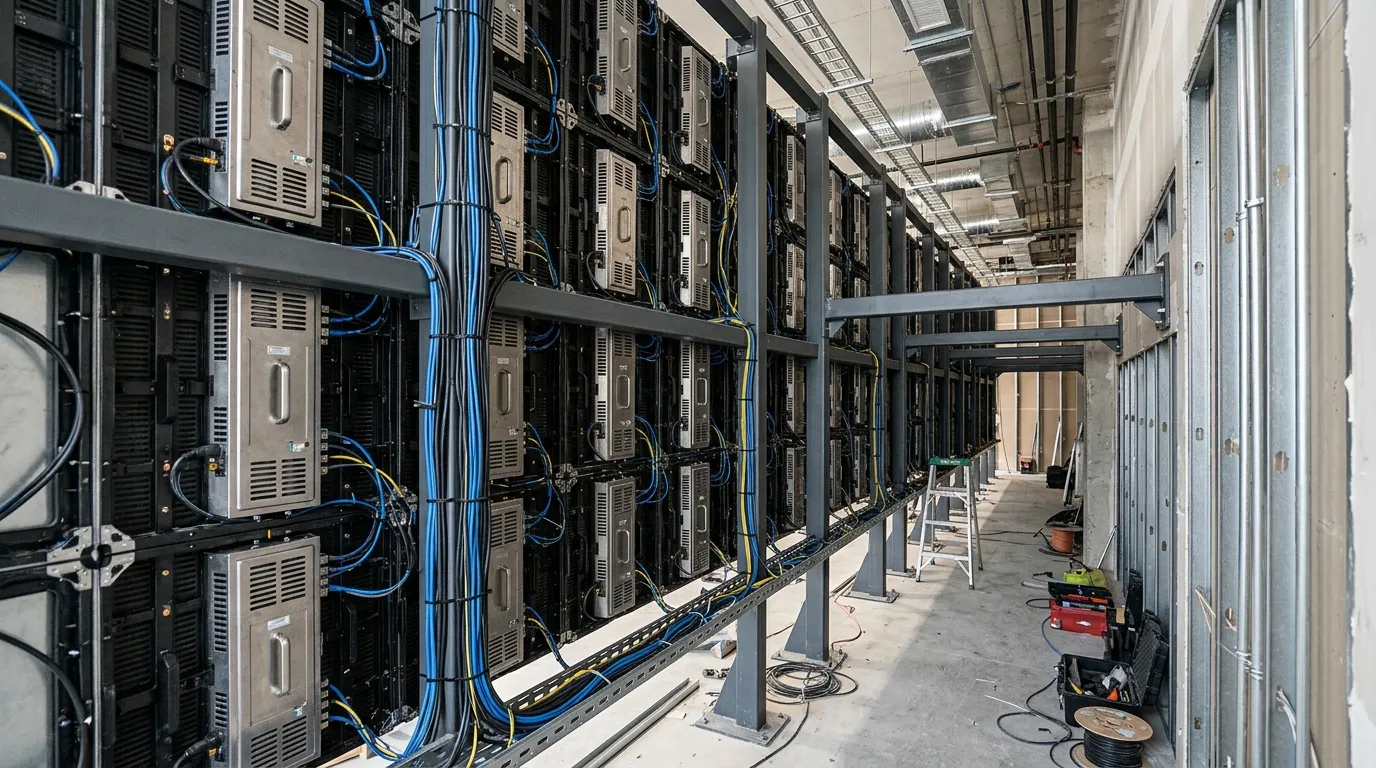
Cabinet thickness is an installation constraint rather than a technology grade. What matters is the total depth needed behind the finished face for the cabinet, the mounting structure, the cabling and the service side, checked against the recess or footprint your project actually has.
Capture four dimensions before you quote:
- Finished-face-to-wall clearance — fails if the wall is flush and the frame needs space.
- Cabinet depth — fails if the recess is shallower than the cabinet.
- Mounting-structure depth — fails if steelwork cannot sit behind the wall.
- Cable and service clearance — fails if nobody can reach the rear of the wall.
Confirm whether the design is front-service or rear-service at this point. A rear-service panel can be the right product and still be the wrong choice for a shallow boardroom wall.
Deciding Factor 5 — Service Access, Spares and Warranty Terms
Choose the panel you can actually service in the room you are installing it in. Confirm the access direction, whether a single module can be replaced without disturbing its neighbours, spare-part availability, the written warranty, and who provides support and how.
Six items to verify:
- Service direction: front, rear or both.
- Single-module replacement without dismantling adjacent modules.
- Spare modules and receiving cards available as line items.
- Acceptable downtime while a module is replaced.
- Warranty length and what it covers, in writing.
- The support route: who responds, and how.
MIC Display states that its displays carry a 5–8 year warranty with remote technical support and after-sales service. The company has designed and produced LED displays since 2011 and exports to more than 100 countries. Ask any supplier, MIC Display included, which of those terms apply to the specific model being quoted.
A Selection Order for Control Rooms
In a control room, start from information density and the closest operator position, select pitch from the smallest critical data element, then verify uniformity and low-brightness behaviour across long shifts before checking depth, service access and redundancy. Appearance-led choices, such as the smallest pitch on offer, are secondary to reading accuracy at the farthest seat.
- List the critical content and the smallest element an operator must read.
- Measure the nearest and farthest operator positions.
- Screen pitch with the width divided by target-pixels calculation.
- Compare candidates on uniformity and low-brightness behaviour, not peak brightness.
- Check depth and service side against the wall and the room's access.
- Agree the drive, redundancy and recovery plan for the control system.
Control rooms are one of MIC Display's application areas for project owners, integrators and advertisers. For information-dense walls in this setting, data visualization is the relevant application type to discuss with a supplier.
A Selection Order for Boardrooms and Meeting Rooms
In a boardroom, start from the seating range and the content mix — video calls, spreadsheets and slides — then check colour neutrality and reflections under the room's real lighting before confirming depth, cable routing and service access. Boardroom walls are usually shallower and more visible than control-room walls, so depth and finish tend to be decided earlier.
- Measure the seating range and the nearest and farthest seat.
- Agree the content mix and the smallest element that must stay legible.
- Check colour and reflections under the room's actual lighting.
- Confirm depth, recess and cable route.
- Confirm service side and how a module is reached.
Use the same pitch-screening calculation as the control-room sequence; boardrooms differ in content and geometry, not in the arithmetic.
When COB Is the Right Fit — and When Another Panel Type May Serve Better
COB is a strong candidate when the wall sits close to viewers, when the surface needs to tolerate contact at low height, and when fine-pitch uniformity is the priority. Surface-Mounted Device (SMD) panels remain a common option at coarser indoor pitches and where repair economics dominate, and Glue-on-Board (GOB) adds a reinforced surface to an otherwise conventional build.
| Type | Construction in one line | Typical best fit | Watch-outs |
|---|---|---|---|
| COB | Chips mounted on the board and encapsulated | Close viewing distances, fine-pitch uniformity | Confirm mounting type, encapsulation and service method |
| SMD | Individually packaged lamps placed on the surface | Coarser indoor pitches, budget-led projects | Surface more exposed to contact |
| GOB | Conventional build with a reinforced surface layer | Spaces where contact and cleaning matter | Confirm the added layer does not affect the optical result |
Cost differences follow from pitch, cabinet construction, drive electronics, spares and service access rather than from the acronym alone, so compare those line items instead of a headline total. No price figures are given here, because they depend on the configuration quoted.
What to Ask Suppliers Before You Shortlist
A COB quote is only comparable if every supplier answers the same list in writing against the specific model being quoted. Group the questions into build, performance evidence and commercial terms.
Build:
- Exact model number and chip mounting orientation.
- Encapsulation material and how it is applied.
- Driver and receiving-card architecture.
Performance evidence:
- Brightness and contrast at stated settings, with the measurement basis.
- Uniformity method and the conditions of the sample tested.
Commercial:
- Module and cabinet dimensions, and total depth.
- Service side, and whether one module can be replaced alone.
- Spare-part availability and the written warranty terms.
Where a supplier cannot answer one of these for the quoted model, mark it unverified rather than accepting a general product claim. This is also the point to apply a supplier-vetting process such as the how to choose an led display manufacturer a buyers checklist before committing.
FAQ
Does a COB LED display need a driver?
Yes. COB describes how the LEDs are packaged on the board, not the electronics that run them. A COB panel still needs driver circuitry and a control or receiving system matched to its pitch, cabinet and pixel count, so ask the supplier to name the driver and receiving-card architecture for the exact model quoted.
Is "COB" in a COB LED display the same as COB lighting?
No. Both use chip-on-board packaging, but COB lighting products such as lamps, strips and downlights are light sources, while a COB LED display is a matrix of individually controlled pixels showing images and video. This page covers display selection; lighting selection follows different criteria.
Which is better, LED or COB?
They are not alternatives. COB is one way of building an LED display, alongside SMD and GOB, so a COB panel is still an LED display. The useful comparison is COB against SMD and GOB for your viewing distance, content, wall depth and service plan.
Share on Social:


Contact Us
In This Article
Related Posts
LED Window Display- The Complete Guide for Retail, Advertising, and Commercial Spaces
October 26, 2026
Mini LED Display- What It Is, How It Works, and Where It Fits
October 26, 2026
Naked Eye 3D LED Display - How It Works, Key Specs, Cost and How to Plan One (2026 Guide)
October 16, 2026
Transparent LED Displays for Storefronts
October 14, 2026


