




How to Choose an Outdoor LED Advertising Screen?
By miashuvo2077
Oct 02, 2026Related Posts

LED Window Display- The Complete Guide for Retail, Advertising, and Commercial Spaces
October 26, 2026

Mini LED Display- What It Is, How It Works, and Where It Fits
October 26, 2026
Naked Eye 3D LED Display - How It Works, Key Specs, Cost and How to Plan One (2026 Guide)
October 16, 2026

Transparent LED Displays for Storefronts
October 14, 2026
Outdoor advertising screen selection comes down to five site-matched decisions: viewing distance and pixel pitch, brightness for day and night conditions, weather and IP protection, screen size and mounting, and the control system. Work through them in that order, verify each specification against your actual installation, and treat every manufacturer number as configuration-specific.
Key takeaways
- Five decisions govern the choice, in this order: viewing distance and pixel pitch, brightness, weather protection, size and mounting, and the control system.
- Pixel pitch follows the nearest and farthest viewer positions, not a "smaller is better" instinct.
- An IP rating is a narrow claim: EagerLED states IP65 covers dust and water jets, not salt, UV or condensation.
- Screen size and mounting are site decisions — available structure, sightlines and service access.
- Samsung recommends asking suppliers about thermal management, maintenance, permitting support and safety.
The Five Factors That Decide an Outdoor Advertising Screen
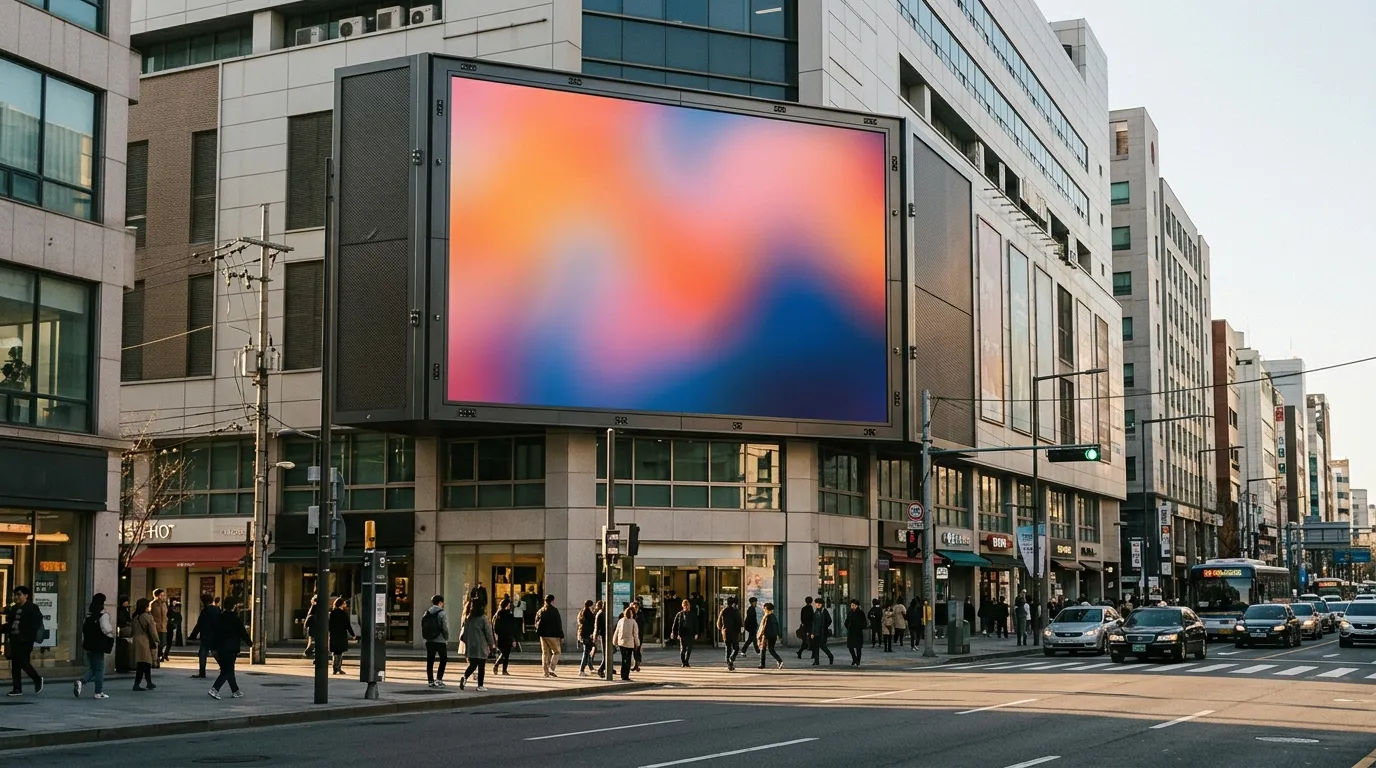
An outdoor LED advertising screen is a light-emitting diode display built to carry advertising content to viewers who may be tens of metres away, in daylight, rain and dust. A screen suits a site when five things match it: pitch against real viewing distances, brightness against actual light conditions, weather protection against exposure, size and mounting against the structure, and control against the way content will be updated. One strong number does not compensate for a weak match elsewhere.
| Decision factor | What it controls | What changes the choice |
|---|---|---|
| Viewing distance and pixel pitch | How sharp the image looks to the nearest and farthest viewer | Nearest viewer position, content style, screen height |
| Brightness | Whether content stays legible in sun and comfortable at night | Screen orientation, direct sun exposure, night operation near housing |
| Weather protection and IP | Whether the enclosure resists dust and water ingress | Site exposure, including coastal salt, UV and condensation risk |
| Screen size and mounting | Viewable area, aspect ratio and structural fit | Available structure, sightlines, service access |
| Control system and content updates | Who publishes content and how often | Update frequency, number of screens, who operates them |
MIC Display's outdoor LED display range lists three series with pitch options from P2 through P10 across its outdoor advertising, fixed and aluminum ranges, so the pitch band is a configuration decision rather than a fixed product line.
[DIAGRAM: The five deciding factors in decision order, with site inputs — viewer positions, light conditions, exposure, structure and content workflow — feeding each factor.]
Factor 1 — How to Match Viewing Distance and Pixel Pitch
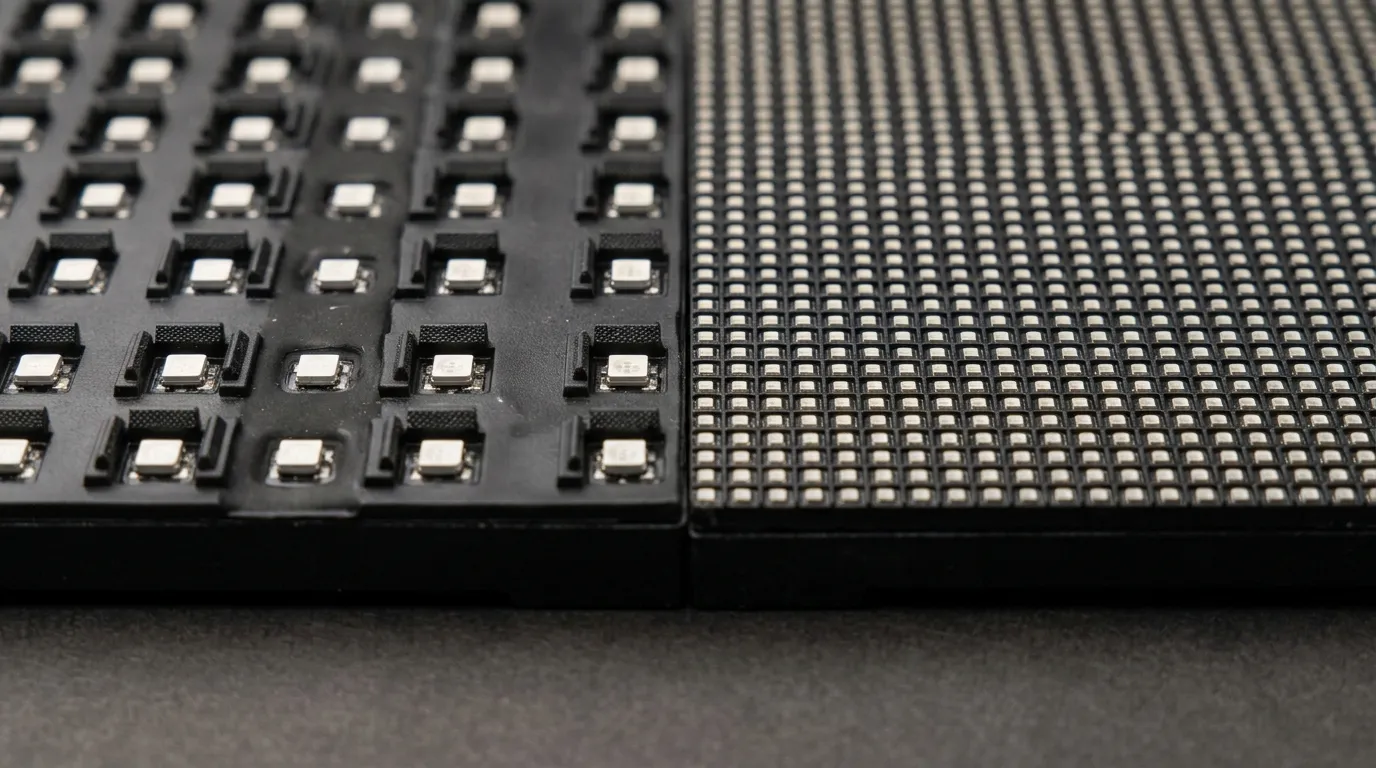
Pixel pitch is the distance between the centres of two adjacent LED pixels, usually quoted in millimetres; a smaller pitch packs more pixels into the same area. Set the pitch from the nearest viewer first, then confirm the farthest viewer still reads the content clearly. The nearest audience position is the constraint, not the average distance.
REISSOPTO's outdoor LED screen guide groups example pitches by viewing context: P2.5–P3 for close pedestrian areas, P4–P6 for medium distances and P8–P10 for long-distance viewing. Treat those bands as guidance rather than a formula, because letter height, dwell time and content style also decide legibility.
Trade-off: if the nearest viewer is close but the content is short-dwell advertising that people pass quickly, moving the screen or restricting the near sightline may cost less than dropping to a much finer pitch. Finer pitch raises pixel count, cost and content workload together. For how pitch, resolution and viewing distance relate across a full range, see the LED pixel pitch guide.
[DIAGRAM: A sightline showing the nearest viewer, the farthest viewer and the screen, illustrating why pitch is set by the nearest position.]
Factor 2 — How Bright the Screen Must Be for Day and Night
Brightness is the screen's luminance, measured in nits (cd/m²), and the requirement is a usable range rather than one maximum figure. The screen has to stay legible in the brightest condition it faces and dim enough at night to remain comfortable for drivers, pedestrians and nearby residents.
Dicolor describes 5,000 nits as an all-around brightness option and recommends IP65 or higher for outdoor screens in its July 2024 article. Linsn's buying guide presents brightness values differentiated by installation environment, including direct-sun, shaded and night-use conditions — a useful reminder that the same screen can need very different output across a single day. MIC Display's outdoor advertising LED display MC-S Series page states 5,000-nit brightness and IP65 protection for that model; confirm such figures for the exact configuration you order rather than applying them to every outdoor screen.
| Installation condition | What drives the requirement | Source note |
|---|---|---|
| Direct sun, no shading | High daylight output plus reliable dimming | Linsn's guide separates direct-sun conditions from shaded and night use |
| Partial shade or side-lit position | Moderate output with smooth dimming | Same environment-based brightness table |
| Night-facing or near housing | Low minimum brightness and accurate dimming control | Same environment-based brightness table |
| Coastal or high-UV site | Enclosure and material verification beyond brightness | EagerLED notes IP ratings do not cover salt, UV or condensation |
Factor 3 — Weather Protection and What an IP Rating Actually Proves
Ingress Protection (IP) is a two-digit code describing how well an enclosure keeps out solid objects and water; it says nothing about corrosion, ultraviolet degradation or condensation. EagerLED describes IP65 as dust-tight protection plus water-jet protection and advises buyers to verify exactly which parts were tested and what documentation supports the claim. The same source states that an IP rating alone does not establish resistance to salt, UV exposure or condensation.
Dicolor's July 2024 article recommends IP65 or higher for outdoor screens, and MIC Display's MC-S Series page states IP65 protection for that model. Those are publisher and product claims to confirm for your configuration, not a guarantee for every coastal or high-humidity site.
For exposed locations, verification goes beyond the code: enclosure materials, sealing method, drainage and corrosion treatment all matter. Ask for the specific tested parts and written documentation before accepting a rating as sufficient for that site.
Factor 4 — Screen Size and Mounting
Screen size and mounting should be decided together, because the available structure sets the viewable area and the mounting method sets structural load, service access and how much of the screen passing traffic actually sees. Settle both before finalising pitch or brightness, since a change in size or mounting can invalidate a pitch choice.
How Screen Size, Aspect Ratio and Resolution Relate
Choose the viewable width and height first, then derive resolution from the physical dimensions divided by the pixel pitch: the same size at a smaller pitch carries many more pixels, along with a different cost and content workload. Lock the content format, for example a landscape advertising loop, before fixing the aspect ratio, so the screen is not left with unused or stretched areas. Screen height also affects viewing distance in practice, because a high-mounted screen is usually seen from further away than its plan drawing suggests.
Which Mounting Approach Fits Your Site
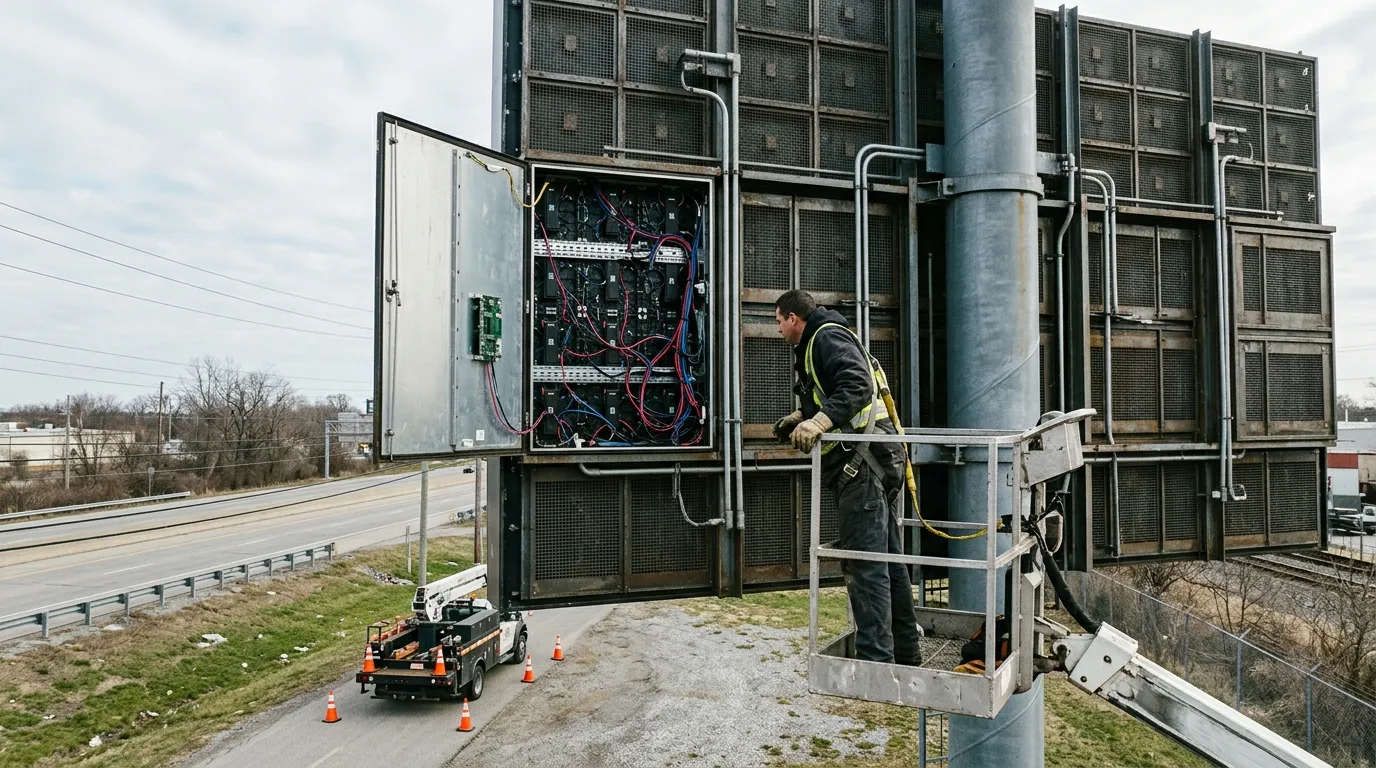
Match the mounting to the structure you actually control, and confirm that service access and cable routing can be reached without scaffolding or road closures.
| Mounting approach | Typical site | Constraint to verify before deciding |
|---|---|---|
| Facade-mounted | Building face with existing structural support | Fixing points, permitted projection, service access |
| Wall-mounted | Wall with adequate backing and clearance | Wall condition, ventilation clearance, cable route |
| Pole-mounted | Roadside or forecourt position | Pole capacity, wind exposure, access from ground level |
| Ground-supported structure | Open site with no suitable building face | Foundation, footprint, approvals, safe service area |
Cabinet type interacts with mounting and maintenance. MIC Display's outdoor page compares die-cast aluminum and iron cabinets across application, maintenance access and budget level, so the aluminum outdoor LED display range is one option to review against the site plan. Decision rule: if maintenance access cannot be planned from the front or the rear without disrupting the site, revisit the screen size before confirming the mounting.
[DIAGRAM: Facade, wall, pole and ground-supported mounting options, with the service access route marked for each.]
Factor 5 — Control System and Content Updates
The control system is the hardware and software that receives advertising content and sends it to the screen, and it should be chosen after the publishing workflow, not before. Decide early who uploads content, from where, how often it changes, and whether several screens must update together.
NSELED's business guide treats content management system considerations alongside location and technical factors, which reflects how often the update workflow decides the hardware. Refresh rate is a related detail: MIC Display's MC-S Series product page states 3,840 Hz visuals for that model, a figure that matters when the screen will appear in filmed or photographed content rather than only to the naked eye. Confirm the refresh and control specification for the model you order.
Decision rule: specify the update workflow — single screen or group, on-site or remote, scheduled or live — before comparing controllers or software.
A Step-by-Step Selection Order for Advertisers
Work through the five factors in one sequence: gather site facts first, size and mount the screen second, set pitch and brightness third, choose the control workflow fourth, and verify documentation last. Reversing this order usually forces a redesign, because a size or mounting change alters pitch, brightness and cost together.
- Record the nearest and farthest viewer positions and the width of clear sightline from the road or walkway.
- Measure the structure or space available, and confirm who approves changes to it.
- Fix the viewable size and aspect ratio to suit the advertising content.
- Choose the pitch from the nearest viewer, then check legibility at the farthest viewer.
- Set the brightness range for the sunniest and darkest conditions the screen faces.
- Match IP protection and cabinet type to exposure, and confirm service access.
- Define the content update workflow, then request configuration-specific documentation.
What to Verify Before You Buy
Ask for evidence rather than headline numbers: which configuration was tested, under what conditions, and what the supplier will support after installation. Samsung's January 2024 article recommends asking suppliers about thermal management, maintenance, permitting support, safety and pixel pitch matched to viewing distance. EagerLED advises verifying the exact tested parts and documentation behind an IP claim.
- The tested configuration and the specific parts covered by an IP or performance claim.
- The stated conditions behind brightness, pitch and refresh figures.
- The maintenance and service route, confirmed in writing.
- The proposed thermal management approach for the expected climate.
- Guidance on permitting and local rules that apply to the site.
- What support and warranty cover after installation, and who provides them.
A supplier comparison checklist helps here; MIC Display publishes an LED display manufacturer buyer's checklist covering the questions to put in writing.
Cost Drivers, Maintenance Access and Local Rules
Cost follows pitch, brightness capability, cabinet type, screen area, mounting structure and service access — not a single price per square metre. MIC Display's outdoor page links cabinet choice to application, maintenance access and budget level, which is why two screens of the same size can differ in cost. Maintenance access belongs in the cost discussion too: if the screen can only be serviced from one side, the mounting and access equipment change what the project costs to run. Plan the access caveat once, in the mounting section above, and the weather-protection caveat once, in the IP section.
Local signage, brightness and structural rules vary by jurisdiction and must be confirmed for the specific site with the relevant authority and qualified professionals; neither an IP rating nor a pitch choice substitutes for that review. For screens used in advertising and commercial environments, MIC Display's advertising display solutions page shows the application context.
To compare configurations, send your site details — nearest and farthest viewer distances, approximate screen dimensions, exposure and mounting constraints, and how often content will change. MIC Display's design team customizes screen structure, size and configuration to each project's installation environment, and its displays carry a 5–8 year warranty with remote technical support and after-sales service.
FAQ
How much does an outdoor LED advertising screen cost?
No single figure applies, because cost follows pixel pitch, brightness capability, cabinet type, screen area, mounting structure and service access. A finer pitch or a larger screen area raises both pixel count and cost, and the mounting method can change project cost significantly. Request a configuration-based quotation instead of a price per square metre.
How far should viewers be from an outdoor LED advertising screen?
Measure from the nearest and farthest viewer positions, because the nearest one constrains legibility. REISSOPTO's guide groups example pitches as P2.5–P3 for close pedestrian areas, P4–P6 for medium distances and P8–P10 for long-distance viewing. Use those bands as guidance and confirm them against your content with the supplier.
How do I calculate resolution from screen size and pixel pitch?
Divide the physical width and height by the pixel pitch, then convert to pixels. A 4-metre-wide screen at a 4 mm pitch carries roughly 1,000 pixels across; the same width at a 2 mm pitch carries roughly 2,000. Use the calculation to compare options, then let the supplier confirm the final resolution.
What maintenance access should a fixed outdoor advertising screen include?
Service access is planned with the mounting, not after it. Front or rear access, safe standing space, cable routing and whether a lane or walkway must be closed all affect the choice, so confirm the access route in writing before approving the mounting. If access cannot be planned without disrupting the site, revisit the screen size first.
Share on Social:


Contact Us
In This Article
Related Posts
LED Window Display- The Complete Guide for Retail, Advertising, and Commercial Spaces
October 26, 2026
Mini LED Display- What It Is, How It Works, and Where It Fits
October 26, 2026
Naked Eye 3D LED Display - How It Works, Key Specs, Cost and How to Plan One (2026 Guide)
October 16, 2026
Transparent LED Displays for Storefronts
October 14, 2026


