




GOB vs COB LED Display: Protection, Clarity and Cost
By miashuvo2077
Sep 18, 2026Related Posts

LED Window Display- The Complete Guide for Retail, Advertising, and Commercial Spaces
October 26, 2026

Mini LED Display- What It Is, How It Works, and Where It Fits
October 26, 2026
Naked Eye 3D LED Display - How It Works, Key Specs, Cost and How to Plan One (2026 Guide)
October 16, 2026

Transparent LED Displays for Storefronts
October 14, 2026
GOB and COB are two different ways of packaging and protecting an LED display's light-emitting surface: GOB adds a protective glue layer over SMD LED modules, while COB mounts LED chips directly onto the board. Neither is universally better — the right choice depends on impact exposure, viewing distance, serviceability and budget.
Key takeaways
- GOB (glue on board) applies a protective hardened glue layer over conventional SMD LED modules; COB (chip on board) mounts LED chips directly onto the board (Neoti; EagerLED).
- A protected or encapsulated LED face does not by itself make a whole display weather-resistant — the cabinet, seams, connectors and rear access also matter (EagerLED).
- GOB coating hardness, optical finish, thickness and repair method vary by manufacturer, so a sample and written specification matter more than the label (EagerLED).
- In one supplier comparison, COB is positioned above GOB on cost and GOB above SMD — a broad comparative statement, not a market price (Neoti, 2025).
- Fit is application-led: rental prioritises handling and serviceability, floor needs project-specific confirmation, and fixed indoor is driven mainly by pitch and viewing distance.
What Is the Difference Between GOB and COB LED Displays?
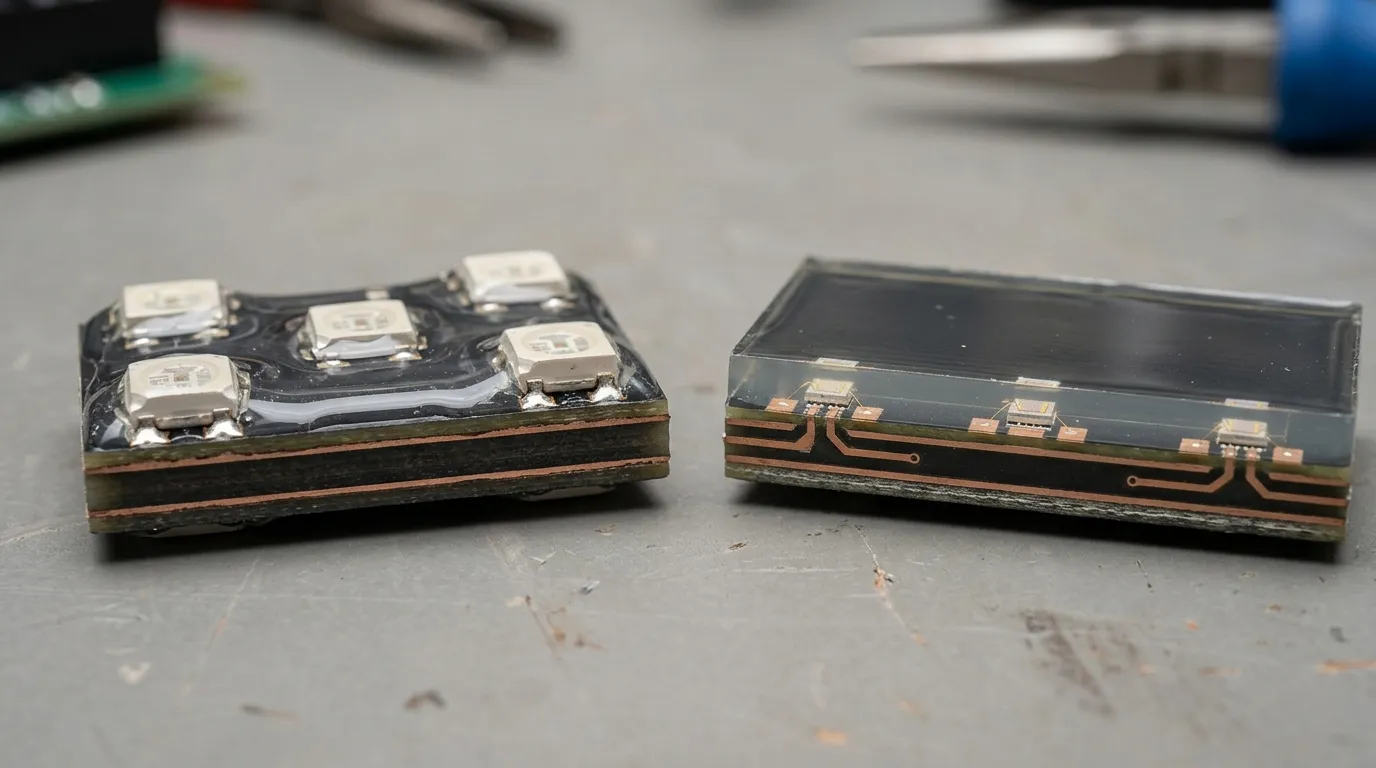
GOB is generally described as a protective glue layer applied over conventional SMD LED modules, while COB mounts LED chips directly onto the board with no separate packaged lamp. The core difference is where the LED sits and what covers it — not the display cabinet, the control system or the pixel pitch.
GD, SMD, COB and GOB are often listed together, so a short clarification helps. Surface-mount device (SMD) is the conventional packaged LED mounted onto a module. GOB is not a replacement package: it is a treatment added on top of an SMD module. COB is a different package architecture in which the chip is bonded directly to the board.
One caution matters before any technical comparison. Neoti describes GOB as a transparent hardened glue layer over SMD LED modules and COB as LED chips mounted directly on the board; EagerLED draws the same distinction. At least one other supplier explainer (DDW) defines GOB differently, which confirms that terminology is not consistent across the market. Ask each supplier to describe the construction rather than accept the acronym.
EagerLED adds a point that changes how buyers should read any specification sheet: the GOB coating's hardness, optical finish, thickness and repair process vary by manufacturer. A sample and a written specification therefore carry more weight than the technology name.
[DIAGRAM: side-by-side cross-section of a GOB module (SMD LED with a protective glue layer on the surface) and a COB board (chips mounted directly on the board with no separate package), labelled at the LED, coating and board level]
| Aspect | GOB | COB |
|---|---|---|
| How the LED is mounted | SMD LED module | LED chips mounted directly on the board |
| What covers the LED | Protective hardened glue layer | Encapsulation as part of the chip-on-board construction |
| Positioning example | Not stated in the retrieved sources | MIC Display lists its MC-COB Indoor Series at P0.78, P0.93, P1.25, P1.56 and P1.875 |
| Terminology | Market usage varies — confirm with the supplier | Market usage varies — confirm with the supplier |
Protection: What a GOB Coating Does and Does Not Prove
A GOB coating protects the LED face against contact and impact, but it does not on its own establish that the display is water- or weather-resistant. Whole-screen performance depends on the cabinet, rear access, connectors and seams as well as the LED surface.
That distinction is where most comparisons stop short. EagerLED cautions that a coated or encapsulated LED face does not by itself establish weather resistance of the whole display, including its cabinet, rear access, connectors and seams. A protective layer over the LEDs is one part of a system, not a rating for the assembly.
Published protection grades should be read the same way. SoStron's guide, published 3 July 2024, presents GOB protection grades with IP54, IP65 and IP67 examples, but the published material does not show which products or test conditions those examples apply to. Treat such figures as a vendor example and ask for the documentation behind them.
Decision rule: for any outdoor, floor or high-contact project, request the ingress-protection rating of the complete display assembly and the test documentation behind it — not the rating of the LED face alone. A coating description is not a substitute for that document.
Clarity and Image Uniformity at Close Viewing
Close-view clarity and uniformity are driven mainly by pixel pitch, calibration, brightness matching and the quality of the light-emitting surface — not by whether the display is GOB or COB. GOB and COB change how the surface is protected and how it reflects, which is a secondary effect alongside pitch and calibration.
EagerLED identifies viewing distance, brightness and content type as inputs for choosing and comparing displays, which puts the emphasis on the viewing condition rather than the packaging acronym. For fine-pitch work in particular, buyers comparing options below roughly P1.9 should compare the pitch bands each supplier actually offers, since that is the variable that determines how close an audience can stand.
Decision rule: compare two displays only at the same pixel pitch, brightness target, viewing distance and calibration state. Packaging alone does not determine image quality.
Fine-pitch COB options for close-viewing installations are worth reviewing in this context, because they show which pitch bands are available in a given construction rather than only how the surface is treated.
[PHOTO: the same content shown on a GOB display and a COB display at the same pixel pitch and the same viewing distance, annotated to show surface reflection and uniformity rather than to indicate a preferred option]
Pixel Pitch and Viewing Distance: How They Change the Comparison
Work out the closest sustained viewing distance first, then set the pixel pitch, then compare GOB and COB options at that pitch. If the two technologies are not offered at the same pitch, the comparison is not like-for-like.
Pixel pitch is the distance between the centres of adjacent pixels, usually expressed in millimetres; a smaller figure means more pixels in the same area and a shorter comfortable viewing distance. EagerLED lists viewing distance and content type among the inputs for a comparable quotation, which is why they belong in the specification before quotes are requested.
For a concrete reference point, MIC Display's COB page groups its MC-COB Indoor Series at P0.78, P0.93, P1.25, P1.56 and P1.875, with a stated brightness of 600 nits, and separates P0.78–P1.25 as "Ultra-Fine Pitch" from P1.56–P1.875 as "Fine-Pitch." That range shows how narrow the pitch window usually is when GOB and COB are genuinely compared.
Decision rule: write the required pitch into the specification before requesting quotes, and ask each supplier to confirm the pitch offered rather than answering at the technology level. A pitch-to-viewing-distance method is set out in this LED pixel pitch guide if the requirement still needs to be calculated.
Repair and Maintenance: What Happens When a Pixel Fails
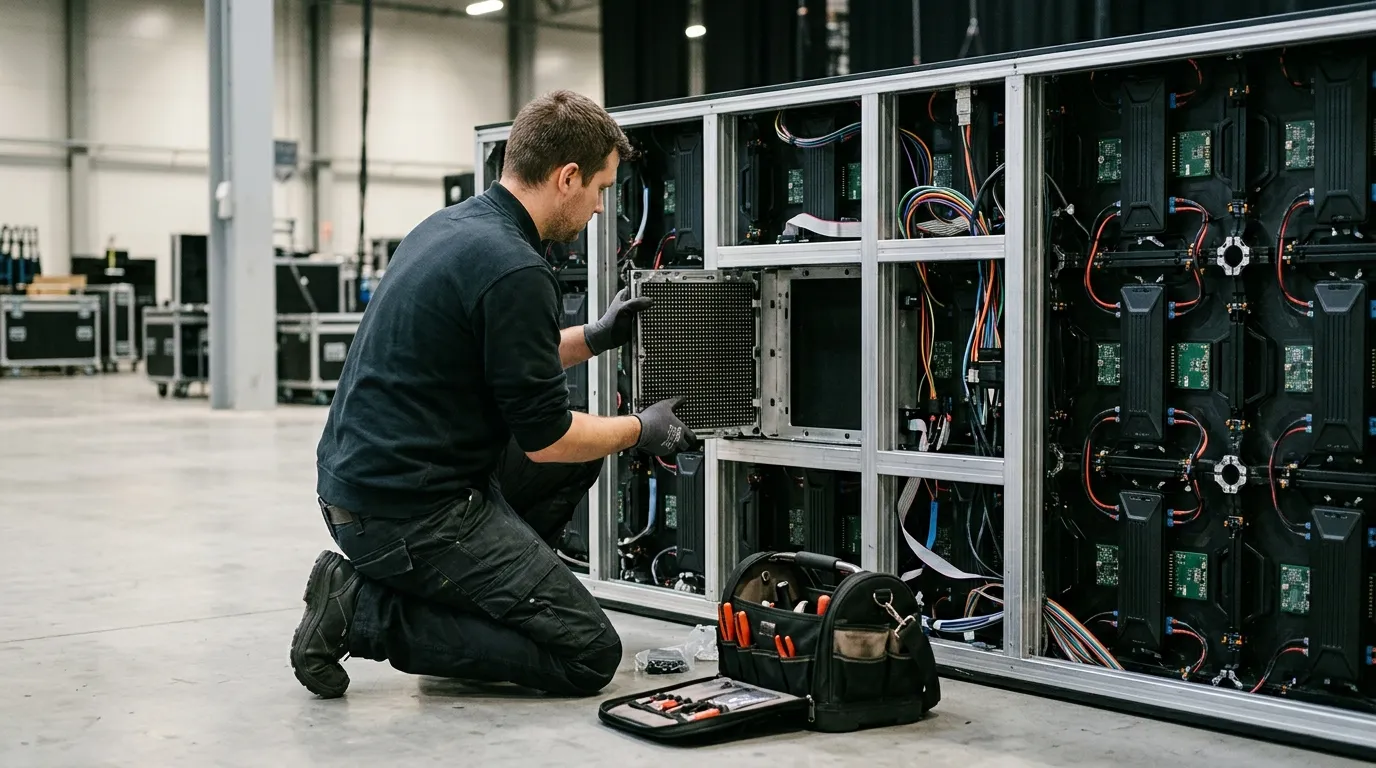
Published comparisons indicate that a GOB coating can make individual LED repair harder, while COB may call for specialised tools or module replacement. In both cases the practical question is whether a fault is fixed at module level, who performs the work, and how long the screen is out of service.
Neoti states that GOB's coating can make individual LED repair more difficult, while COB may require specialised tools or module replacement. EagerLED states that the GOB repair process varies by manufacturer, which means repairability is a supplier-level variable rather than a fixed property of the technology. EagerLED also lists service-access constraints among the inputs for a comparable quotation.
This is the point where a technology comparison becomes a service-cost comparison. A screen that can be repaired on site with a spare module behaves very differently from one that must be returned or serviced with specialist tooling, even when the initial purchase prices look similar.
Decision rule: ask each supplier for the module-level replacement procedure, whether service is front- or rear-access, spare-module availability, and the stated warranty scope covering parts and labour.
Cost: Initial Price vs Total Ownership
Supplier comparisons place COB above GOB and GOB above SMD on cost, but those are broad positioning statements rather than market prices. The decision should be made on total ownership cost — initial price plus spares, repair method, downtime and warranty scope — at an identical specification.
Neoti's 2025 comparison table characterises COB as higher cost, GOB as mid-range and SMD as most affordable. Read that as a directional statement about relative positioning, not a quotation. The same source notes that GOB's coating can complicate individual LED repair while COB may need specialised tools or module replacement, and both of those feed into the cost of ownership.
EagerLED lists viewing distance, brightness, content type, installation and service-access constraints as inputs for a comparable quotation, which is a useful reminder that the brief determines the price far more than the acronym does.
Decision rule: price every quote at the same pitch, brightness target, cabinet type, installation scope, warranty term and spare-module provision. If those differ between quotes, the prices are not comparable and should not be presented side by side.
Which Fits Rental, Floor and Fixed Indoor Projects?
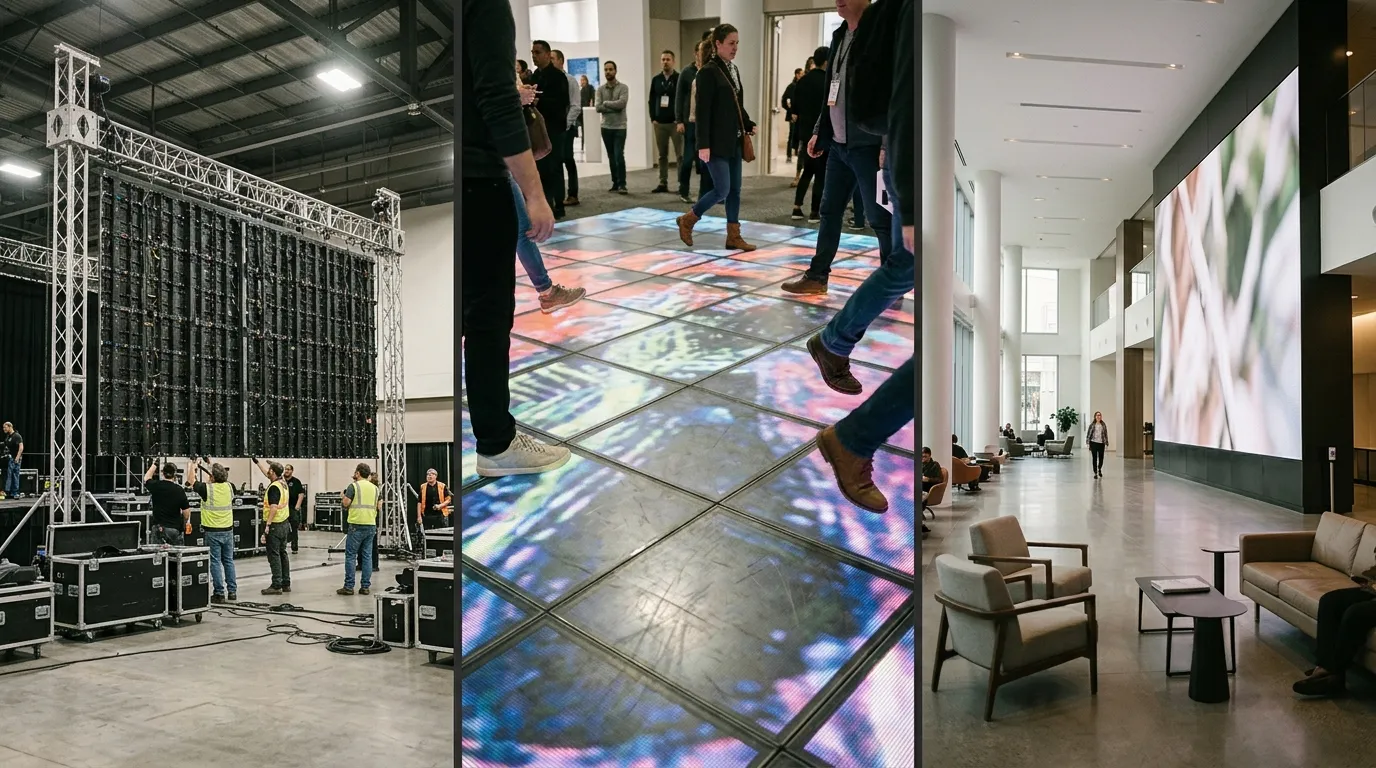
There is no universal winner between GOB and COB. Rental work favours handling durability and fast serviceability, LED floors require project-specific confirmation of suitability and system specifications, and fixed indoor installations are driven mainly by pitch and viewing distance.
Rental and event projects
Rental screens are rigged, transported and struck repeatedly, so the questions that matter most are how a failed module is replaced on site and how quickly a spare can be supplied. A rental LED display is normally specified around those service requirements, and Neoti's note that GOB coating can complicate individual LED repair while COB may need specialised tools or module replacement belongs in that conversation. Confirm the on-site replacement method before committing to a technology.
LED floor and high-contact applications
Floor displays take direct foot traffic, so surface protection matters — but it is not the whole answer. As covered under protection above, EagerLED cautions that an encapsulated LED face does not by itself establish weather resistance of the whole display. For a floor build, ask whether the specific model is confirmed for floor use and what system specification supports that, as with this indoor floor tile screen example.
Fixed indoor installations
Fixed indoor projects are usually decided on pitch, calibration and service access rather than on the LED surface treatment. EagerLED lists viewing distance, brightness, content type, installation and service-access constraints as inputs for a comparable quotation. Where the screen is permanently installed and access is restricted, decide early whether service will be from the front or the rear, as with a typical indoor fixed LED display installation.
| Project type | What to prioritise | Questions to put to the supplier |
|---|---|---|
| Rental / event (repeated rigging) | Handling durability, module-level serviceability, spare availability | How is a failed module replaced on site? What is the spare lead time? |
| LED floor / high contact | Project-specific suitability confirmation, full-assembly environmental specification | Is this model confirmed for floor use, and what system specification supports that? |
| Fixed indoor | Pitch matched to viewing distance, calibration, front or rear service access | What pitch do you offer, and how is it serviced after installation? |
Like-for-Like Specification Checklist
A GOB-versus-COB decision is only meaningful when both options are specified identically. Use the same pitch, brightness, cabinet, environment, service method and warranty terms across every quote, and require written confirmation of each item.
- Required pixel pitch, derived from the closest sustained viewing distance and the content type.
- Target brightness, and the calibration state at which it is quoted.
- Cabinet type, mounting method and installation environment (fixed indoor, repeated rental handling, or floor contact).
- Ingress-protection rating of the complete display assembly, with supporting documentation — see the protection section above for why the LED face alone is insufficient.
- Module-level replacement procedure, service access (front or rear) and spare-module availability.
- Warranty term and what it covers, including parts, labour, remote support and expected response.
- A sample or mock-up at the specified pitch before production.
When confirming which pitch bands a supplier actually offers, check the COB LED display range rather than relying on a technology-level answer. MIC Display manufactures COB displays and designs screen structure, size and configuration to each project's installation environment, which is the level of detail a like-for-like comparison needs.
If a project needs pitch, environment and service method confirmed together, MIC Display's design team can review the requirement against its COB range. MIC Display has produced LED displays since 2011, serves commercial, advertising, control room and stage or event projects for integrators, rental and event companies, advertisers and project owners, and exports to more than 100 countries. Displays carry a 5–8 year warranty with remote technical support and after-sales service. Ask for a specification-matched comparison rather than a technology-level answer.
Share on Social:


Contact Us
In This Article
Related Posts
LED Window Display- The Complete Guide for Retail, Advertising, and Commercial Spaces
October 26, 2026
Mini LED Display- What It Is, How It Works, and Where It Fits
October 26, 2026
Naked Eye 3D LED Display - How It Works, Key Specs, Cost and How to Plan One (2026 Guide)
October 16, 2026
Transparent LED Displays for Storefronts
October 14, 2026


